

Microsoft Excel for Business (Foundation to Advanced) Corporate Training
A 14-hour instructor-led program that takes business users from Excel fundamentals to confident, advanced business reporting.
Your team works in spreadsheets every day. This program builds the full journey: clean data entry, reliable formulas, PivotTables, dashboards, and a capstone reporting project, all practiced on realistic business scenarios.
Instructor-led group trainingVirtual / on-site / off-site10 languagesDelivered inEnglish, Spanish, Mandarin, German, Arabic, Portuguese, Hindi, French, Japanese, Italian100+ countriesWe have delivered inUnited States, United Kingdom, India, Canada, Germany, France, Netherlands, UAE, Saudi Arabia, Singapore, Australia, Japan, Brazil, South Africa and 90+ more countries
How we build a data-confident business team
The Edstellar SPREADSHEET PRODUCTIVITY Capability Model
Diagnose
We map how your team currently uses Excel, spotting formula errors, manual workarounds, and reporting bottlenecks before training begins.
Standardize
Learners adopt consistent formatting, naming, and structure habits so every workbook is readable, auditable, and easy to hand over.
Practice
Guided practice scenarios mirror your team's actual work: cleaning messy exports, building lookups, and summarizing results for managers.
Measure
Progress is measured through scenario checkpoints and the capstone showcase, so managers see which skills have genuinely landed.
Scale
Templates, checklists, and shared practices from the program help the whole team keep the new habits long after the sessions end.





Need more than one program?Get a group quote
Trusted as a Leading Corporate Training Provider by
















Program Overview: What is Microsoft Excel for Business (Foundation to Advanced)?
Microsoft Excel for Business (Foundation to Advanced) is Edstellar's instructor-led program for professionals who want Excel to carry real business work. It is designed for non-analysts as much as analysts, and covers Excel foundations, formulas and functions, data cleaning, PivotTables, charts, and management dashboards. Participants progress from everyday tasks to reporting leadership can act on.
Training is workbook-based, with participants building real business files in every single session of the program. Each module pairs guided instruction with practical exercises: everyday calculations, cleaning messy data, pivot analysis, and management dashboard design. Instructors review each workbook carefully, fixing the formula habits and copy-paste shortcuts that silently produce wrong numbers. The program closes with a capstone where participants deliver an end-to-end business reporting project.
Businesses run on spreadsheets, but most Excel work is fragile: broken formulas, hand-copied data, reports rebuilt from scratch monthly. This program replaces that with durable skills: clean data, reliable formulas, and dashboards that refresh. The result is numbers the business can trust and hours freed every reporting cycle.
It all lands in the End-to-End Business Reporting Project capstone: a management-ready dashboard built from raw business data, with cleaned sources, audited formulas, and pivot-driven views, presented as a reporting pack the participant's team could adopt.
The program is built around how business teams actually use Excel: messy exports that need cleaning, figures that must be checked, and reports that managers expect on time. Learners practice each skill in guided business scenarios, from a clean data-entry routine to a one-page management dashboard.
What's Included in this Workshop for Your Enterprise Teams
- 1
Foundations
Confident navigation, data entry, and formatting habits.
- 2
Formulas
Everyday functions, logic, and reliable lookups.
- 3
Data shaping
Cleaning, validating, and structuring business data.
- 4
Analysis
PivotTables, charts, and management dashboards.
- 5
Capstone
An end-to-end reporting project and showcase.
- 14 hours of live instructor-led training
- Virtual, onsite, or hybrid delivery
- Practice scenario files for every module
- Capstone reporting project with review
- Digital course materials and quick-reference guides
- Post-training support resources
Build your team's skills. Anywhere in the world.
Real-world use cases
from day one
Instructor-led training
for your teams
Delivered globally
in 100+ countries


Enterprise Training Solutions Customized for Your Company
One partner for instructor-led corporate training, delivered the way your teams work.
Request a Training Quote- Customized Training Delivery
- Scale Your Training: Small to Large Teams
- In-person Onsite, Live Virtual or Hybrid Training Modes
- Plan from 2000+ Industry-ready Training Programs
- Hands-On Labs on Live Infrastructure, Led by Industry Experts
Microsoft Excel for Business (Foundation to Advanced) Course Topics and Program Outline
Five modules take learners from Excel fundamentals to advanced business reporting, closing with a capstone showcase.
Built by Edstellar with spreadsheet productivity experts
Built by business productivity practitioners who train finance, operations, and sales teams in Excel every week, shaped around your stack and use cases.
We assess each learner's Excel starting level and reporting needs, then tailor practice scenarios to your team's spreadsheets.
Live instructor sessions build Excel fundamentals, formula logic, and clean workbook habits step by step.
Learners practice in guided business scenarios: cleaning data, building lookups, and summarizing results for managers.
A capstone showcase has each participant deliver and present a complete reporting pack for instructor review.
From Excel basics to a presented reporting pack in 14 hours.
Delivered as
Delivered live by an instructor over 14 hours in virtual, onsite, or hybrid formats, with every concept practiced on realistic business scenarios.

A guided walkthrough that sets up a clean, formatted monthly tracker from a raw data dump.
learna)Navigating the Excel interface with confidence
b)Entering, editing, and validating business data
c)Formatting cells, numbers, and dates for clarity
d)Sorting, filtering, and printing everyday reports
A guided exercise that rebuilds a fragile pricing sheet with robust formulas and lookup logic.
learna)Writing formulas with absolute and relative references
b)SUM, AVERAGE, COUNT, and conditional aggregation
c)IF logic, text functions, and date arithmetic
d)XLOOKUP and VLOOKUP for reliable data matching
A realistic practice scenario: clean a messy sales export and prepare it for monthly reporting.
practicea)Removing duplicates and fixing inconsistent entries
b)Text-to-columns, Flash Fill, and data validation
c)Building Excel Tables for structured analysis
d)Conditional formatting to surface issues fast
A practice scenario that builds an interactive sales dashboard from a cleaned dataset.
practicea)Building PivotTables and PivotCharts from raw data
b)Slicers, timelines, and interactive filters
c)Choosing charts that answer business questions
d)Assembling a one-page management dashboard
The capstone project: each participant builds and presents a complete business reporting pack.
applya)Scoping a reporting request from a stakeholder brief
b)Cleaning and modeling the source data
c)Building the dashboard and validating the numbers
d)Presenting findings in a stakeholder showcase
Customize this program tailored to your team?
Tell us your training needs: what your team already works with, the level they’re at, and the topics you want them to focus on. We’ll adjust the modules, duration and hands-on labs, and send you a customized outline for your group.
Key Skills and Outcomes Your Team Will Gain
Seven job-ready outcomes your team will demonstrate by the end of the program. Each skill is practiced in guided business scenarios and reviewed in the capstone showcase.
Navigate Excel with confidence
Move through workbooks, enter and validate data, and keep every sheet clean, formatted, and easy to hand over.
Write everyday formulas and functions
Build reliable calculations with references, conditional aggregation, and IF logic that survive real data changes.
Clean and validate messy data
Remove duplicates, fix inconsistencies, and apply validation so exports become trustworthy analysis-ready datasets.
Match and summarize data with lookups and PivotTables
Connect tables with XLOOKUP and summarize large datasets with PivotTables, slicers, and interactive filters.
Build charts that answer business questions
Choose the right chart for the question, format it for clarity, and make trends and outliers instantly visible.
Assemble management dashboards
Combine PivotTables, charts, and filters into a one-page dashboard that managers can read in under a minute.
Deliver a stakeholder-ready reporting pack
Scope a reporting request, clean the source data, validate the numbers, and present findings in a confident showcase.
Teams that Benefit from this Microsoft Excel for Business (Foundation to Advanced) Group Training
For analysts, coordinators, finance staff, and managers who work in spreadsheets every day. Sessions adapt to each cohort's roles and current Excel level, so every team practices the reporting workflows it actually owns.
Faster, error-free month-end reporting
Finance teams reconcile, summarize, and report figures every cycle. The program tightens formula habits and speeds up close reporting.
Workflow friction
- Fragile formulas that break on updates
- Manual copy-paste reconciliation work
- Inconsistent workbook formats across the team
How the program helps
- Reliable formulas that survive data changes
- Faster month-end close and reconciliation
- Audit-ready, consistently formatted workbooks
Practice use cases
- month-end close
- budget tracking
- variance analysis
Cleaner trackers and operational dashboards
Operations teams run on trackers. The program teaches structured tables, validation, and dashboards that keep operational data honest.
Workflow friction
- Sprawling trackers nobody trusts
- Inconsistent status and date entries
- No single view of operational performance
How the program helps
- Structured tables that stay clean over time
- Validation that prevents bad data entry
- Dashboards for daily operational review
Practice use cases
- operational trackers
- inventory logs
- KPI dashboards
Sharper pipeline and sales reporting
Sales teams live in pipeline exports. The program builds lookup, PivotTable, and charting skills for faster, clearer sales reporting.
Workflow friction
- Messy CRM exports that resist analysis
- Slow manual pipeline rollups
- Reports managers struggle to read
How the program helps
- Fast pipeline summaries with PivotTables
- Clean CRM exports ready for analysis
- Charts that tell the sales story clearly
Practice use cases
- pipeline analysis
- quota tracking
- sales reviews
Confident people-data and admin reporting
HR and admin teams manage headcount, attendance, and vendor data in Excel. The program builds cleanup and reporting confidence.
Workflow friction
- Scattered people-data spreadsheets
- Time-consuming manual summaries
- Formatting that changes every month
How the program helps
- Clean headcount and attendance records
- Fast summaries for leadership requests
- Reusable templates for recurring reports
Practice use cases
- headcount reports
- attendance tracking
- vendor records
Every cohort works on scenarios matched to its own function, so finance, operations, sales, and admin teams each practice the workflows they own.
Prerequisites: This program suits anyone who uses Excel at work, from beginners to regular users who want to work faster and more accurately. No prior advanced Excel knowledge is required. Familiarity with everyday office work helps, and every cohort's practice scenarios adapt to the tools and data participants actually use.
Excel beginner to confident business user
The program meets learners at their current level and moves them toward confident, independent business reporting.
A single program that grows with business careers, from first formulas to confident stakeholder reporting.
Mixed cohort, or several teams at once?
We can tailor the training to different teams, roles, and experience levels within the same program.
Certificate of Training Completion.
On successful completion, employees receive an Edstellar course completion certificate, recognizing their commitment to ongoing learning and professional development. It validates the skills they have built and motivates them to keep growing and contribute to organizational success.
Earned, not attended. Awarded on completion of all hands-on labs and the capstone project.

Training Delivery Modes: Virtual, Onsite and Hybrid
Choose the format that fits your teams. Every mode is live and instructor-led, with the same practice scenarios and capstone showcase.
Hybrid Training
Part of your team joins in the room and part joins online, with one instructor running both groups through the same guided practice scenarios.
- Same instructor for room and online learners
- Practice scenarios shared across both groups
- Flexible scheduling across time zones
- Consistent materials and capstone review

Onsite Training
The instructor delivers the full program at your office, with in-room practice scenarios and a live capstone showcase.
- Instructor at your office for all sessions
- In-room coaching during practice scenarios
- Team-based capstone presentations
- Direct feedback from the instructor

Live Virtual Training
Live online sessions with screen sharing, breakout practice, and real-time instructor support throughout every scenario.
- Live instructor with screen sharing
- Breakout rooms for practice scenarios
- Real-time help during exercises
- Recorded sessions for revision

Need a training format that works for your team?
Full days, half days across weeks, or split by module. Tell us the delivery window and we schedule the cohort around it.
Frequently Asked Questions
Share your team size, preferred dates, and delivery mode, and we send a tailored proposal with batch options and pricing.
Yes. A short discovery call helps us understand your team's Excel level and reporting needs before we finalize the plan.
Yes. Live virtual sessions run with an instructor, screen sharing, and breakout practice, with real-time support throughout.
Yes. The instructor delivers the full 14-hour program at your office, including in-room coaching and the capstone showcase.
The program runs 14 hours, typically spread across sessions that fit your team's schedule without blocking full workdays.
Question not answered here?
Put it in the request. A training specialist answers it directly, within one business day.
Where this Training Fits in Your Team's learning path.
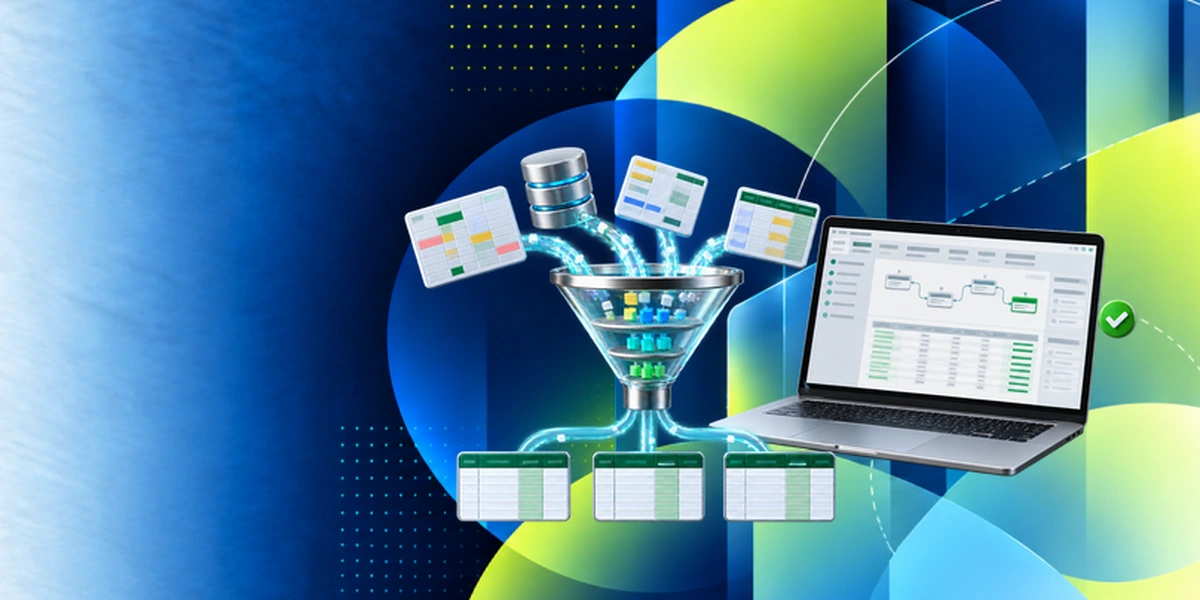
Excel for business is the starting point here. Once your team handles formulas, tables and pivots, Power Query adds repeatable data preparation, Copilot speeds up analysis, and Power BI takes reporting beyond the spreadsheet.



Why Choose Edstellar as Your Microsoft Excel for Business (Foundation to Advanced) Training Provider
Edstellar delivers instructor-led Excel training built around your team's real reporting work, with practice in every module and a capstone to prove the skills.

EXPERT TRAINERS
YEARS DELIVERING
ORGANIZATIONS TRAINED
CERTIFIED
Tailored
Practice scenarios use your team's own spreadsheet types, so finance, operations, and sales each train on data they recognize.
Proven Methodology
A learn, practice, and apply sequence moves learners from guided exercises to an independent capstone reporting project.
Practice-Based Learning
Every module includes guided practice scenarios on realistic business data, so skills are demonstrated, not just described.
Expert Trainers
Instructors are business productivity practitioners who teach Excel to corporate teams every week and adapt to your tools.
Global Scale
We deliver the same consistent Excel program to distributed teams in virtual, onsite, or hybrid formats across regions.
Measurable Outcomes
Scenario checkpoints and the capstone showcase show exactly which Excel skills each participant can now use at work.
Develop Reliable Excel Reporting From Everyday Calculations to Management Dashboards
Edstellar connects Excel foundations with the complete reporting work business teams perform. Participants organize raw data, strengthen formulas, and clean exports before building PivotTables and dashboards. The final reporting pack is reviewed for accurate calculations, consistent source data, and charts that answer stakeholder questions rather than simply display activity.
- Step 01
Consult
We review participants' spreadsheet experience and recurring reporting tasks to identify gaps in workbook organization, formula logic, data cleanup, and interpretation of summaries.
- Step 02
Plan
We build from clean workbook foundations to formulas and lookups, then practice data preparation, PivotTables, and dashboards before presenting the complete business reporting pack.
- Step 03
Align
We align Excel and business reporting expertise with mixed-experience participants, offering foundational support while connecting exercises to the trackers, exports, and reporting routines they use.
- Step 04
Customize
Sample monthly trackers, pricing sheets, and sales exports reflect relevant business questions, enabling tailored formula and dashboard practice without requiring confidential operational spreadsheets.
- Step 05
Execute
Participants rebuild pricing formulas, clean sales records, and construct interactive dashboards, receiving feedback on calculation logic, lookup behavior, data consistency, and chart selection.
- Step 06
Evaluate
We assess the reporting pack for reliable formulas, validated source data, consistent summaries, and clear visual explanations that support the stakeholder questions defined in the brief.
Also from Edstellar
Talent assessments
Psychometric, behavioral, leadership and 360-degree assessment.
→Training needs analysis
Needs analysis, gap identification, and a training roadmap.
→L&D consulting
Learning strategy, content, technology and ROI measurement.
→OD consulting
Org design, succession planning and cultural change.
→Managed training services
Training outsourcing, vendor management, logistics and administration.
→Coaching solutions
Executive and manager coaching that keeps skills in use.
Start an RFP shaped to your needs.
Answer three quick questions about team size, scope, and how often you need the program run, then send the request from the last step. Everything you choose travels with it, so you only fill this in once.
How many team members need training?
Microsoft Excel for Business (Foundation to Advanced) Training Packages & Pricing
Where L&D holds an annual budget, license packages price the whole year at once instead of raising a purchase order per workshop. Hours and licenses are pooled across teams, programs and locations, so unused capacity is not stranded in one department.
Starter
120
trainee licenses64 hours of group training
Tailored for SMBs
Growth
320
trainee licenses160 hours of group training
Ideal for growing SMBs
Enterprise
800
trainee licenses400 hours of group training
Designed for large corporations
Custom
Unlimited
trainee licensesDuration set by the rollout
Multi-region and multi-year
Training Packages & Pricing
Choose the training format that works for your team. Pricing is customized based on your requirements, cohort size, and delivery needs.
Request Microsoft Excel for Business (Foundation to Advanced) Training for Your Team
Share your team size, current Excel levels, and timelines to receive a tailored training plan and quote. Book a discovery call to discuss your goals; we confirm availability and respond with a proposal.