

Power BI and Microsoft Fabric Analytics Corporate Training
Master Power BI and Microsoft Fabric with hands-on data modeling, DAX, and pipeline labs.
Edstellar, a corporate training company, delivers corporate training that helps your analytics team master Microsoft Fabric and Power BI. Employees build semantic models, author DAX measures, orchestrate data pipelines, and design insight dashboards through guided labs led by practitioners. Each session is tuned to your data sources, tools, and reporting needs.
Instructor-led group trainingVirtual / on-site / off-site10 languagesDelivered inEnglish, Spanish, Mandarin, German, Arabic, Portuguese, Hindi, French, Japanese, Italian100+ countriesWe have delivered inUnited States, United Kingdom, India, Canada, Germany, France, Netherlands, UAE, Saudi Arabia, Singapore, Australia, Japan, Brazil, South Africa and 90+ more countries
How we build a Fabric analytics team
The Edstellar POWER BI AND FABRIC ANALYTICS Capability Model
Assess analytics capability
Skill checks map your team's Power BI fluency, DAX habits, and Fabric familiarity.
Set shared modeling standards
One playbook for star schemas, DAX measures, and certified semantic models.
Practice in guided labs
Labs cover modeling, pipelines, security, and report design on Fabric.
Measure the lift
Lab reviews benchmark each employee's analytics engineering capability.
Scale across teams
One governed standard rolls out across workspaces, domains, and teams.





Need more than one program?Get a group quote
Trusted as a Leading Corporate Training Provider by
















Program Overview: What is Power BI and Microsoft Fabric Analytics?
Power BI & Microsoft Fabric Analytics is Edstellar's instructor-led technical program for BI developers, data engineers, and analytics teams. Participants master the Fabric platform and OneLake, Power BI data modeling and DAX, Fabric data engineering, deployment, and insight storytelling. The program covers the full analytics stack on Microsoft's unified platform.
Training is project-based throughout. Learners build data models, write DAX, and construct pipelines in guided labs on the Fabric platform with realistic business datasets, iterating until the model behaves like a production asset. Instructors coach the team through semantic model design and deployment practices, reviewing every build with direct feedback on engineering quality. The program closes with a capstone: a complete end-to-end Fabric analytics solution.
Analytics teams without platform discipline produce fragile reports: slow models, conflicting numbers, and dashboards that age badly. This program teaches your team to engineer analytics properly, from data pipelines to governed semantic models. The result is insight the business can trust.
Demo day is the capstone: OneLake data, engineered pipelines, a DAX-driven semantic model, and dashboards that tell the story. Your team takes home the reference implementation for how analytics should be built at your company.
Six modules and 24 hours: Fabric foundations, data modeling and DAX, Data Factory pipelines, Power Query and certified models, insight storytelling, and a capstone build. Every module pairs concepts with a guided lab, so each technique is practiced. It closes with a capstone build the team plans, models, publishes, and presents.
Delivery is hybrid across virtual and onsite sessions, scheduled around your calendar. Cohorts train as one group or split into batches, with session materials and lab guides included for every participant.
What's Included in this Workshop for Your Enterprise Teams
- 1
Workspace and pipeline setup
Configure Fabric workspaces, OneLake, and deployment pipelines.
- 2
Semantic modeling labs
Design star schemas and validate DAX measures.
- 3
Pipeline orchestration
Schedule ingestion flows with monitoring.
- 4
Report design reviews
Critique dashboards for clarity and narrative.
- 5
Capstone solution
Deliver an end-to-end Fabric analytics build.
- Instructor-led delivery across virtual, onsite, and hybrid
- Guided labs in every module with instructor coaching
- Capstone analytics solution, reviewed with your team
- Flexible scheduling around your calendar
- Lab guides and reusable DAX and pipeline templates included
- Group size and batches set along with you
Build your team's skills. Anywhere in the world.
Real-world use cases
from day one
Instructor-led training
for your teams
Delivered globally
in 100+ countries


Enterprise Training Solutions Customized for Your Company
One partner for instructor-led corporate training, delivered the way your teams work.
Request a Training Quote- Customized Training Delivery
- Scale Your Training: Small to Large Teams
- In-person Onsite, Live Virtual or Hybrid Training Modes
- Plan from 2000+ Industry-ready Training Programs
- Hands-On Labs on Live Infrastructure, Led by Industry Experts
Power BI and Microsoft Fabric Analytics Course Topics and Program Outline
This instructor-led program walks your team through power bi & microsoft fabric analytics: foundations, core practice, applied integration, and a capstone build. Every module pairs concise instruction with a guided lab, and per-module hours keep the schedule predictable across batches.
Built by Edstellar with analytics engineers
Built by analytics engineers who ship Fabric and Power BI solutions in production, shaped around your stack and use cases.
Skill checks baseline your team's Power BI fluency, DAX habits, and Fabric familiarity before the program begins.
Live instruction covers the Fabric platform, OneLake storage, and workspace governance across 3.5 focused hours.
Guided labs build data modeling, DAX, pipeline, and report-design skill across 12 hours of supervised practice.
Your team ships a capstone Fabric analytics solution in 8.5 hours, reviewed against model and reporting standards.
From Fabric workspace setup to a capstone analytics solution, every technique is practiced in guided labs.
Delivered as
Delivered as a hybrid program of live instruction and guided labs, scheduled around your team's calendar in flexible batches.

Provision a Fabric workspace, organize lakehouse and warehouse items in OneLake, and promote assets through a deployment pipeline.
learna)Fabric architecture: workspaces, capacities, and domains
b)OneLake storage layout and shortcuts
c)Workspace roles, permissions, and governance
d)Deployment pipelines for analytics assets
Model a sales dataset as a star schema, author DAX measures for growth, margin, and rolling averages, and validate them against known totals.
practicea)Star schema and dimensional modeling
b)Relationships, cardinality, and filter context
c)Core DAX: measures, iterators, and CALCULATE
d)Time intelligence and performance checks
Build a scheduled pipeline that ingests CSV sources, transforms them in a notebook, and refreshes a lakehouse table with failure alerts.
practicea)Data Factory pipelines and dataflows
b)Spark notebooks for data preparation
c)Incremental refresh and orchestration
d)Monitoring runs and handling failures
Parameterize a Power Query pipeline, certify a shared semantic model, and apply row-level security for two business roles.
practicea)Power Query transformations and parameters
b)Shared semantic models and certification
c)Row-level security for enterprise data
d)Publishing, apps, and update schedules
Design a management report from a certified model with drill-through pages and a Copilot-generated executive summary your instructor critiques.
applya)Report design: layout, hierarchy, and visual standards
b)Drill-through, tooltips, and bookmarks
c)Copilot and Q&A for rapid insight
d)Storytelling: from metric to recommendation
Deliver an end-to-end Fabric solution for a business scenario and present the dashboard, model decisions, and refresh plan to the instructor.
applya)Scoping the business question and data sources
b)Building the full pipeline and model
c)Report design and narrative review
d)Capstone presentation and instructor feedback
Customize this program tailored to your team?
Tell us your training needs: what your team already works with, the level they’re at, and the topics you want them to focus on. We’ll adjust the modules, duration and hands-on labs, and send you a customized outline for your group.
Key Skills and Outcomes Your Team Will Gain
Seven job-ready outcomes your team will demonstrate by the end of the program. Each competency is practiced in guided labs and reviewed in the capstone build.
Configure Fabric workspaces
Provision Microsoft Fabric workspaces, OneLake storage, and deployment pipelines with enterprise governance settings.
Model data with star schemas
Design clean dimensional models with correct relationships and filter context for reliable reporting.
Author DAX measures
Write DAX measures for growth, margin, and time intelligence that validate against source totals.
Build Data Factory pipelines
Create scheduled ingestion and transformation pipelines that refresh lakehouse tables reliably.
Certify semantic models
Publish shared semantic models with row-level security so every report uses one trusted definition.
Design insight dashboards
Build management-ready reports with drill-through narratives and Copilot-assisted summaries.
Deliver end-to-end solutions
Scope, build, and present a complete Fabric analytics solution under instructor review.
Teams that Benefit from this Power BI and Microsoft Fabric Analytics Group Training
This group training is built for data and BI teams adopting Microsoft Fabric and Power BI. Content adapts to each cohort's roles, tools, and data maturity, so every batch practices the workflows it owns, from pipeline to dashboard.
Ship trusted datasets on Fabric pipelines.
Analytics engineers learn to ingest, transform, and orchestrate Fabric data flows so downstream reports refresh reliably.
Workflow friction
- Brittle one-off data pipelines
- Untracked transformations across workspaces
- Silent refresh failures reaching users
How the program helps
- Repeatable pipeline and notebook patterns
- OneLake layouts the whole team understands
- Monitoring that flags refresh failures early
Practice use cases
- Pipeline build labs
- Notebook transformation drills
- Refresh monitoring practice
Give every report one trusted data model.
BI analysts master semantic modeling, DAX, and certified datasets so dashboards stop disagreeing with each other.
Workflow friction
- Conflicting numbers across reports
- Hand-built measures nobody can audit
- Sensitive data visible to everyone
How the program helps
- Star schemas designed for reuse
- DAX measures validated against totals
- Certified models with row-level security
Practice use cases
- DAX authoring labs
- Model certification drills
- Security configuration practice
Turn Fabric data into decisions leaders trust.
Finance and operations teams learn to read semantic models, build their own reports, and tell the story behind the numbers.
Workflow friction
- Month-end reports rebuilt by hand
- Questions the data cannot answer quickly
- Dashboards that show metrics, not insight
How the program helps
- Self-service reports on certified models
- Copilot summaries for monthly reviews
- Drill-through narratives for variances
Practice use cases
- Self-service report labs
- Variance storytelling drills
- Copilot insight practice
Keep Fabric assets governed as they scale.
Governance teams learn Fabric domains, deployment pipelines, and workspace roles that keep analytics assets organized and auditable.
Workflow friction
- Workspaces spreading with no owners
- Models published without certification
- Uncertainty about who can see what
How the program helps
- Domain and workspace standards
- Deployment pipeline controls
- Permission models that audit cleanly
Practice use cases
- Governance setup labs
- Pipeline review drills
- Permission audit practice
Cohorts train as a cross-functional group or split into role-focused batches, with lab data and examples tuned to your business context.
Prerequisites: Best suited for analytics engineers, BI analysts, finance and operations teams, and data governance roles. A working knowledge of Excel or SQL helps but is not required; every concept is taught with guided labs, and the program adapts to your Fabric and Power BI maturity.
Analyst to Analytics Engineer
Analytics engineers own the Fabric pipelines, modelers carry the DAX and semantic layer, and business users apply self-service reporting; progression moves from consuming data to producing governed, decision-ready analytics.
This program grows with analytics careers: from connecting data and building first reports, through certified modeling and pipeline ownership, to delivering governed end-to-end analytics solutions.
Mixed cohort, or several teams at once?
We can tailor the training to different teams, roles, and experience levels within the same program.
Certificate of Training Completion.
On successful completion, employees receive an Edstellar course completion certificate, recognizing their commitment to ongoing learning and professional development. It validates the skills they have built and motivates them to keep growing and contribute to organizational success.
Earned, not attended. Awarded on completion of all hands-on labs and the capstone project.

Training Delivery Modes: Virtual, Onsite and Hybrid
Choose how your team trains: hybrid, onsite, or live virtual. Every mode includes the same instructor-led sessions and guided labs.
Hybrid Training
Instructor-led sessions mix onsite and virtual delivery with guided labs throughout. Teams build Fabric models and pipelines while the instructor coaches and reviews their work. Hybrid keeps scheduling flexible without losing live interaction.
- Live instruction across onsite and virtual sessions
- Guided labs with instructor coaching and review
- Hands-on exercises on your tools and workflows
- Flexible scheduling around your team's calendar

Onsite Training
Instructor-led training at your offices, with labs set up on your network and tooling. The instructor works side by side with your team, reviews models together, and tunes exercises to your data and workflows.
- Instructor-led training at your offices
- Labs set up on your network and tooling
- In-person pairing and whiteboard walkthroughs
- Exercises tuned to your stack and workflows

Live Virtual Training
Live virtual sessions on Zoom or Teams with screen-shared modeling, breakout labs, and real-time guidance. Your team gets the same guided labs and instructor coaching as onsite, from anywhere.
- Live virtual sessions on Zoom or Teams
- Screen-shared instruction and breakout labs
- Real-time guidance from the instructor
- Same guided labs as onsite, from anywhere

Need a training format that works for your team?
Full days, half days across weeks, or split by module. Tell us the delivery window and we schedule the cohort around it.
Frequently Asked Questions
Share your team size, timelines, and delivery preference, and we will send a detailed per-group quote with batch options.
Yes. Book a discovery call and we will map your Fabric maturity, BI stack, and goals to a tailored training plan before you commit.
Yes. Live virtual sessions run on Zoom or Teams with the same guided labs and instructor coaching as onsite delivery.
Yes. The instructor runs the full program at your offices, with labs set up on your network and tooling for a realistic practice environment.
The program runs 24 hours of instructor-led training, usually across three to six days or weekly sessions on a flexible, mutually agreed schedule.
Question not answered here?
Put it in the request. A training specialist answers it directly, within one business day.
Where this Training Fits in Your Team's learning path.
Power BI comes third, after Excel skills and Power Query. Most Power BI work starts with shaping data, so your team learns that in familiar tools first. Once reports are built, the path moves on to engineering data on Microsoft Fabric and Azure for larger workloads.



Why Choose Edstellar as Your Power BI and Microsoft Fabric Analytics Corporate Training Provider
When comparing providers, Edstellar is the training partner teams choose for analytics depth and 5+ years of corporate training experience. Our methodology blends concise instruction with guided labs, and we share each trainer profile before booking. The result is measurable quality in the analytics your team ships.

EXPERT TRAINERS
YEARS DELIVERING
ORGANIZATIONS TRAINED
CERTIFIED
Tailored
Every cohort's labs, datasets, and examples are tuned to your Fabric capacity, data sources, and reporting needs.
Proven Methodology
Concise instruction followed by guided labs and reviews, a repeatable method that turns concepts into working pipelines.
Practice-Based Learning
Six modules of guided labs and a capstone build keep your team building models and reports, not just listening.
Expert Trainers
Analytics practitioners who ship Fabric and Power BI solutions in production lead every session and review your team's work.
Global Scale
One consistent program delivered across your offices worldwide, in 10+ languages.
Measurable Outcomes
Lab checkpoints and a capstone review prove skill gains you can report internally.
Connect Fabric Data Pipelines With Trusted Power BI Models and Insights
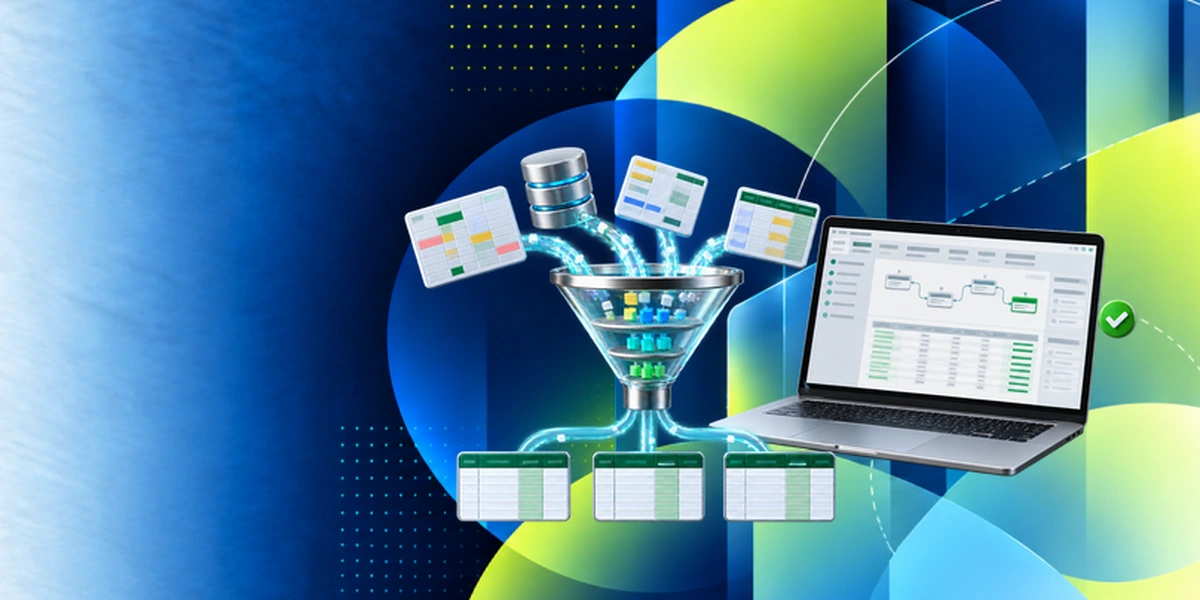
Edstellar guides analytics teams through an end-to-end Microsoft Fabric and Power BI solution. Participants organize data assets, build ingestion pipelines, and develop star schemas and DAX measures. Security and reporting exercises culminate in a management dashboard, reviewed alongside model choices, refresh behavior, and the evidence behind its narrative.
- Step 01
Consult
We assess analytics experience, Excel or SQL familiarity, and difficulties with refreshes, measures, or shared reporting to establish priorities across the Fabric workflow.
- Step 02
Plan
We introduce Fabric and OneLake before data modeling and DAX, then connect ingestion pipelines, Power Query, semantic-model security, and management report design.
- Step 03
Align
We align Fabric data engineering and Power BI expertise with cohort maturity, confirming suitable workspaces and available capabilities for pipeline, security, and report exercises.
- Step 04
Customize
We adapt sample sales data, business roles, and reporting questions to familiar analytical needs, including known totals and refresh failures for validation practice.
- Step 05
Execute
Participants build pipelines, validate DAX calculations, and test role-filtered reports, receiving feedback on model structure, refresh reliability, and the accuracy of AI-assisted summaries.
- Step 06
Evaluate
We assess the analytics solution for reconciled measures, appropriate access behavior, a workable refresh plan, and dashboard explanations supported by the underlying data.
Also from Edstellar
Talent assessments
Psychometric, behavioral, leadership and 360-degree assessment.
→Training needs analysis
Needs analysis, gap identification, and a training roadmap.
→L&D consulting
Learning strategy, content, technology and ROI measurement.
→OD consulting
Org design, succession planning and cultural change.
→Managed training services
Training outsourcing, vendor management, logistics and administration.
→Coaching solutions
Executive and manager coaching that keeps skills in use.
Start an RFP shaped to your needs.
Answer three quick questions about team size, scope, and how often you need the program run, then send the request from the last step. Everything you choose travels with it, so you only fill this in once.
How many team members need training?
Power BI & Microsoft Fabric Analytics Training Packages & Pricing
Where L&D holds an annual budget, license packages price the whole year at once instead of raising a purchase order per workshop. Hours and licenses are pooled across teams, programs and locations, so unused capacity is not stranded in one department.
Starter
120
trainee licenses64 hours of group training
Tailored for SMBs
Growth
320
trainee licenses160 hours of group training
Ideal for growing SMBs
Enterprise
800
trainee licenses400 hours of group training
Designed for large corporations
Custom
Unlimited
trainee licensesDuration set by the rollout
Multi-region and multi-year
Training Packages & Pricing
Choose the training format that works for your team. Pricing is customized based on your requirements, cohort size, and delivery needs.
Request Power BI and Microsoft Fabric Analytics Training for Your Team
Share your team size, Fabric maturity, data sources, and timelines to receive a tailored training plan and quote. Book a discovery call to discuss your goals; we confirm availability and respond with a proposal.