

UX/UI Design with Figma Corporate Training
Design consistent, user-validated interfaces in Figma: components, prototyping, and developer handoff in live guided labs.
Edstellar, a corporate training company, delivers corporate UX/UI Design with Figma training for product teams. Your designers, developers, and product managers practice Figma workflows on real product scenarios, from building component libraries to running usability tests and shipping handoff-ready specs.
Instructor-led group trainingVirtual / on-site / off-site10 languagesDelivered inEnglish, Spanish, Mandarin, German, Arabic, Portuguese, Hindi, French, Japanese, Italian100+ countriesWe have delivered inUnited States, United Kingdom, India, Canada, Germany, France, Netherlands, UAE, Saudi Arabia, Singapore, Australia, Japan, Brazil, South Africa and 90+ more countries
How we build a product design team
The Edstellar UX UI DESIGN Capability Model
Assess design capability
Skill checks map your team's Figma fluency, design process maturity, and handoff readiness before training begins.
Standardize the toolkit
We align on Figma workflows, naming conventions, and library practices that keep every project consistent.
Practice in guided labs
Teams build components, prototypes, and design systems in instructor-led labs based on your product scenarios.
Measure design outcomes
Usability testing and design critiques measure whether designs meet user needs and ship cleanly to developers.
Scale the practice
Your teams leave with a shared library, templates, and workflows that extend Figma practice across the organization.





Need more than one program?Get a group quote
Trusted as a Leading Corporate Training Provider by
















Program Overview: What is UX/UI Design with Figma?
UX/UI Design with Figma is Edstellar's instructor-led program for designers, product managers, and developers who build interfaces teams can actually ship. Participants learn UX principles, Figma fundamentals, auto layout, components, prototyping, usability testing, and developer handoff across a 24-hour curriculum. The focus stays on craft with purpose: interfaces that are usable, consistent, and buildable.
The course is studio-style, with participants designing in Figma from the first session. Guided labs move from frames and layers into auto layout, component libraries, and design systems, then into interactive prototypes with realistic flows. Instructors run design critiques after each exercise, coaching on hierarchy, spacing, and interaction patterns, plus a usability testing round where real users try the team's screens. It closes with a capstone: an end-to-end product design sprint.
Teams suffer when design is decoration added late: inconsistent screens, prototypes that cannot be built, and handoffs developers dread. This program teaches your people to design systematically, with reusable components and developer-ready specs. Every exercise ends in a critique against real usability, so taste gets trained alongside technique.
The capstone is a product design sprint: each team takes a realistic brief from research insight to a tested, developer-ready Figma prototype, presenting the rationale behind every major decision. The instructor plays the skeptical stakeholder, pressing on trade-offs and usability evidence until the designs hold up. What teams keep is a working method they can reuse: a starter design system, critique habits, and a handoff standard. Design stops being the bottleneck and starts being the reason the product ships better.
Six modules and 24 hours: design foundations, Figma essentials, auto layout and design systems, interactive prototyping, usability testing and handoff, and a capstone design sprint. Every module pairs concepts with guided labs in Figma, and the final sprint produces a tested prototype plus annotated developer specs your team can reuse.
What's Included in this Workshop for Your Enterprise Teams
- 1
UX foundations
Heuristics, hierarchy, and research-driven design thinking.
- 2
Figma fluency
Frames, layers, styles, and workspace best practices.
- 3
Design systems
Auto layout, components, variants, and shared libraries.
- 4
Prototyping
Interactive flows with smart animate and stakeholder reviews.
- 5
Test and handoff
Usability testing, iteration, and developer-ready specs.
- Live instructor-led sessions, virtual or onsite
- Flexible 24-hour scheduling across batches
- Cohorts of 8 to 20 for personal feedback
- Session recordings and lab guides on your LMS
- Reusable Figma templates and component starters
- Tailored examples using your brand guidelines
Build your team's skills. Anywhere in the world.
Real-world use cases
from day one
Instructor-led training
for your teams
Delivered globally
in 100+ countries


Enterprise Training Solutions Customized for Your Company
One partner for instructor-led corporate training, delivered the way your teams work.
Request a Training Quote- Customized Training Delivery
- Scale Your Training: Small to Large Teams
- In-person Onsite, Live Virtual or Hybrid Training Modes
- Plan from 2000+ Industry-ready Training Programs
- Hands-On Labs on Live Infrastructure, Led by Industry Experts
UX/UI Design with Figma Course Topics and Program Outline
A tailored 24-hour, six-module workshop: one learning journey from UX foundations to a capstone design sprint. Sessions pair concepts with Figma labs on real product scenarios. Materials include templates, a component starter library, and session recordings.
Built by Edstellar with product designers
Built by designers who ship Figma-based design systems in production, shaped around your stack and use cases.
Skill checks baseline your team's Figma fluency, design process maturity, and developer handoff readiness.
Live instruction covers UX principles, Figma essentials, and component thinking across 6.5 focused hours.
Guided labs build design systems, interactive prototypes, and handoff specs using your product scenarios.
Teams test prototypes with users and deliver a full design sprint with instructor review and critique.
From UX foundations to a capstone design sprint, every technique is practiced in guided Figma labs.
Delivered as
Delivered as a hybrid program of live instruction and guided labs, scheduled around your team's calendar in flexible batches.

Explore real product screens against usability heuristics, then sketch low-fidelity wireframes for a sample product flow.
learna)Usability heuristics and design principles
b)Visual hierarchy, grids, and spacing
c)User research methods for product teams
d)From wireframes to polished interfaces
Recreate a product screen in Figma: build frames, organize layers, and apply shared color and text styles.
learna)Navigating the Figma interface and panels
b)Frames, groups, and layer organization
c)Vector editing, shapes, and boolean operations
d)Color, typography, and effect styles
Construct a component library with variants and auto layout, then publish it as a shared team library.
practicea)Auto layout for responsive interfaces
b)Components, variants, and properties
c)Team libraries and publishing workflows
d)Building a starter design system
Prototype a multi-screen mobile flow with transitions and interactive elements, then run a stakeholder walkthrough.
practicea)Interactive prototypes and flows
b)Smart animate and transitions
c)Variables, modes, and conditional logic
d)Presenting prototypes to stakeholders
Run a moderated usability test on your prototype, iterate on findings, and prepare annotated handoff specs for developers.
applya)Planning and running usability tests
b)Analyzing feedback and iterating designs
c)Developer handoff: inspect mode and specs
d)Design QA and acceptance checks
Deliver a full sprint: a scoped product brief, component-driven UI, tested prototype, and annotated handoff package, presented for critique.
applya)Design sprint brief and scope
b)System-driven UI buildout
c)Prototype, test, and iterate
d)Final presentation and design critique
Customize this program tailored to your team?
Tell us your training needs: what your team already works with, the level they’re at, and the topics you want them to focus on. We’ll adjust the modules, duration and hands-on labs, and send you a customized outline for your group.
Key Skills and Outcomes Your Team Will Gain
Seven job-ready outcomes your team will demonstrate by the end of the program.
Apply UX design principles
Use usability heuristics, visual hierarchy, and grids to structure interfaces users understand at a glance.
Work fluently in Figma
Navigate frames, layers, styles, and vector tools to build and organize clean, maintainable design files.
Build component libraries
Create auto layout components with variants and publish them as shared team libraries for consistency.
Prototype interactive flows
Turn static screens into clickable prototypes with transitions that communicate behavior to stakeholders.
Run usability tests
Plan moderated tests, synthesize findings, and iterate designs based on real user evidence.
Hand off developer-ready specs
Prepare annotated specs with inspect mode so developers implement designs accurately and quickly.
Lead a design sprint
Own a scoped sprint from brief to tested prototype to handoff package, with structured critique and review.
Teams that Benefit from this UX/UI Design with Figma Group Training
This group training is built for product teams that design and ship digital interfaces. Content adapts to each cohort's role and experience, so designers deepen craft, engineers master handoff, and product managers run better reviews, all practicing the workflows they own.
Ship consistent, user-validated interfaces faster.
Product designers learn to build reusable components, interactive prototypes, and design systems in Figma that scale with your product.
Workflow friction
- Inconsistent screens across product areas
- Slow, manual hand-drawn design cycles
- Design debt from one-off components
How the program helps
- Component libraries that speed up design work
- Interactive prototypes for stakeholder reviews
- Design systems aligned to your brand
Practice use cases
- design system builds
- prototype sprints
- UI audits
Turn design specs into pixel-perfect code.
Front-end engineers learn to read Figma specs, use inspect mode, and run design QA so shipped interfaces match the intended design.
Workflow friction
- Ambiguous handoffs that slow delivery
- Rework from mismatched implementations
- Design and code drifting apart
How the program helps
- Accurate implementation from Figma specs
- Faster design QA and acceptance loops
- Shared language with the design team
Practice use cases
- design handoffs
- design QA
- spec reviews
Guide product decisions with testable prototypes.
Product managers learn to run stakeholder walkthroughs, interpret usability test results, and prioritize design work with evidence.
Workflow friction
- Costly redesigns late in the build
- Opinions outvoting user evidence
- Prototypes that never get tested
How the program helps
- Faster validation of product ideas
- Evidence-based design prioritization
- Clearer specs for delivery teams
Practice use cases
- discovery sprints
- stakeholder reviews
- usability testing
Run tests that improve the product measurably.
UX researchers practice moderated testing on Figma prototypes, synthesize findings, and feed prioritized fixes back to the design team.
Workflow friction
- Testing that arrives too late to matter
- Findings that never reach designers
- Unstructured, anecdotal feedback
How the program helps
- Structured usability test plans
- Findings tied to design actions
- Repeatable research workflows
Practice use cases
- usability studies
- test synthesis
- iteration plans
Cohorts train as a cross-functional workforce, with each small group practicing the workflows it owns and reviewing work across roles.
Prerequisites: This program benefits product designers, UX designers, front-end developers, and product managers. Familiarity with your product and basic design or development concepts helps, but no prior Figma experience is required. Each cohort's labs adapt to your tools, brand guidelines, and design maturity.
Designer to Design System Owner
Tracks how designers progress from basic Figma fluency to owning design systems and leading design sprints for their teams.
A program that grows with product design careers, from first Figma projects to confident design leadership.
Mixed cohort, or several teams at once?
We can tailor the training to different teams, roles, and experience levels within the same program.
Certificate of Training Completion.
On successful completion, employees receive an Edstellar course completion certificate, recognizing their commitment to ongoing learning and professional development. It validates the skills they have built and motivates them to keep growing and contribute to organizational success.
Earned, not attended. Awarded on completion of all hands-on labs and the capstone project.

Training Delivery Modes: Virtual, Onsite and Hybrid
Choose the delivery mode that fits your team: live virtual sessions, onsite at your office, or a hybrid mix of both.
Hybrid Training
Instructor-led sessions mix onsite and virtual delivery, with shared Figma files so remote and in-room learners design together.
- Live instruction with shared Figma workspaces
- Flexible mix of onsite and virtual days
- Breakout labs for small-group design work
- Recordings and templates on your LMS

Onsite Training
Onsite sessions at your office let the team design together, run live critiques, and use your own design environment.
- In-person labs and design critiques
- Workshops in your own design environment
- Stakeholder walkthroughs on the day
- Team alignment on design standards

Live Virtual Training
Live virtual sessions run on interactive platforms with screen sharing, shared Figma files, and real-time instructor feedback.
- Instructor feedback on live design work
- Shared Figma files for every lab
- Breakout rooms for pair design
- Session recordings for review

Need a training format that works for your team?
Full days, half days across weeks, or split by module. Tell us the delivery window and we schedule the cohort around it.
Learn from industry experts.
Every session is led by a practitioner who has run monitoring for models in production, not a generalist working from slides.

Shruti
Google UX/UI Trainer in Mumbai, India
3+ years of Experience

Aboli
UI/UX Trainer in Pune
11+ years of Experience

Yogesh
Graphic Design Trainer in Chennai
13+ years of Experience

Manish
UI/UX Trainer in Pune
10+ years of Experience

Vishu
Adobe and Unity3D Trainer in Gurgaon
16+ years of Experience

Tushar
Design Thinking Trainer in Mumbai
10+ years of Experience

Trishbh
UI/UX Trainer in Una
20+ years of Experience
Trainers are matched to your stack and delivery window at scheduling. We confirm your assigned trainer, with a full profile, before the program is booked.
Frequently Asked Questions
Share your team size, timelines, and delivery preference, and we will send a tailored quote within one business day.
Yes. A short discovery call maps your design maturity, tooling, and goals so we tailor the program to your team.
Yes. Live virtual sessions run on interactive platforms with shared Figma files, breakout rooms, and real-time instructor feedback.
Yes. Onsite delivery is available at your office, with labs run in your own design environment where preferred.
The program runs 24 hours across six modules, scheduled in flexible batches around your team's calendar.
Question not answered here?
Put it in the request. A training specialist answers it directly, within one business day.
Where this Training Fits in Your Team's learning path.
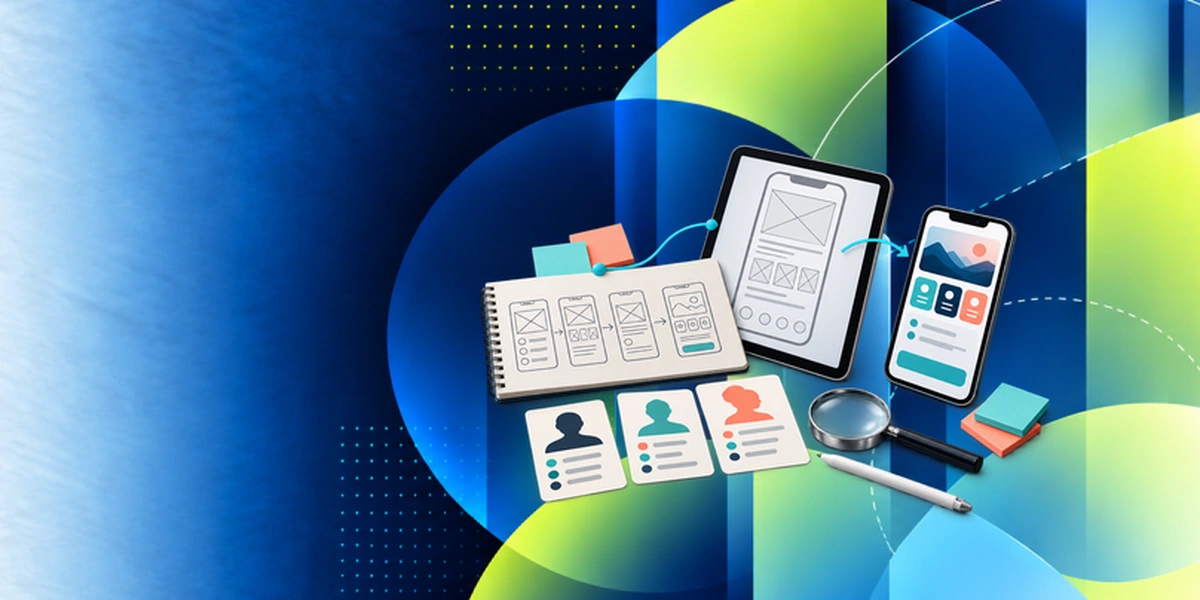
Designing in Figma comes after UX basics. Your team learns how to research and plan user experiences first, then designs interfaces in Figma in this course, prototypes and tests them, and finally adds AI to product design work.


Why Choose Edstellar as Your UX/UI Design with Figma Training Provider
When comparing providers, Edstellar is the training partner that adapts Figma training to your product, your team, and your delivery goals.

EXPERT TRAINERS
YEARS DELIVERING
ORGANIZATIONS TRAINED
CERTIFIED
Tailored
Every cohort's labs, examples, and capstone sprint are tuned to your product, brand guidelines, and design maturity.
Proven Methodology
A learn, practice, apply arc takes teams from Figma basics to tested prototypes with measurable skill checks.
Practice-Based Learning
Guided Figma labs in every module: participants build libraries, prototypes, and handoff specs, not just slides.
Expert Trainers
Instructors are working product designers who ship Figma-based design systems for real products every day.
Global Scale
One program, many cohorts: we deliver consistent Figma training across your offices and time zones.
Measurable Outcomes
Skill checks, usability test results, and capstone reviews show exactly what your team can now design and ship.
Also from Edstellar
Talent assessments
Psychometric, behavioral, leadership and 360-degree assessment.
→Training needs analysis
Needs analysis, gap identification, and a training roadmap.
→L&D consulting
Learning strategy, content, technology and ROI measurement.
→OD consulting
Org design, succession planning and cultural change.
→Managed training services
Training outsourcing, vendor management, logistics and administration.
→Coaching solutions
Executive and manager coaching that keeps skills in use.
Start an RFP shaped to your needs.
Answer three quick questions about team size, scope, and how often you need the program run, then send the request from the last step. Everything you choose travels with it, so you only fill this in once.
How many team members need training?
UX/UI Design with Figma Training Packages & Pricing
Where L&D holds an annual budget, license packages price the whole year at once instead of raising a purchase order per workshop. Hours and licenses are pooled across teams, programs and locations, so unused capacity is not stranded in one department.
Starter
120
trainee licenses64 hours of group training
Tailored for SMBs
Growth
320
trainee licenses160 hours of group training
Ideal for growing SMBs
Enterprise
800
trainee licenses400 hours of group training
Designed for large corporations
Custom
Unlimited
trainee licensesDuration set by the rollout
Multi-region and multi-year
Training Packages & Pricing
Choose the training format that works for your team. Pricing is customized based on your requirements, cohort size, and delivery needs.
Request UX/UI Design with Figma Training for Your Team
Share your team size, design stack, Figma maturity, and timelines to receive a tailored training plan and quote. Book a discovery call to scope the program around your product.