
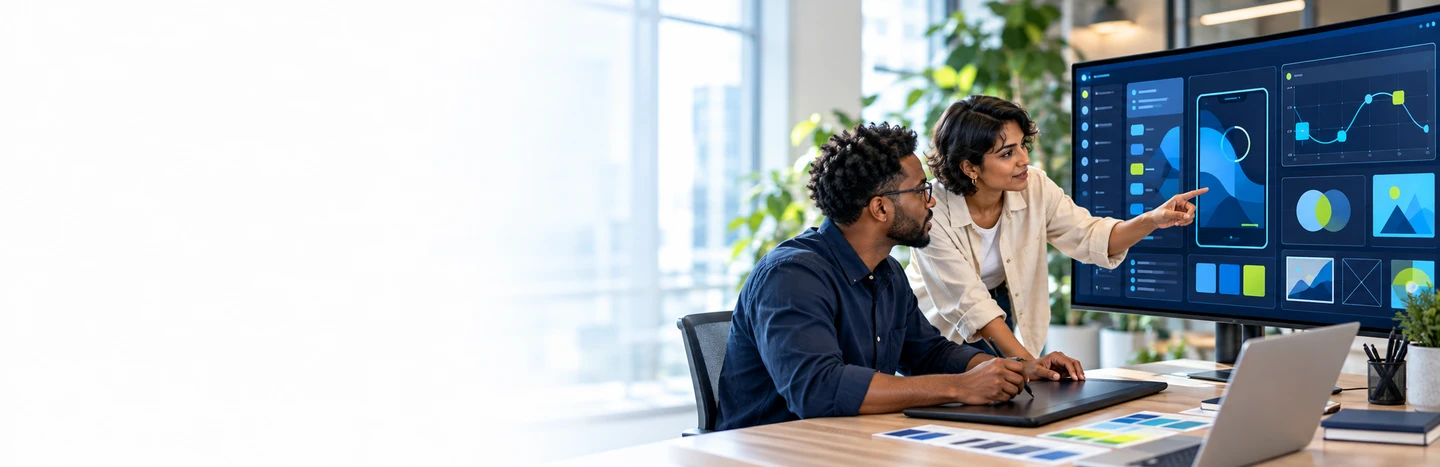
Corporate Design and Multimedia Training Courses
An in-house studio, not an agency invoice.
We build design and multimedia capability inside enterprises: the designers, the video teams, and the product people who keep every output on brand and accessible. Instructor-led programs across graphic design, video and motion, 3D, UX/UI, and accessibility are how we do it, scoped to your tools and delivered wherever your teams are.
Instructor-led workshops and programsIn-house, virtual or blended10 languagesDelivered inEnglish, Spanish, Mandarin, German, Arabic, Portuguese, Hindi, French, Japanese, Italian100+ countriesWe have delivered inUnited States, United Kingdom, India, Canada, Germany, France, Netherlands, UAE, Saudi Arabia, Singapore, Australia, Japan, Brazil, South Africa and 90+ more countries





Trusted as a Leading Corporate Training Provider by
















What is corporate Design training?
Design and multimedia training is instructor-led group training that builds an organization's in-house creative capability: graphic design, video and motion, 3D, UX/UI, and accessible product design. Programs are scoped to the tools and outputs a team actually produces, from brand assets to product interfaces, and delivered to a closed cohort rather than sold as individual seats.
The commercial distinction is between outsourced assets and an in-house studio. Agencies sell you files; group training builds the team that makes them: the same design system, the same video workflow, and the same accessibility standard across every output. For enterprises producing content at volume, that in-house capability is what cuts agency spend and keeps the brand consistent.
Programs split across the major creative areas. Graphic design and creative tools: Photoshop, Illustrator, InDesign, Creative Cloud, and AI-assisted design with Firefly and Canva. Video, motion and 3D: editing, motion graphics, and Blender/Maya modeling for brand and product teams. UX/UI and product design: Figma, design thinking, and the product design lifecycle. Accessibility and inclusive design: WCAG compliance and the European Accessibility Act. And service design for public-facing experiences.
Every engagement starts with discovery: which outputs, which tools, which brand standards, and which teams produce them. Trainers are then matched from a vetted bench of working designers, editors, and 3D artists, and the program is tailored before delivery. Cohorts are closed to your organization, run in your timezone, and measured with pre and post assessments so L&D can show what changed.
Explore Design and Multimedia training by topic
Five areas carry the catalog. Start where your creative needs are greatest.
- Graphic Design & Creative Tools10 Instructor-led Programs
- UX/UI & Product Design6 Instructor-led Programs
- Accessibility & Inclusive Design4 Instructor-led Programs
- Video, Motion & 3D4 Instructor-led Programs
- Service Design & Design Thinking2 Instructor-led Programs
Popular Design and Multimedia training programs
The most in-demand Design & Multimedia training programs enterprises book right now.
 Graphic Design & Creative Tools
Adobe Creative Cloud
~ 24 HoursInstructor-ledInstructor-led training on Adobe Creative Cloud, scoped to your team's level and use cases.
 UX/UI & Product Design
Figma
~ 24 HoursInstructor-ledInstructor-led training on Figma, scoped to your team's level and use cases.
 Accessibility & Inclusive Design
Accessible & Inclusive Product Development (WCAG, EAA)
~ 24 HoursInstructor-ledInstructor-led training on Accessible & Inclusive Product Development (WCAG, EAA), scoped to your team's level and use cases.
 Video, Motion & 3D
3D Modeling & Animation (Blender/Maya)
~ 24 HoursInstructor-ledInstructor-led training on 3D Modeling & Animation (Blender/Maya), scoped to your team's level and use cases.
Instructor-led Design and Multimedia training programs by topic.
Browse all 37 Design & Multimedia programs across 5 topics, from Graphic Design & Creative Tools and UX/UI & Product Design to Accessibility & Inclusive Design and Video, Motion & 3D. Filter by topic and delivery format, then request a tailored proposal.
SHOWING 1–15 OF 37 · 37 IN THE LIVE CATALOG
3D Modeling & Animation (Blender/Maya)
Instructor-led training on 3D Modeling & Animation (Blender/Maya), scoped to your team's level and use cases.
Accessible & Inclusive Product Development (WCAG, EAA)
Instructor-led training on Accessible & Inclusive Product Development (WCAG, EAA), scoped to your team's level and use cases.
Adobe Creative Cloud
Instructor-led training on Adobe Creative Cloud, scoped to your team's level and use cases.
Adobe Dreamweaver
Instructor-led training on Adobe Dreamweaver, scoped to your team's level and use cases.
Adobe Flash
Instructor-led training on Adobe Flash, scoped to your team's level and use cases.
Adobe Illustrator
Instructor-led training on Adobe Illustrator, scoped to your team's level and use cases.
Adobe InDesign
Instructor-led training on Adobe InDesign, scoped to your team's level and use cases.
Adobe Muse
Instructor-led training on Adobe Muse, scoped to your team's level and use cases.
Adobe Photoshop
Instructor-led training on Adobe Photoshop, scoped to your team's level and use cases.
AI-Assisted Design with Adobe Firefly & Creative Cloud
Instructor-led training on AI-Assisted Design with Adobe Firefly & Creative Cloud, scoped to your team's level and use cases.
AutoCAD Mechanical
Instructor-led training on AutoCAD Mechanical, scoped to your team's level and use cases.
AutoCAD P&ID
Instructor-led training on AutoCAD P&ID, scoped to your team's level and use cases.
AutoCAD Raster Design
Instructor-led training on AutoCAD Raster Design, scoped to your team's level and use cases.
Autodesk 3ds Max
Instructor-led training on Autodesk 3ds Max, scoped to your team's level and use cases.
Autodesk InfraWorks
Instructor-led training on Autodesk InfraWorks, scoped to your team's level and use cases.
Curated Learning Pathways for Your Teams
Build your team’s capabilities in Design & Multimedia with curated training programs arranged in a clear learning sequence. Each pathway builds skills progressively, helping your workforce achieve defined milestones and apply their learning to business goals.
- Video Editing & Post-Production (Premiere Pro, DaVinci Resolve)
Produces professional video, motion graphics, and 3D content in-house
- Motion Graphics & Animation (After Effects)
Produces professional video, motion graphics, and 3D content in-house
- 3D Modeling & Animation (Blender/Maya)
Produces professional video, motion graphics, and 3D content in-house
- Video Editing & Post-Production (Premiere Pro, DaVinci Resolve)
- UX/UI Design with Figma
Designs usable digital products from discovery through high-fidelity UI
- Product Design & Development Lifecycle
Designs usable digital products from discovery through high-fidelity UI
- UX/UI Design with Figma
- Accessible & Inclusive Product Development (WCAG, EAA)
Builds products and services everyone can use and that meet accessibility law
- Digital Accessibility for Public Services
Builds products and services everyone can use and that meet accessibility law
- Accessible & Inclusive Product Development (WCAG, EAA)
Find the Right Design and Multimedia Training for Your Teams
Explore Design & Multimedia training aligned with your teams’ functions, job roles, industry and tools. Help your teams build the knowledge and practical skills to apply design and multimedia across your organization, supporting your business priorities and evolving needs.
Marketing & Brand Teams
Create coherent visual stories across campaign channels and content formats. Build reusable creative briefs and asset practices that support consistent brand expression.
Product & UX Teams
Explore user needs through visual concepts, prototypes and structured feedback. Improve collaboration with developers while evaluating usability and the limitations of AI-assisted design.
Creative Production Teams
Organize briefs, assets and reviews across a growing content pipeline. Build repeatable production practices while preserving visual quality and appropriate human review.
Graphic Designers
Strengthen composition, typography and image-making for purposeful communication. Adapt artwork to different formats while maintaining consistent identity and production quality.
Video & Motion Designers
Translate a communication brief into clear audiovisual stories. Develop editing, motion and review practices that support accessible delivery across different screens.
Accessible Design Practitioners
Consider access needs while shaping layouts, interactions and multimedia content. Coordinate design decisions with development and content owners so accessibility survives the handoff.
Figma Practitioners
Develop interactive prototypes and reusable interface components for collaborative product work. Use feedback and iteration to improve designs before developer handoff.
Adobe Design Practitioners
Connect image editing, vector artwork and layout techniques to real production briefs. Build consistent asset preparation habits across individual and shared creative workflows.
Adobe Video Practitioners
Develop a practical workflow from footage preparation through editing and motion treatment. Coordinate review and final delivery so creative intent stays consistent across versions.
Media & Entertainment Studios
Coordinate visual storytelling, editing and sound across a shared production brief. Manage creative reviews and delivery versions so the final work remains coherent across contributors.
Training a role that is not listed, or a mix of them? Tell us who you are training and what they need to do, and we build the shortlist.
Categories worth exploring next
Where design teams most often cross-train, based on how these courses are classified.
Capabilities your organization will gain.
Domain-level outcomes, not course objectives. These are the capabilities enterprises usually buy this training to build.
Design with the Adobe stack
Produce on-brand assets in Photoshop, Illustrator, and InDesign without agency turnaround.
Produce video & motion
Shoot, edit, and finish brand video and motion graphics in-house.
Build 3D capability
Model and animate in Blender and Maya for product and marketing content.
Design better product UI
Take digital products from discovery to accessible, high-fidelity UI in Figma.
Ship accessible products
Meet WCAG 2.2 and the European Accessibility Act across products and services.
Design with AI assistance
Use Firefly, Canva AI, and generative workflows to accelerate creative output.
Design better services
Apply design thinking and service design to public-facing experiences.
Instructor-led Training Delivery: You pick the format
Onsite, live virtual, or hybrid, every program is instructor-led and built around your teams.
In-house / On-Site Session
A trainer comes to your office and works face to face with your team, using your policies and your examples.
- In-person, classroom based training at your own premises
- Tailored to your policies, data and use cases
- Hands-on, high-interaction sessions
- Team builds shared context together
- Schedule set around your operations
For small teams or enterprise-wide training, across one site or multiple global locations, in one language or multiple languages.
Get a Quote
Virtual / Online Session
Expert-led live online sessions delivered anywhere, with consistency and easy scheduling. Training tools such as Zoom or Microsoft Teams are selected subject to your organization's approval and compliance requirements.
- Delivered anywhere worldwide
- Standardized content for consistent outcomes
- Join from your own workspace, no travel
- Scales to large groups across sites
- Interactive tools keep remote learners engaged
For small teams or enterprise-wide training, across one site or multiple global locations, in one language or multiple languages.
Get a Quote
Blended / Hybrid Session
Combine in-person sessions with live online training in a coordinated instructor-led program, with the mix planned around your team's needs.
- A planned mix of classroom based and online sessions
- In-person practice with live virtual reinforcement
- One learning plan across both delivery formats
- Online sessions using organization-approved tools
- Session sequence and schedules agreed with your team
For small teams or enterprise-wide training, across one site or multiple global locations, in one language or multiple languages.
Get a Quote
Learn from Trainers with Industry Experience
Equip your teams with practical skills in design and multimedia through trainers who bring relevant industry knowledge and real business examples to every session. Our trainers connect visual design, video production, and user experience to workplace challenges, helping employees apply what they learn with confidence.

Yogesh
Graphic Design Trainer in Chennai
13+ years of Experience

Aboli
UI/UX Trainer in Pune
11+ years of Experience

Manish
UI/UX Trainer in Pune
10+ years of Experience

Trishbh
UI/UX Trainer in Una
20+ years of Experience

Tushar
Design Thinking Trainer in Mumbai
10+ years of Experience

Rohit
Graphic Design Trainer in Palghar
16+ years of Experience

Shruti
Google UX/UI Trainer in Mumbai, India
3+ years of Experience
Trainers are matched to your stack and delivery window at scheduling. We confirm your assigned trainer, with a full profile, before the program is booked, and you can sit in on a trial session first.
Why enterprises choose Edstellar as their Design and Multimedia training provider.
From a creative brief to the final experience, Edstellar helps design and multimedia teams connect their craft with audience needs. Customized, role-based, instructor-led training gives designers, production specialists and creative leads practical opportunities to explore visual communication, usability and brand consistency within your workflows. Learning can evolve with new formats and tools, supporting thoughtful creative choices and clearer collaboration across channels.

Apply visual storytelling to briefs, audiences and communication goals
Connect design, multimedia production and creative review responsibilities
Consider usability, accessibility and brand consistency during creative decisions
Refine production and handoffs as formats and tools evolve
Training across industries informs audience-aware design and multimedia learning
Company-wide training experience supports practical learning for creative teams
Company-wide trainer network spans creative and complementary business disciplines
Edstellar's certified quality and information-security management systems underpin design and multimedia training delivery
How a Design and Multimedia capability program actually runs.
Every engagement runs the same five stages, from capability baseline through delivery to sustained measurement.
Discover
We meet your stakeholders and L&D team to baseline what your people can do today against the Design capability you need.
Week 1-2
Design
Programs are assembled against your policies, obligations, and team levels, then trainers are shortlisted from the vetted bench.
Week 2-4
Deliver
Closed-cohort instructor-led sessions in your language and timezone, with labs, exercises, and materials shipped alongside.
Scheduled to your calendar
Assess
Pre and post assessments establish a measurable change in capability, benchmarked against role frameworks.
Immediately after delivery
Sustain
Retrospectives, refresher modules and skill-refresh tracking keep the investment from decaying, and the measured gaps feed the next cycle.
Quarterly
Stage 05 feeds the next cycle: the gaps it measures become the next Discover.
Also from Edstellar
Talent assessments
→Psychometric, behavioral, leadership and 360-degree assessment.
Training needs analysis
→Needs analysis, gap identification, and a training roadmap.
L&D consulting
→Learning strategy, content, technology and ROI measurement.
OD consulting
→Org design, succession planning and cultural change.
Managed training services
→Training outsourcing, vendor management, logistics and administration.
Coaching solutions
→Executive and manager coaching that keeps skills in use.
Questions enterprises ask before booking.
Graphic designers, video editors, motion designers, UX/UI designers, brand teams, and product managers. Accessibility tracks cover developers and product owners.
Instructor-led and live, as a closed cohort for your team, on-site or virtually. There are no self-paced modules. You choose the format, location, language, and schedule.
Yes. Programs cover Photoshop, Illustrator, InDesign, Premiere Pro, After Effects, Figma, Blender, and Canva, matched to your stack.
Yes. AI-assisted tracks cover Firefly, Canva AI, and generative workflows inside the tools your team already uses.
Most programs run 14 to 24 hours across several sessions. Multi-program bundles and studio-wide rollouts are scheduled around your calendar.
Cohorts run from a single team of 8 up to creative-organization rollouts of hundreds, with one trainer per cohort for discussion quality.
Yes. Sessions are project-based: your brand assets, your product screens, your video briefs, built during the training.
Pre and post assessments benchmark each participant, with a completion report showing measured change per cohort.
Yes. Accessibility tracks cover WCAG 2.2 and the European Accessibility Act for designers, developers, and product owners.
Yes. Your design system, templates, and brand guidelines are built into the exercises, so output matches your standards.
Yes. Video and motion tracks take teams from editing basics to motion graphics and 3D for brand and product content.
Yes. UX tracks run from discovery and design thinking through Figma prototyping to accessible, high-fidelity UI.
Discovery to delivery typically takes two to four weeks, depending on customization depth and trainer matching for your tools.
Start a Request for Proposal (RFP) shaped to your needs.
Pick the scale that matches your rollout. Every quote is tailored to your teams and timeline.
Team size
1-25 PARTICIPANTS
Single cohort
One or two programs for a single team, delivered as a closed cohort. The usual entry point for a first Design engagement.
- One cohort of up to 25 participants
- Curriculum customized to your obligations
- Onsite, virtual, or offsite delivery
- Certificates and completion report
26-150 PARTICIPANTS
Scaled cohort
Multiple cohorts or programs for larger teams, with delivery structured around your workforce and training requirements.
- Multiple cohorts across teams
- Curriculum customized to your obligations
- Onsite, virtual, or offsite delivery
- Certificates and completion reporting
151-1,000 PARTICIPANTS
Enterprise rollout
A coordinated rollout across business units, with role-based tracks and central reporting for L&D.
- Enterprise-wide cohort planning
- Role-specific curriculum options
- Flexible scheduling across regions
- Program governance and reporting
1,000+ PARTICIPANTS
Global scale
Design capability at organizational scale, with dedicated management and measurement from pilot to rollout.
- Global delivery at scale
- Dedicated program management
- Custom curriculum and assessments
- Executive reporting and ROI tracking
Ask us about Design and Multimedia training for your teams.
Tell us which teams you are training and what they need to be able to do. Anything you filtered in the catalog comes through with your message.