
GitHub Copilot Corporate Training
Learn to ship faster with GitHub Copilot, keeping every change safe.
A hands-on program for engineering leaders whose teams pay for Copilot but still ship slowly, with rework and security risk.
GitHub Copilot Corporate Training is an instructor-led GitHub Copilot training program from Edstellar that teaches your team how to use, set up and manage GitHub Copilot, GitHub's AI coding agent, with every lab built on the team's own work.
- Onsite
- Virtual
- Hybrid
 Expert trainers
Need more than one program?Get a group quote
Where AI-Assisted Coding Breaks Down, and What Your Team Learns in This Program
GitHub Copilot training starts where most rollouts stall. Teams have Copilot seats, but delivery does not speed up, AI-written changes come back as rework, and security flaws slip past review. The training builds one shared way to prompt, test, review and delegate with Copilot, for developers, QA engineers, tech leads and engineering managers.
- 6%
of engineering leaders saw a significant productivity boost from AI tools
Source: LeadDev 2025 - 45%
of AI coding tasks produced code with a security flaw
Source: Veracode 2025 - 66%
of developers say AI answers are often almost right, but not quite
Source: Stack Overflow 2025 - 90%
of technology professionals now use AI in their work
Source: Google DORA 2025 - 68%
of developers using AI assistants name GitHub Copilot as one of their tools
Source: Stack Overflow 2025
Sources: LeadDev, Engineering Leadership Report 2025 (6% of 617 leaders saw a significant productivity boost). Veracode, 2025 GenAI Code Security Report (45% of tasks with a security flaw). Stack Overflow, Developer Survey 2025, AI (66% almost right, but not quite; 68% GitHub Copilot). Google, 2025 DORA State of AI-assisted Software Development (90% use AI at work).
Close the AI-Assisted Coding Gaps in Your Teams With Edstellar
Tell Edstellar where Copilot falls short today, from idle seats to rework and security findings, and the instructor builds the labs around those problems on your own code.
Map our gapsPractise the AI-Assisted Coding Decisions Your Software Teams Face
Explore sample exercises from this GitHub Copilot training. Participants practise decisions, compare approaches and receive instructor feedback.
Choose a practice scenario
Exercises can be tailored to your industry and software team roles.
Instructor-led scenario lab
Learn to Steer Copilot on Purpose
What participants do
Rewrite a weak prompt for a small utility until Copilot produces code that passes the team checks.
Pair exerciseWe gave everyone Copilot in March. Most people only use it to finish a line, and our release dates look the same as last year.
Select a choice to see the question to practise.
Question to practise · Write the intent as a comment firstWhat does Copilot need to know about the task before it can suggest the right code?
Question to practise · Open the related files for contextWhich files and examples should be open so Copilot follows the team pattern?
Question to practise · Accept and fix it laterWhat does accepting the first suggestion cost the reviewer later in the week?
What participants take away
Note the three prompts you will reuse in your own repository next week.
Individual reflectionTeam prompt library
Your notes stay on this page only. Nothing is saved or sent.
Participants turn vague requests into prompts with intent, context and examples, and check the output before they accept it.
Instructor-led scenario lab
Learn to Test First With Copilot
What participants do
Generate tests for an untested discount module, find the weak assertion and add the missing edge cases.
Small-group exerciseCheckout fails for orders with two discount codes. The tests were green, so how did this reach customers?
Select a choice to see the question to practise.
Question to practise · Ask Copilot for more testsHow would you tell a useful generated test from one that only repeats the code?
Question to practise · Write the failing test firstWhich behavior must the test pin down before any code changes?
Question to practise · Patch the code and move onWhat stops the same gap from coming back in the next release?
What participants take away
Note the test-first steps you will use on your next Copilot change.
Individual reflectionTest-first checklist
Your notes stay on this page only. Nothing is saved or sent.
Participants have Copilot write tests for the behavior first, check the edge cases and assertions, then fix the code until the suite passes.
Instructor-led scenario lab
Learn to Set Team Standards for Copilot
What participants do
Draft the copilot-instructions.md for a sample repository and check three suggestions against it.
Small-group exerciseHalf of the new pull requests use the old date library we removed last year. Can Copilot just know our rules?
Select a choice to see the question to practise.
Question to practise · Add rules to the instructions fileWhich rules are clear enough for Copilot to follow every time?
Question to practise · Fix it in code reviewWhat does catching this in review cost compared with preventing it?
Question to practise · Add a prompt file for the taskWhich repeat task would a shared prompt file make consistent?
What participants take away
Note the first five rules you will put in your own instructions file.
Individual reflectionInstructions file draft
Your notes stay on this page only. Nothing is saved or sent.
Participants write repository instructions and prompt files that Copilot follows, and test that it does.
Instructor-led scenario lab
Learn to Review and Secure AI-Written Code
What participants do
Review a sample Copilot pull request with the checklist and mark each issue you find.
Pair reviewSecurity flagged a SQL injection and a live API key in last night’s merge. Both came from code nobody really read.
Select a choice to see the question to practise.
Question to practise · Block the merge and review againWhich checklist items would have caught both issues?
Question to practise · Add secret scanning and code scanningWhich problems can automation catch, and which still need a reviewer?
Question to practise · Ban Copilot for this repositoryWhat would the team lose, and is there a safer way to keep using it?
What participants take away
Note the checklist items and checks you will add to your own pipeline.
Individual reflectionAI change review checklist
Your notes stay on this page only. Nothing is saved or sent.
Participants review AI-written changes with a shared checklist and add the checks that stop secrets and flaws before merge.
Instructor-led scenario lab
Learn to Delegate Work to Copilot Agents
What participants do
Rewrite a vague issue as a well-scoped task with acceptance criteria before you assign it to the agent.
Small-group exerciseI assigned the logging upgrade to the agent and got back 40 changed files, including the payment module. Do we merge it?
Select a choice to see the question to practise.
Question to practise · Close it and scope the task againWhat should the task say about files, limits and acceptance criteria?
Question to practise · Steer the agent with review commentsWhich comments would bring the change back inside the task?
Question to practise · Merge it after a quick lookWhat risk does a quick look leave in the payment module?
What participants take away
Note one task from your backlog you will delegate next week, and how you will scope it.
Individual reflectionWell-scoped task template
Your notes stay on this page only. Nothing is saved or sent.
Participants choose which work to hand to an agent, write a well-scoped task and review the agent pull request before merge.
- LearnNew concepts in context
- PracticeApply to realistic scenarios
- CompareDiscuss different approaches
- ReflectCapture key takeaways
Build Your Training Around Scenarios From Your Business
Tell Edstellar the AI-assisted coding decisions your software teams are facing this year. The practice scenarios are adapted to your industry, functions and tools, so participants rehearse situations they will recognize back at work.
Customize the practice scenariosGitHub Copilot Training for Employees: Program Overview
GitHub Copilot Corporate Training is Edstellar's instructor-led GitHub Copilot training for software teams. Developers, QA engineers, tech leads and managers learn to set up and steer Copilot, refactor and test with it, and review AI-written code for security. They also learn to hand work to Copilot agents. Every lab runs on their own code.
This instructor-led GitHub Copilot training turns four skills into practice on your team's own work. They are setup and prompts, refactoring and tests, review and security, and agent work.
Edstellar starts with a needs analysis of your team's repositories, IDEs, languages and Copilot policies.
An instructor then takes each skill through labs on a practice copy of your own code:
- Steer Copilot from prompts alone to build a small utility that passes your checks
- Refactor a legacy module with Copilot Chat, then write tests first for an untested one
- Review a Copilot pull request with the AI change review checklist and add automated checks
- Hand a well-scoped task to a Copilot agent and review its pull request
Participants get feedback on every prompt, test and pull request. They finish with a capstone: a feature taken from task to a reviewed, tested merge, presented with its evidence.
- 01 · Steer
Learn to Set Up and Steer Copilot
Participants set Copilot up under the team's policies and build a prompt library in the lab, with the instructor reviewing each prompt and its output.
- 02 · Test
Learn to Refactor and Test With Copilot
Teams refactor a legacy module with Copilot Chat, then write tests first for an untested module and fix the weak assertions Copilot leaves.
- 03 · Review
Learn to Review and Secure AI-Written Code
A timed review of a sample Copilot pull request brings out injection flaws and secrets, and participants mark each one on the AI change review checklist.
- 04 · Delegate
Learn to Delegate Work to Copilot Agents
Participants write a well-scoped task, hand it to the Copilot cloud agent, check the pull request against the task and steer it with instructor feedback.

Enterprise Training Solutions Customized for Your Company
One partner for instructor-led corporate training, delivered the way your teams work.
Request a Training Quote- Customized Training Delivery
- Scale Your Training: Small to Large Teams
- In-person Onsite, Live Virtual or Hybrid Training Modes
- Plan from 2000+ Industry-ready Training Programs
- Hands-On Labs on Live Infrastructure, Led by Industry Experts
What Your Team Can Do After the Training
Turn Copilot Seats Into Faster, Safer Delivery With Edstellar
Edstellar maps the skills to your goals, such as shorter cycle times and fewer security findings, and the dashboard your leads build in the program shows the results after it ends.
Plan your learning outcomes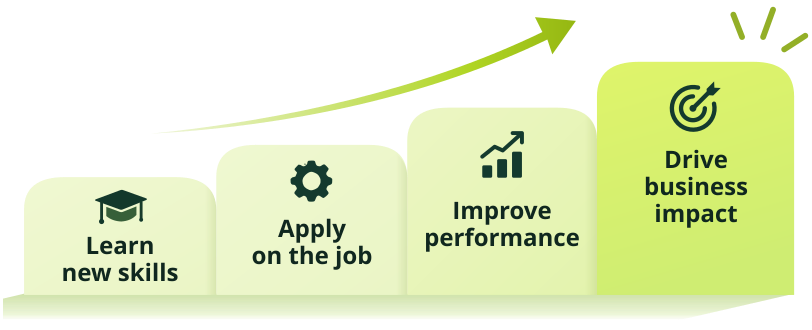
GitHub Copilot Training Program Outline
~30 hours across 9 modules, about 70% hands-on practice. Edstellar customizes the duration, module mix and schedule to your scope.
~30 h approx total9 modules8 labs + capstone~70% practice
01Introduction to GitHub Copilot for teams: setup, context and policies~2.5 hours · Lab: Team setup under your policies
- How Copilot uses context, models and auto model selection
- Setting up Copilot in VS Code, Visual Studio and JetBrains IDEs behind a company proxy
- The organization's Copilot policies: content exclusion, public code matching, models, agents and the CLI
- The team rollout lifecycle and the DORA AI Capabilities Model: what makes AI tools help a team
LabSet up Copilot in the team's IDE on a practice repository, apply the organization's content exclusions and policies, and record a usage baseline.
Learn ~1 h · Practice ~1.5 h
- GitHub Copilot
- Visual Studio Code
- Visual Studio
- IntelliJ IDEA
- GitHub
- Team rollout lifecycle
- DORA AI Capabilities Model
- Content exclusion and policy settings
02How to write prompts and steer inline suggestions~3 hours · Lab: Prompt-only utility build
- Writing intent as comments, names and examples Copilot can follow
- Accepting, editing and cycling suggestions, and next edit suggestions
- Giving Copilot the right context: open files, snippets and references
- The prompt, check, refine loop: you stay in charge of the code
LabBuild a small utility from comments and prompts alone, refining until it passes the team's checks, and start a team prompt library from the Copilot Chat Cookbook.
Learn ~1 h · Practice ~2 h
- GitHub Copilot
- Visual Studio Code
- Prompt, check, refine
- Prompt files
- Copilot Chat Cookbook
In your team's weekA developer needs a small utility before the afternoon stand-up
- Copilot finishes single lines and little else
- Prompts carry no intent or context
- Seats sit unused and delivery does not change
- Write the intent as a comment with an example
- Open the files that show the team pattern
- Check the output against the team checks
- Refine the prompt and save it to the library
Produces: a team prompt library
03How to use Copilot Chat to explain, refactor and document code~3.5 hours · Lab: Legacy refactor with Copilot Chat
- Chat in the IDE and on GitHub.com: ask, edit and agent modes
- Explaining unfamiliar code and planning a refactor
- Removing duplication and hidden error handling instead of adding more
- Generating documentation and change summaries
LabRefactor a legacy module with duplicated code using Copilot Chat and inline chat, then document the changes and check nothing broke.
Learn ~1 h · Practice ~2.5 h
- GitHub Copilot
- Visual Studio Code
- Git
- Prompt, check, refine
In your team's weekA change is needed in a legacy module nobody understands
- Generated code is pasted in next to similar code
- Duplication and hidden error handling grow
- Every later change takes longer
- Ask Copilot Chat to explain the module and plan the change
- Refactor to reuse code instead of copying it
- Check that nothing broke
- Write the change summary
Produces: a refactored module with documented changes
04How to generate and check tests with Copilot~3.5 hours · Lab: Test-first suite for an untested module
- The test-first loop with Copilot
- Generating unit tests in pytest, Jest or JUnit 5
- Checking edge cases, assertions and flaky tests in AI-written tests
- Debugging failing builds with Copilot's help
LabWrite tests first for an untested module with Copilot, fix weak assertions and missing edge cases, then let Copilot fix the code until the suite passes.
Learn ~1 h · Practice ~2.5 h
- GitHub Copilot
- pytest
- Jest
- JUnit 5
- Test-first loop with Copilot
In your team's weekA release is due and the new module has no tests
- AI-written code ships with thin generated tests
- Edge cases are missed and customers find the bug
- Rework eats the time Copilot saved
- Have Copilot write a failing test for the behavior
- Check the edge cases and assertions by hand
- Let Copilot fix the code until the suite passes
- Review the tests in the pull request
Produces: a checked test suite for the module
05How to set team standards with custom instructions and prompt files~3 hours · Lab: Instructions file and prompt files
- Repository-wide and path-specific custom instructions
- What to put in instructions: stack, versions, banned libraries, naming and review rules
- Prompt files for repeat tasks
- Testing that Copilot follows the instructions across chat, agents and code review
LabWrite the repository's copilot-instructions.md and path-specific instructions, add three prompt files for team tasks, and verify Copilot follows them.
Learn ~1 h · Practice ~2 h
- GitHub Copilot
- GitHub
- Repository custom instructions (copilot-instructions.md)
- Prompt files
In your team's weekPull requests keep using a library the company banned
- Copilot does not know the team rules
- Suggestions arrive in the wrong framework or style
- Developers rewrite them by hand
- Write the stack, versions and banned libraries in the instructions file
- Add prompt files for repeat tasks
- Test that chat, agents and review follow them
- Update the files when the rules change
Produces: the repository copilot-instructions.md and prompt files
06How to review and secure AI-written code~4 hours · Lab: Secure review of a Copilot pull request
- Common insecure patterns in AI-written code, checked against the OWASP Top 10 (2025)
- Secrets, licenses and public code matching
- Copilot code review, code scanning with Copilot Autofix, secret scanning and Dependabot
- Placing AI-written code in the secure development process (NIST SSDF, SP 800-218)
LabReview a Copilot-generated pull request with the AI change review checklist and Copilot code review, fix its security issues, and add pre-commit and pull request checks.
Learn ~1.5 h · Practice ~2.5 h
- GitHub Copilot
- GitHub
- SonarQube Server
- ESLint
- pre-commit
- Dependabot
- OWASP Top 10 (2025)
- NIST Secure Software Development Framework (SP 800-218)
- AI change review checklist
- Pre-commit and pull request checks
In your team's weekSecurity flags a flaw in last night’s merge
- Reviewers skim large AI-written pull requests
- Injection flaws and secrets slip through
- Security finds them late, in a scan or an audit
- Run the AI change review checklist on the pull request
- Use Copilot code review and code scanning
- Block secrets with secret scanning and pre-commit hooks
- Merge only when every check passes
Produces: the AI change review checklist and pull request checks
07How to delegate work to Copilot agents~4 hours · Lab: Delegate and review an agent task
- Agent mode in the IDE, the Copilot cloud agent, the Copilot app and Copilot CLI
- Choosing which work to delegate and writing a well-scoped task
- Reviewing and steering agent pull requests in GitHub flow
- Connecting tools through MCP safely: the OWASP Top 10 for LLM Applications
LabWrite a well-scoped task, delegate it to the Copilot cloud agent and to agent mode, steer the work with comments, and review the pull request before merge.
Learn ~1.5 h · Practice ~2.5 h
- GitHub Copilot
- GitHub
- GitHub Actions
- Model Context Protocol
- Delegated task lifecycle (Copilot cloud agent)
- GitHub flow with Copilot
- Well-scoped task template
- OWASP Top 10 for LLM Applications
In your team's weekA lead wants to hand a library upgrade to an agent
- Issues are assigned to the agent with no scope
- Agent pull requests touch files they should not
- Work is thrown away or merged with hidden risk
- Write a well-scoped task with acceptance criteria and limits
- Delegate it to the cloud agent or agent mode
- Steer the work with review comments
- Review and merge in GitHub flow
Produces: a well-scoped task and a reviewed agent pull request
08Running Copilot across the team: metrics, policies and AI credits~2.5 hours · Lab: Usage, delivery and spend dashboard
- Copilot usage metrics and what they do and do not show
- DORA software delivery performance metrics before and after
- Usage-based billing: AI credits, budgets and model choice
- The measure and adjust cycle for leads and admins
LabBuild a team dashboard that reads Copilot usage metrics with DORA delivery metrics and AI-credit budgets, and draft the team's policy settings.
Learn ~1 h · Practice ~1.5 h
- GitHub Copilot
- GitHub
- Measure and adjust
- DORA software delivery performance metrics
- Copilot usage and AI-credit budget dashboard
- Content exclusion and policy settings
In your team's weekFinance asks why the Copilot bill went up
- Nobody can say which teams use Copilot well
- AI credits are spent with no budget
- The renewal has no business case
- Read Copilot usage metrics by team
- Compare them with DORA delivery metrics
- Set AI-credit budgets and model policies
- Adjust training and habits each cycle
Produces: a team dashboard for usage, delivery and AI-credit spend
09Capstone project: ship a feature with GitHub Copilot from task to merge~4 hours · Lab: Capstone feature from task to merge
- Scoping the feature and its acceptance criteria
- Building with prompts, chat, tests and an agent under the team's instructions
- Review, security checks and merge in GitHub flow
- Presenting the workflow evidence and the next steps for the team
LabEach participant takes a feature from the team's backlog (or a fictional sample) from a scoped task to a reviewed, tested and merged pull request, using prompts, chat, tests, instructions, an agent and the review checklist, then presents the evidence.
Learn ~0.5 h · Practice ~3.5 h
- GitHub Copilot
- GitHub
- GitHub Actions
- Git
- GitHub flow with Copilot
- AI change review checklist
- Well-scoped task template
Get a GitHub Copilot Training Outline Tailored to Your Stack and Repositories
Share your languages, IDEs, repositories and Copilot policies, and Edstellar adapts the modules, labs and hours to your teams.
Get a tailored outlineThe Tools and Techniques Your Team Learns to Put Into Practice in the Labs
Explore the tools and techniques participants learn, practise in guided labs and carry into their own coding work.
Explore a framework
Control cycles · Modules 2 and 4
Standards and lifecycles · Modules 6, 7 and 8
Learning tool
Framework overviews and practice tools used during training.
Framework snapshotModule 02
Prompt, Check, Refine
Learn to steer Copilot and stay in charge of every suggestion.
Select a part of the framework to see what it covers.
Prompt, Check, Refine
Framework viewSelect a part of the framework to see what it covers.
A comment or chat request that states the goal, inputs and limits gives Copilot something to aim at.
Open files, snippets and references tell Copilot which patterns the team already uses.
One input and output or a similar function sets the shape of the answer.
Run the tests and read the code; Copilot is often almost right, but not quite.
When the output is wrong, improve the prompt so the next answer is right.
Prompts that work go into the team prompt library for everyone.
Sample exerciseA fictional logistics team needs a date-range utility before the afternoon release.
Prompt-only utility buildSample
Select a step to see what participants do in it.
State the function, inputs and edge cases as a comment.
Open the related module and give one sample input and output.
Run the tests, fix the prompt where the output is wrong, and save the final prompt.
Select a field to see how participants use it.
A practice aid for the training, not a finished policy or certification.
Participants build a small utility from prompts alone and refine until it passes the team checks.
Prompts with intent, context and examples, and output checked before it is accepted.
Framework snapshotModule 04
Test-First Loop With Copilot
Learn to make Copilot prove the behavior before it writes the code.
Select a part of the framework to see what it covers.
Test-First Loop With Copilot
Framework viewSelect a part of the framework to see what it covers.
Start from what the code must do for users, not from the code that exists.
A test that fails today proves it checks something real.
Empty inputs, limits and combinations are where AI-written tests are weakest.
Copilot fixes the code until the suite passes, inside the team rules.
Reviewers check the assertions, not only the green build.
Sample exerciseA fictional online retailer finds that orders with two discount codes fail at checkout.
Test-first fixSample
Select a step to see what participants do in it.
Have Copilot write a test for two discount codes that fails today.
Add zero, maximum and expired-code cases by hand.
Let Copilot fix the code, then review the tests and the change together.
Select a field to see how participants use it.
A practice aid for the training, not a finished policy or certification.
Participants write tests first for an untested module, fix weak assertions and let Copilot fix the code until the suite passes.
Tests that check the requirement, not just the code Copilot wrote.
Framework snapshotModule 06
OWASP Top 10 (2025)
Learn to check AI-written code against the most critical web application risks.
Select a part of the framework to see what it covers.
OWASP Top 10 (2025)
Framework viewSelect a part of the framework to see what it covers.
Code that lets users reach data or actions they should not; AI code often skips the check.
Unsafe defaults and settings copied from examples.
Dependencies a suggestion pulls in without review.
Queries and commands built from user input; a common pattern in generated code.
Weak login, session or token handling in new code.
Errors caught and hidden instead of handled.
Sample exerciseA fictional bank finds a SQL injection and a live API key in a Copilot-written merge.
Secure review of a Copilot pull requestSample
Select a step to see what participants do in it.
Mark each finding against an OWASP Top 10 category.
Ask Copilot for a safe version and check it against the category.
Choose the automated check that would have caught it.
OWASP review notes
Select a field to see how participants use it.
Name the OWASP Top 10 category.
Note the file and line.
Write the safe change.
Name the automated check that now covers it.
A practice aid for the training, not a finished policy or certification.
Participants review a Copilot pull request and mark each issue against the OWASP Top 10 categories.
Security review of AI-written changes with a shared, published reference.
Framework snapshotModule 07
Delegated Task Lifecycle (Copilot Cloud Agent)
Learn to hand the right work to Copilot agents and keep control of it.
Select a part of the framework to see what it covers.
Delegated Task Lifecycle (Copilot Cloud Agent)
Framework viewSelect a part of the framework to see what it covers.
Small, well-understood changes with clear tests suit an agent best.
Problem, acceptance criteria and files to change keep the agent focused.
The cloud agent researches, plans and opens a pull request.
Review comments bring the work back inside the task.
The agent pull request passes the same checks and review as any other.
Sample exerciseA fictional airline lead assigns a logging upgrade to the agent and gets back 40 changed files.
Delegate and review an agent taskSample
Select a step to see what participants do in it.
Rewrite the issue with acceptance criteria and limits.
Assign the new task to the cloud agent.
Check the pull request against the task and steer it with comments.
Select a field to see how participants use it.
A practice aid for the training, not a finished policy or certification.
Participants scope a task, delegate it to the cloud agent and review the pull request before merge.
Agent work that stays inside its task and passes normal review.
Framework snapshotModule 08
DORA Software Delivery Performance Metrics
Learn to show whether Copilot changes how the team delivers.
Select a part of the framework to see what it covers.
DORA Software Delivery Performance Metrics
Framework viewSelect a part of the framework to see what it covers.
Shows whether work moves faster once Copilot is used well.
More frequent releases point to smaller, safer changes.
Shows whether speed is costing quality.
Shows how quickly the team fixes what breaks.
Shows the rework that almost-right AI code can cause.
Sample exerciseA fictional media company must tell its CTO whether Copilot paid off this quarter.
Usage, delivery and spend dashboardSample
Select a step to see what participants do in it.
Compare delivery metrics before and after the rollout.
Place Copilot usage and AI-credit spend by team beside them.
Choose one change for the next cycle.
Copilot impact dashboard
Select a field to see how participants use it.
Active users and features used, by team.
The DORA metrics before and after.
AI credits used against the budget.
The one change for the next cycle.
A practice aid for the training, not a finished policy or certification.
Leads build a dashboard that reads Copilot usage with delivery metrics and AI-credit spend.
Evidence of Copilot impact that leaders trust.
Framework snapshotModule 06
AI Change Review Checklist
Learn to review every Copilot-written pull request the same way.
Select a part of the framework to see what it covers.
AI Change Review Checklist
Framework viewSelect a part of the framework to see what it covers.
Check the change against the issue, not only the code.
Generated tests must check behavior and edge cases.
Check the OWASP categories and run secret scanning.
Check suggestions that match public code and their licenses.
Flag copied blocks that should reuse existing code.
Large AI-written changes are split before review.
Sample exerciseA fictional insurer receives a large Copilot-written pull request the day before a release.
Checklist reviewSample
Select a step to see what participants do in it.
Go through each item and mark what passes and fails.
Compare its comments with your own findings.
Approve, request changes or split the pull request.
Select a field to see how participants use it.
A practice aid for the training, not a finished policy or certification.
Participants review a sample pull request with the checklist and Copilot code review, then add automated checks.
One shared review standard for AI-written code across the team.
Tailor the Labs to Your Own Standards and Policies
Share the coding standards, review rules and Copilot policies your organization already uses. Edstellar builds them into the labs, so participants learn to apply them alongside the OWASP Top 10, the DORA metrics and the test-first loop.
Add your frameworks to the trainingThe Tools Your Team Works in Hands-On
Participants use Copilot inside the IDE, GitHub workflow and test tools they already know, on a practice copy of their own code. Edstellar swaps in your team's own tools.
Your team's delivery flow
Prompt · Test · Review · Merge
Modules 1 to 9: the IDEs, GitHub workflow, tests and checks your team works in with Copilot.Modules 1 to 9: the IDEs where participants use Copilot every lab.Modules 5 to 9: pull requests, checks and agent runs on GitHub.Modules 4 and 6: the test frameworks and checks on every change.
Frameworks, tools and logos are shown for teaching purposes; Edstellar is not affiliated with their publishers, and the tool mix is tailored to each client.
Where This Program Fits Your Team
Edstellar tailors the training to each participant's part in everyday coding and code review. See how the examples, labs and talks change for each level of responsibility for AI-written code.
Select a Level of Responsibility
Step height reflects how much each role owns of AI-written code. Every level gets role-relevant practice.
Developers
Learn to steer Copilot on your own code and check every suggestion before it reaches review.
Learn to Prompt, Refactor and Test With Copilot
The daily habits that turn Copilot from autocomplete into a reliable partner.
Participants learn intent as comments and examples, context, and the prompt, check, refine loop.
Select another topic icon to compare.Participants learn explaining code, removing duplication and documenting changes.
Select another topic icon to compare.Participants learn tests first with Copilot, then checking edge cases and assertions.
Select another topic icon to compare.Practise Answering a Tech Lead Who Needs a Fix Today
A fictional tech lead needs a bug fix with tests before the afternoon release. Participants build it with Copilot and check it.
Tech lead · sampleCheckout fails for orders with a discount code. Can you fix it with tests before the 3 pm release?
Your practice responseI'll have Copilot write a failing test for the discount case first, fix the code until it passes, then check the edge cases myself before I open the pull request.
- Write the failing test
- Fix with Copilot
- Check edge cases and open the PR
- Gate review
Participants prompt with intent, refactor and test with Copilot Chat, and check each change before review.
Tech Leads and Reviewers
Learn to set the team's Copilot standards and review AI-written changes and agent work with confidence.
Learn to Set Standards and Review AI-Written Code
The instructions, checks and delegation rules that keep a whole team consistent.
Participants learn the team's stack, rules and repeat tasks written down for Copilot.
Select another topic icon to compare.Participants learn the review checklist, Copilot code review and security checks.
Select another topic icon to compare.Participants learn well-scoped tasks, agent mode and the cloud agent, reviewing their pull requests.
Select another topic icon to compare.Practise Deciding Which Work Goes to a Copilot Agent First
Participants place fictional backlog items by size of change and risk. Then they choose who does each one and how it is reviewed.
Participants write instruction files, run the review checklist and choose which work goes to agents.
Engineering Managers and Platform Leads
Learn to roll Copilot out, set its policies and show leaders what it changes in delivery and cost.
Learn to Run Copilot Across Teams
The metrics, policies and budgets that decide whether Copilot pays off.
Participants learn Copilot usage metrics read with DORA delivery metrics.
Select another topic icon to compare.Participants learn models, agents, MCP, the CLI and files Copilot must not use.
Select another topic icon to compare.Participants learn usage-based billing, team budgets and model choice.
Select another topic icon to compare.Practise Choosing How to Take Copilot to the Next 300 Developers
Participants compare three fictional rollout options on active use, quality and cost.
Participants read usage, delivery and AI-credit data side by side. Then they set policies, budgets and the next rollout step.
Mixed Engineering, QA and Security Teams
Learn to work from one Copilot standard together, from the first prompt to the last check before merge.
Learn the Shared Copilot Workflow
The workflow, checks and policies every role in the cohort shares.
Participants learn branch, prompt, test, pull request, review and merge.
Select another topic icon to compare.Participants learn the OWASP Top 10, secret scanning and code scanning.
Select another topic icon to compare.Participants learn what Copilot may see and do in the organization.
Select another topic icon to compare.Practise Handling One Leaked Secret Across Three Roles
One fictional incident is worked from three perspectives.
One fictional scenarioAt a fictional retailer, a Copilot-written pull request includes an API key that a developer pasted into a prompt file.
Developer perspectiveHow did the key get into the change, and how should I have worked?
QA and reviewer perspectiveWhy did review miss it, and what check do we add?
Security perspectiveDo we rotate the key, and which policy or exclusion prevents a repeat?
Participants take one change through the shared Copilot workflow, each role doing its part.
- Shared foundations.One prompt, check, refine loop and vocabulary for every role
- Role-relevant practice.Labs matched to each level of responsibility
- Individual contributions to the team's Copilot playbook.A personal learning output from training
Discuss Your Training Cohort With Edstellar
Tell Edstellar which roles and levels will attend, and get a cohort plan with labs matched to each one.
Discuss your cohort's training needsWho This GitHub Copilot Training Program Is For
This program is for software teams that already have GitHub Copilot seats, from developers and QA engineers to tech leads, platform teams and engineering managers. Edstellar adapts the labs to your stack, IDEs, repositories and Copilot policies, and the program is often commissioned by CTOs, heads of developer experience and L&D leaders who want a return on Copilot. Participants need everyday coding in one language, Git and pull requests, and a Copilot Business or Enterprise seat; no prior AI experience is needed.


Life Sciences and Pharma Teams
Learn to speed up research and regulated software work with Copilot while keeping sensitive code and data out of its reach.
Tasks They Learn to Handle
- Setting content exclusions for regulated code and data
- Generating and checking tests for validated systems
- Reviewing AI-written changes against the security checklist
Sample Cases Practised in the Labs
- A lab-data pipeline needs tests before an auditTest generation
- A prompt file includes a path to patient dataData safety
- Scientists and developers need one shared Copilot standardTeam standards
Fictional training examples
Modules With Most Emphasis
- Module 01 · Introduction to GitHub Copilot for teams: setup, context and policies
- Module 06 · How to review and secure AI-written code
Airlines and Travel Teams
Learn to move large, older booking and operations code forward with Copilot agents, without breaking what customers rely on.
Tasks They Learn to Handle
- Refactoring legacy modules with Copilot Chat
- Delegating well-scoped upgrades to the cloud agent
- Reviewing agent pull requests before release
Sample Cases Practised in the Labs
- A booking service still runs on an old library versionDelegated upgrade
- Duplicated fare rules sit in five placesRefactoring
- An agent pull request touches the payment flowAgent review
Fictional training examples
Modules With Most Emphasis
- Module 03 · How to use Copilot Chat to explain, refactor and document code
- Module 07 · How to delegate work to Copilot agents
Information Services and Media Teams
Learn to roll Copilot out across many product teams and show which ones it helps, with usage and delivery data side by side.
Tasks They Learn to Handle
- Reading Copilot usage with delivery metrics
- Setting team standards in instruction files
- Planning the next stage of the rollout
Sample Cases Practised in the Labs
- Half the seats were unused last quarterAdoption
- Ten teams write code in ten stylesTeam standards
- The AI-credit bill doubled in a monthCost governance
Fictional training examples
Modules With Most Emphasis
- Module 05 · How to set team standards with custom instructions and prompt files
- Module 08 · Running Copilot across the team: metrics, policies and AI credits
Software and IT Services Teams
Learn to ship client and product features faster with Copilot, with tests and reviews that keep quality where clients expect it.
Tasks They Learn to Handle
- Writing tests first with Copilot
- Prompting for code that fits the client's stack
- Shipping a feature from task to merge
Sample Cases Practised in the Labs
- A client release is due Friday with no tests on the new moduleTest generation
- Copilot keeps suggesting a framework the client does not useInstructions
- A new hire must ship in week oneOnboarding
Fictional training examples
Modules With Most Emphasis
- Module 04 · How to generate and check tests with Copilot
- Module 09 · Capstone project: ship a feature with GitHub Copilot from task to merge
Application Development Teams
Learn to code, refactor and test with Copilot every day, and check each change before it reaches review.
Tasks They Learn to Handle
- Steering inline suggestions with intent
- Refactoring and documenting with Copilot Chat
- Writing tests first with Copilot
Sample Cases Practised in the Labs
- A bug fix is needed before the afternoon releaseSame-day fix
- A legacy module nobody understands needs a changeRefactoring
- Generated tests pass but miss an edge caseTest quality
Fictional training examples
Modules With Most Emphasis
- Module 02 · How to write prompts and steer inline suggestions
- Module 04 · How to generate and check tests with Copilot
Platform Engineering and Developer Experience Teams
Learn to set Copilot up for every team, with the policies, instructions and data that keep it safe and useful.
Tasks They Learn to Handle
- Setting policies, exclusions and model choices
- Publishing shared instruction and prompt files
- Building the usage and budget dashboard
Sample Cases Practised in the Labs
- A new business unit needs Copilot next monthRollout
- Teams ask which models and agents they may usePolicy
- Finance wants AI spend by teamCost governance
Fictional training examples
Modules With Most Emphasis
- Module 01 · Introduction to GitHub Copilot for teams: setup, context and policies
- Module 08 · Running Copilot across the team: metrics, policies and AI credits
Quality Engineering Teams
Learn to generate tests with Copilot and judge the tests AI writes, so coverage grows without false confidence.
Tasks They Learn to Handle
- Generating unit tests in the team's framework
- Checking assertions and edge cases
- Reviewing AI-written changes for test gaps
Sample Cases Practised in the Labs
- A module has no tests and a release next weekCoverage
- A generated suite is flaky in CIFlaky tests
- A pull request adds code but no testsReview
Fictional training examples
Modules With Most Emphasis
- Module 04 · How to generate and check tests with Copilot
- Module 06 · How to review and secure AI-written code
Application Security Teams
Learn to catch insecure patterns and secrets in AI-written code and build the checks that stop them before merge.
Tasks They Learn to Handle
- Reviewing AI changes against the OWASP Top 10
- Setting secret and code scanning on every change
- Securing agent and MCP connections
Sample Cases Practised in the Labs
- A scan flags injection in new AI-written codeVulnerability
- An API key appears in a pull requestSecret leak
- A team wants to connect an agent to the ticket systemAgent risk
Fictional training examples
Modules With Most Emphasis
- Module 06 · How to review and secure AI-written code
- Module 07 · How to delegate work to Copilot agents
How Skills Grow Through the Program: From Everyday Coding With Little Copilot Habit to a Shared, Reviewed Way to Ship With GitHub Copilot
Where participants typically start and finish on each skill. A short assessment sets each participant's starting point, and the capstone shows the progress made.
Refactoring and documenting with Copilot Chat
FoundationDevelopingProficientAdvancedTypical starting level: FoundationLevel reached by the end: ProficientGenerating and checking tests with Copilot
FoundationDevelopingProficientAdvancedTypical starting level: DevelopingLevel reached by the end: ProficientWriting custom instructions and prompt files
FoundationDevelopingProficientAdvancedTypical starting level: FoundationLevel reached by the end: ProficientReviewing and securing AI-written code
FoundationDevelopingProficientAdvancedTypical starting level: DevelopingLevel reached by the end: ProficientDelegating work to Copilot agents
FoundationDevelopingProficientAdvancedTypical starting level: FoundationLevel reached by the end: DevelopingMeasuring Copilot use, delivery and AI-credit spend
FoundationDevelopingProficientAdvancedTypical starting level: FoundationLevel reached by the end: DevelopingShipping a feature with Copilot from task to merge
FoundationDevelopingProficientAdvancedTypical starting level: DevelopingLevel reached by the end: Proficient
| Skill | FoundationDevelopingProficientAdvanced | Typical starting level | Level reached by the end |
|---|---|---|---|
| Refactoring and documenting with Copilot Chat | Foundation | Proficient | |
| Generating and checking tests with Copilot | Developing | Proficient | |
| Writing custom instructions and prompt files | Foundation | Proficient | |
| Reviewing and securing AI-written code | Developing | Proficient | |
| Delegating work to Copilot agents | Foundation | Developing | |
| Measuring Copilot use, delivery and AI-credit spend | Foundation | Developing | |
| Shipping a feature with Copilot from task to merge | Developing | Proficient |
Typical startLevel reached
Plan GitHub Copilot Training for Your Sector and Teams
Edstellar adapts the cases, labs and module mix to your industry, departments and roles.
Plan for our sectorGitHub Copilot in the Real World
Three organizations whose public material shows GitHub Copilot at work at different points of the program. They are not affiliated with Edstellar.
Rolling Copilot out with a pilot and clear measures
Thomson Reuters
Ran two small Copilot pilots in 2023. For seven weeks, each participant coded four hours a week with Copilot and gave weekly feedback. Then the company scaled Copilot across its engineers.
Source: resources.github.com
Copilot in a regulated setting, with governance first
AstraZeneca
Brought Copilot into the daily work of its developers and scientists, with governance first for a regulated industry. Its Copilot pilot reported a 40% rise in developer velocity.
Source: github.com
From suggestions to agent mode on larger changes
Cathay
Its developers use Copilot suggestions in the IDE for everyday tasks. They use agent mode for larger changes that span hundreds of files.
Source: github.com
How Edstellar Delivers the Training: Methodology, Modes and Customization
Edstellar runs this GitHub Copilot training as instructor-led sessions for your teams: onsite, live virtual or hybrid, customized to your repositories, IDEs and Copilot policies, and delivered in six clear stages from training needs analysis to skill assessment.
Onsite Training
Instructor-led · at your offices
Your team in one room, with labs run on your own code, tests and Copilot policies.
Live Virtual Training
Instructor-led · remote
Real-time sessions with breakout labs and instructor feedback for teams across locations.
Hybrid Training
Instructor-led · onsite and remote
Onsite and virtual participants learn together in one cohort, with the same labs.
Customized to Your Stack
Edstellar tailors cases, labs and the module mix to your sector, your languages, IDEs and review process and your internal policies, in 10+ languages.
Find the Right Delivery Format for Your Teams
Tell Edstellar where your teams sit and how they work, and get a delivery recommendation with a draft schedule.
Get a delivery recommendationLearn From Instructors Who Connect GitHub Copilot With Everyday Software Delivery
Practitioners From Software Engineering Teams
Edstellar matches an instructor to your cohort's roles, industry and stack. Each brings hands-on experience with GitHub Copilot in production software teams and in facilitating corporate training, and you review their profile before booking.

Sessions Run Like Real Code Reviews
The instructor explains each method, from the prompt, check, refine loop to the AI change review checklist, with a real example, then coaches your team through the prompt, testing, review and agent labs on code like your own. Every debrief adds a tested prompt, rule or check to the team's Copilot playbook.
Match an Instructor to Your Training Cohort
Discuss instructor fit for your cohortTell Edstellar your sector and stack and get a matched instructor proposal, with a profile shared before booking.
Why Edstellar as Your GitHub Copilot Training Provider
Edstellar is a capability-building partner for organizations putting GitHub Copilot to work across their software teams. Edstellar shapes every GitHub Copilot training program around your industry, stack and Copilot policies, matches a practitioner instructor to your cohort and delivers onsite, live virtual or hybrid, so your teams leave with hands-on skills and a feature shipped with Copilot from task to merge.
- Tailored. Every program is shaped around your AI-assisted coding workflows, tools, and team roles before delivery.
- Expert trainers. Practitioners with deep GitHub Copilot expertise lead every session, coaching your team through hands-on labs.
- Measurable outcomes. We track capability from baseline check to capstone, so your AI-assisted coding skill lift stays visible.
- Global scale. Deliver one shared Copilot standard across sites and batches, in onsite, virtual or hybrid formats.
Expert trainers
Years delivering
Organizations trained
Certified
- ISO 9001 certified
- ISO 27001 certified
- North America
- Latin America
- Europe
- Middle East
- Africa
- India
- Southeast Asia
- East Asia
- Australia and New Zealand
Trusted by teams at
















Edstellar Products That Extend Your Training
Alongside its instructor-led programs, Edstellar offers seven products that find skill gaps, run learning, assess leaders and keep teams improving after the training ends.
- 01Diagnose needsTNA/TNI EngineTraining needs analysisCapability OSCapability analytics
- 02Run the learningSpectra LMSLearning managementSpicaEnglish assessmentComing soon
- 03Assess and give feedbackZenithLeadership assessmentOrbit360-degree feedback
- 04Coach and alignPolarisTeam effectivenessMeridianVirtual coaching
GitHub Copilot Training FAQs
Fit and relevance
What kind of GitHub Copilot training does Edstellar offer?
It is technical training in tool and platform proficiency for GitHub Copilot. Software teams learn to use Copilot in their IDEs, in chat, with agents and in code review through hands-on labs. It is instructor-led GitHub Copilot training that Edstellar runs for developers, tech leads, QA engineers, platform teams and engineering managers, onsite, virtually or in a hybrid format.
Who should attend GitHub Copilot training, and what do they need first?
This GitHub Copilot training for teams suits developers, QA engineers, tech leads, platform teams and engineering managers whose teams already have Copilot seats. Participants need everyday coding in one language, Git and pull requests, and a Copilot Business or Enterprise seat. No prior AI experience is needed. Edstellar groups cohorts by role and level, so each lab fits the work people do.
Our developers already have Copilot. Why do they need training?
Most teams use Copilot for small completions and stop there, so delivery does not change. In a 2025 survey of 617 engineering leaders, only 6% saw a large productivity gain from AI tools. The training builds shared habits for prompts, tests, review and agents, so the seats you already pay for change how the team ships.
Why pay for instructor-led training when GitHub's guides are free?
GitHub's guides and workshops explain the features. They do not coach your developers on your code, your stack and your policies. An Edstellar trainer runs the labs on a practice copy of your repositories, reviews each person's prompts and pull requests, and helps the team agree one way of working that champions can then reuse.
Outcomes and impact
How do we measure the impact of the training?
Agree the measures before the program starts. In the first module, Edstellar helps the team record a baseline of Copilot usage and DORA delivery metrics, such as lead time and failed deployments. A later module builds a dashboard that shows usage, delivery and AI-credit spend together, so leaders can compare the results after the program.
How does the training keep AI-written code secure?
Security runs through the program. Teams learn to keep sensitive files out of Copilot's context with content exclusions, check AI-written changes against the OWASP Top 10, and catch secrets before they are pushed. They add pre-commit and pull request checks and learn to connect agents to other tools safely. Edstellar adapts the checks to your rules.
What is covered and how it is taught
Does the training cover agent mode and the coding agent?
Yes. One module teaches agent mode in the IDE, the Copilot cloud agent, the Copilot app and the Copilot CLI. Teams learn which work to hand over, how to write a well-scoped task, how to steer the agent with comments and how to review its pull request. They also learn to connect tools through MCP (Model Context Protocol) safely.
How does the program keep up with changes to GitHub Copilot?
GitHub changes Copilot every month. The program teaches the current features, such as usage-based AI credits, Copilot in the cloud and MCP, and leaves out retired ones such as the old Copilot Extensions. During scoping, your team shares the Copilot features and policies it uses, and the outline is aligned to them. Teams also learn how to choose a model.
How much of the program is hands-on?
About 70%. Each of the first eight modules has a lab on a practice repository, and the capstone in module 9 is almost all practice. Developers prompt, refactor, write tests, set up instruction files, review pull requests and hand tasks to agents in their own IDE, while the trainer reviews their work and gives feedback during the session.
Delivery and logistics
How long does the GitHub Copilot training take?
The full program is approx ~30 hours across nine modules, and about 70% of it is hands-on. Edstellar can run it as full days, half days or sessions spread across weeks to fit your sprints. Shorter versions that focus on some modules, or longer ones with more lab time, are planned with your team.
Can you train developers across countries and time zones?
Yes. Edstellar plans cohorts across the United States, India, Asia Pacific, Europe and Latin America, with sessions set to each group's working hours. Materials are in English by default, and local-language versions are prepared on demand. Edstellar manages the trainer's travel and stay for onsite sessions, and one coordinator runs all cohorts.
What do we need to set up before the first session?
Each participant needs a Copilot Business or Enterprise seat, the team's IDE, and network access to GitHub and Copilot through your proxy or firewall. Your IT team checks these before day one. A practice repository with no production data, and any content exclusions, should also be ready. Edstellar's coordinator confirms the setup with your team beforehand.
Can we start with a pilot team before a wider rollout?
Yes. Many organizations start with one pilot cohort, run as a GitHub Copilot workshop for teams that will lead the rollout. Agree the audience, priority skills, delivery format and success measures in the proposal, then use the results and feedback to plan the next cohorts. GitHub's own rollout guide also suggests a small pilot before training the rest of the organization, so this fits how most teams adopt Copilot.
Assessment and certification
Do participants get a certificate after GitHub Copilot training?
Yes. Participants who complete all the labs and the capstone receive an Edstellar completion certificate for their training records. It is not a certification exam, and Edstellar is not affiliated with GitHub or Microsoft. The program builds the skills to use Copilot well at work; it does not prepare anyone for a vendor exam.
How is each participant's progress checked?
Progress is checked through the work itself. The trainer reviews each participant's prompts, tests and pull requests during the labs, and the capstone shows the full workflow from task to merge with review evidence. Leads can also compare Copilot usage and delivery metrics before and after the program, using the dashboard the team builds.
Pricing and how to engage
How much does GitHub Copilot training cost for a team?
The cost depends on the number of participants and cohorts, the delivery format, the duration and how much the labs are tailored to your code. Edstellar does not publish a fixed price. Share your team size, locations and goals, and Edstellar sends a proposal with the scope, schedule and terms for your review.
How do we request a proposal from Edstellar?
Use the quote form, or email contact@edstellar.com with your team size, roles, locations, preferred delivery format and goals. Edstellar signs an NDA or data privacy agreement before the needs analysis, then sends a tailored outline and proposal. The proposal sets out the scope, schedule, trainer and terms your procurement team needs to approve.
What support do teams get after the training?
Teams leave with the playbook they built in the labs: the prompt library, instruction files, review checklist, task template and dashboard. Edstellar also provides post-program resources for applying the workflows to live projects. As Copilot rolls out to more teams, further cohorts can be planned on the same outline and standards.
Still Have Questions About GitHub Copilot Training for Your Team?
Have a question about scope, schedules, assessments or pricing for your cohort? An Edstellar training specialist replies within one business day.
Ask a training specialistWhere This Training Fits in Your Team's Learning Path.
Teams start with Git and GitHub for Engineering Teams so everyone works confidently with branches, pull requests and reviews. GitHub Copilot training then builds the shared Copilot habits on top of that flow, from prompts and tests to review and agents. Next, teams make AI-written code secure. Then they run AI coding agents on larger work.

Start Here
Git & GitHub for Engineering Teams Training
The foundation: branches, pull requests and reviews on GitHub, the flow every Copilot change goes through.

Learn This Program
Microsoft Copilot Corporate Training
Use GitHub Copilot as a team to prompt, refactor, test, review and delegate, with every change checked before merge.

Secure What AI Writes
Secure Coding with AI Coding Assistants Training
Go deeper on keeping AI-written code free of vulnerabilities, from secure prompting to hardened pipelines.

Go Further With Agents
Agentic Software Engineering with AI Coding Agents Training
Move from delegating single tasks to running coding agents and multi-agent workflows on larger work.
More related courses
GitHub Actions CI/CD Training
Clean Code & Software Craftsmanship (with AI Code Review) Training
AI-Augmented Quality Engineering & Test Automation Training
Also from Edstellar
Talent assessments
Psychometric, behavioral, leadership and 360-degree assessment.
→Training needs analysis
Needs analysis, gap identification, and a training roadmap.
→L&D consulting
Learning strategy, content, technology and ROI measurement.
→OD consulting
Org design, succession planning and cultural change.
→Managed training services
Training outsourcing, vendor management, logistics and administration.
→Coaching solutions
Executive and manager coaching that keeps skills in use.
Start an RFP shaped to your needs.
Answer three quick questions about team size, scope, and how often you need the program run, then send the request from the last step. Everything you choose travels with it, so you only fill this in once.
How many team members need training?
GitHub Copilot Training Packages & Pricing
Where L&D holds an annual budget, license packages price the whole year at once instead of raising a purchase order per workshop. Hours and licenses are pooled across teams, programs and locations, so unused capacity is not stranded in one department.
Starter
120
trainee licenses64 hours of group training
Tailored for SMBs
Growth
320
trainee licenses160 hours of group training
Ideal for growing SMBs
Enterprise
800
trainee licenses400 hours of group training
Designed for large corporations
Custom
Unlimited
trainee licensesDuration set by the rollout
Multi-region and multi-year
Training Packages & Pricing
Choose the training format that works for your team. Pricing is customized based on your requirements, cohort size, and delivery needs.
Request a GitHub Copilot Corporate Training Quote for Your Team
Tell us your team size, roles and preferred delivery mode. An Edstellar training specialist replies within one business day with a tailored plan covering scope, schedule and pricing.