

Linux Mint Corporate Training
Run Linux Mint like a pro.
This instructor-led program teaches Linux Mint administration: installation, the Cinnamon desktop, software management, and user administration, practiced in guided labs on realistic desktops.
Instructor-led group trainingVirtual / on-site / hybrid10+ languagesDelivered in English, Spanish, Mandarin, German, Arabic, Portuguese, Hindi, French, Japanese, Italian, and more100+ countriesWe have delivered in United States, United Kingdom, India, Canada, Germany, France, Netherlands, UAE, Saudi Arabia, Singapore, Australia, Japan, Brazil, South Africa and 90+ more countries
How we build a managed Mint desktops team
The Edstellar IT ADMINISTRATION Capability Model
Assess
We baseline your team's it administration skills before training begins.
Learn
Instructor-led sessions build Linux Mint knowledge step by step.
Practice
Guided hands-on labs lock in each technique with coaching.
Apply
Teams apply Linux Mint to real work before the program ends.
Measure
Skill checks show what improved and what comes next.
 Expert trainers
Need more than one program?Get a group quote
Trusted as a Leading Corporate Training Provider by
















Linux Mint Training for Employees: Program Overview

Linux Mint is the friendly face of Linux on the desktop. This program teaches how to deploy and manage it: installing, configuring Cinnamon, managing software, and supporting users.
Led by Linux administrators, the program moves from installation to desktop management, software, and users. Guided labs run in every module on realistic desktop scenarios.
The program closes with a capstone full build: a Linux Mint deployment guide with install, user setup, and maintenance procedures, reviewed by the instructor.
Teams leave running Mint confidently: clean installs, managed software, and users who stay productive.
What's Included in this Workshop for Your Enterprise Teams
- 1
Instructor-Led Delivery
Live Linux Mint sessions with certified trainers
- 2
Hands-On Labs
Guided labs built on real-world use cases
- 3
Tailored Curriculum
Agenda tuned to your stack and team goals
- 4
Assessments & Materials
Pre and post checks plus reference workbooks
- 5
Post-Training Support
Follow-up help as teams apply the skills
- Instructor-led delivery: onsite, live virtual, or hybrid
- Tailored agenda: topics matched to your team's stack and goals
- Guided hands-on labs built around real-world use cases
- Cohort sizes that suit small teams and large groups
- Materials, workbooks, and post-program reference guides
- Post-training support and assessment on request
Build your team's skills. Anywhere in the world.
Real-world use cases
from day one
Instructor-led training
for your teams
Delivered globally
in 100+ countries

Enterprise Training Solutions Customized for Your Company
One partner for instructor-led corporate training, delivered the way your teams work.
Request a Training Quote- Customized Training Delivery
- Scale Your Training: Small to Large Teams
- In-person Onsite, Live Virtual or Hybrid Training Modes
- Plan from 2000+ Industry-ready Training Programs
- Guided Technical Labs, Led by Industry Experts
Linux Mint Course Topics and Program Outline
5 modules, 16 instructor-led hours, and 2 guided labs that move Linux Mint from theory to dependable team practice.
Built by Edstellar with Linux administrators who deploy Mint in organizations
Built by Linux administrators who deploy Mint in organizations, shaped around your stack and use cases.
We check where your team stands on Linux Mint today, so the program targets real gaps instead of repeating what they know.
Instructor-led sessions teach it administration concepts in order, with demos and Q&A in every module.
Guided labs give your team coached repetition on realistic it administration scenarios with instructor review.
The capstone full build proves the learning: a deployment guide, built, reviewed, and ready to take back to work.
From baseline to job-ready in 16 hours.
Delivered as
Cohorts run hybrid, onsite, or live virtual formats, scheduled around your calendar in half-day or full-day blocks.

Install Linux Mint in a VM.
learnMint editions
Installation
First boot
System overview
Customize a Cinnamon desktop.
learnPanels
Applets and desklets
Themes
Customization
Manage software across scenarios.
practiceSoftware Manager
apt basics
PPAs
Update management
Set up users with proper permissions.
practiceUser management
Permissions
Firewall basics
Backups
Present your guide and defend the procedures.
applyGuide demo
Install walkthrough
User setup review
Maintenance plan
Customize This Program Tailored to Your Team?
Tell us your training needs: what your team already works with, the level they’re at, and the topics you want them to focus on. We’ll adjust the modules, duration and hands-on labs, and send you a customized outline for your group.
Key Skills and Outcomes Your Team Will Gain
Your team will install Mint, customize Cinnamon, manage software with apt, administer users, and apply basic hardening.
Installation
Install Mint cleanly.
Cinnamon use
Customize the desktop.
Software install
Manage software and updates.
apt fluency
Use apt confidently.
User admin
Manage users and groups.
Basic security
Apply desktop hardening.
Troubleshooting
Fix common Mint issues.
Teams that Benefit from this Linux Mint Group Training
Built for IT admins, support teams, and organizations adopting Linux Mint. Content adapts to each cohort's use case, so every group practices on scenarios it actually faces.
Admins deploying Mint
IT admins get the Mint craft: installs, software, and users.
Workflow friction
- Windows-only skills
- Unmanaged Linux
- Support gaps
How the program helps
- Add Linux skills
- Manage Mint properly
- Support confidently
Practice use cases
- IT admin
- linux
- mint
Support staff helping users
Support teams learn Mint troubleshooting, so user issues resolve fast.
Workflow friction
- Unknown Linux issues
- Slow resolution
- Escalation overload
How the program helps
- Know the issues
- Resolve quickly
- Reduce escalations
Practice use cases
- support
- troubleshooting
- users
Orgs adopting Mint widely
Schools and nonprofits deploy Mint widely; this program builds their admins.
Workflow friction
- License costs
- Old hardware
- No Linux admins
How the program helps
- Cut license costs
- Revive old hardware
- Build admin skills
Practice use cases
- education
- nonprofit
- cost saving
Groups run with employees at similar levels so exercises match daily work. Mixed cohorts are welcome when goals align.
Prerequisites: Basic computer skills are enough. No prior Linux experience is required.
Linux Mint: skill progression
A realistic path from foundation to advanced it administration capability, mapped to the modules above. Your team can see exactly which skills each module builds.
Bands show where each skill starts and where this program takes it.
Different Teams, Locations, Time Zones, or Languages? We've Got You Covered.
Whether your teams are spread across countries, time zones, languages, or experience levels, we deliver tailored training programs that ensure a consistent learning experience across your global workforce.
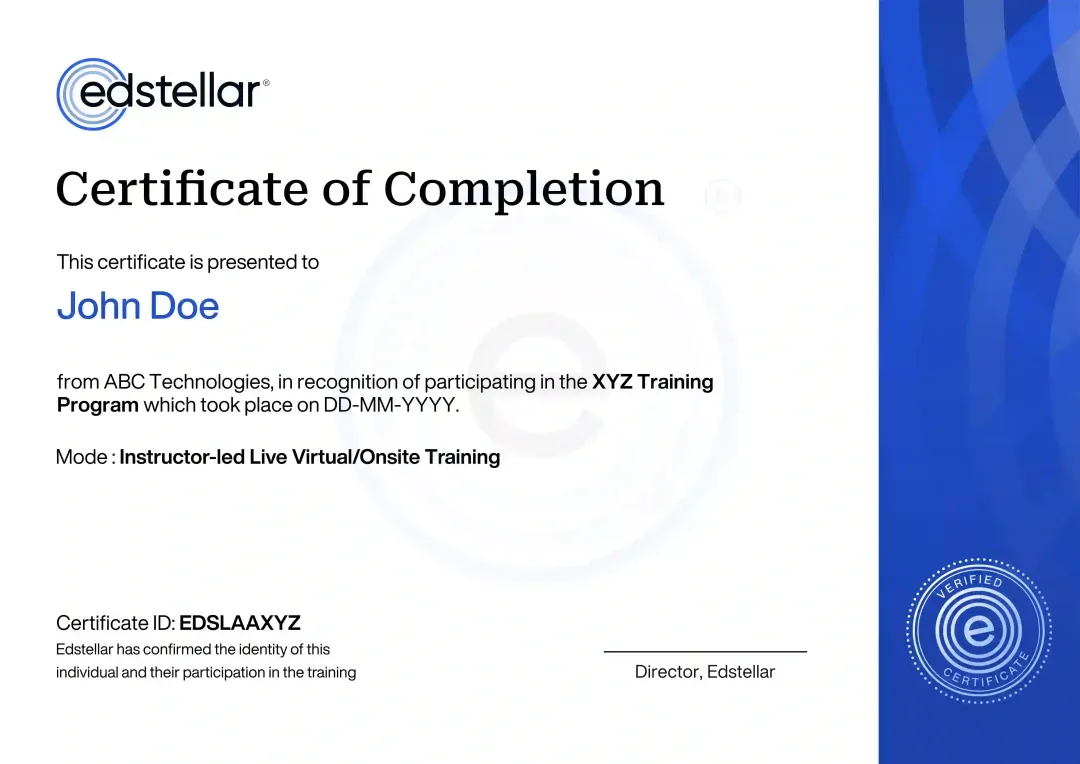
Certificate of Training Completion.
On successful completion, employees receive an Edstellar course completion certificate, recognizing their commitment to ongoing learning and professional development. It validates the skills they have built and motivates them to keep growing and contribute to organizational success.
Earned, not attended. Awarded on completion of all hands-on labs and the capstone project.
Training Delivery Modes: Onsite, Virtual and Hybrid
Instructor-led delivery in onsite, live virtual, or hybrid formats, with hands-on labs in every session.
Linux Mint Onsite Training
Your trainer comes to your premises. Sessions stay practical: hands-on labs run in the room with the instructor beside each team.
- Trainer at your premises
- Guided guided labs with the instructor beside each team
- Team collaboration in one room
- Agenda tuned on the spot

Linux Mint Live Virtual Training
Join from anywhere in live instructor-led sessions. Labs run in shared environments so the trainer can see every screen and coach in real time.
- Join from anywhere, live
- Shared lab environments with trainer coaching
- Sessions recorded for review
- Same curriculum, same hours

Linux Mint Hybrid Training
Split your cohort between the training room and a live virtual feed. Every session is instructor-led, with hands-on labs in each module and the same curriculum for both groups.
- Live instruction in every session
- Onsite workshops for guided labs
- Virtual sessions for distributed teams
- One cohort or split batches

Need a Customized Training Format That Works for Your Team?
Our training delivery is customized to your team's schedule, full days, half days, sessions spread across weeks, or modular formats. Share your preferred timeline, and we'll plan the training around it.
Frequently Asked Questions
Edstellar helps support teams build a repeatable approach to Linux Mint desktops. Participants connect installation, user setup, software updates, and recovery procedures in a deployment guide.
The course focuses on Mint desktop support, including Cinnamon and the everyday software-management workflow. The deployment guide brings setup and ongoing maintenance together rather than treating installation as the entire task.
Edstellar delivers Linux Mint training to enterprise teams through 5,000+ vetted trainers and coaches, with 200+ enterprise clients across 100+ countries. Built with Linux administrators, the program covers Linux Mint setup, desktop administration, packages and security. Trainers are screened for subject expertise, industry experience and facilitation quality, and exercises can be built around your tools and use cases. Sessions run onsite, virtual or hybrid, with pre- and post-training assessments and a results report.
Organizations introducing or supporting Linux Mint desktops can use the course for IT support staff and administrators.
Look for Linux desktop administration, permissions knowledge, and practical recovery experience. Confirm the Mint edition and hardware assumptions before booking.
Question Not Answered Here?
Put it in the request. A training specialist answers it directly, within one business day.
Where this Training Fits in Your Team's learning path.
Linux Mint gives your team a familiar desktop to practice Linux on after the Unix fundamentals. Since Mint is based on Ubuntu, the move to Ubuntu administration is direct, and shell scripting then automates work on both desktops and servers.

UNIX BASICS
UNIX Fundamentals Training
Learn Unix commands, file systems and permissions before using any Linux system day to day.

LINUX DESKTOP
Linux Mint Training
Install, configure and support Linux Mint desktops, including software, updates and user settings.

UBUNTU ADMIN
Ubuntu Linux Administration Training
Administer Ubuntu servers and desktops at scale, building on the Mint skills your team has.

AUTOMATE WITH SHELL
Shell Scripting & Automation for Linux Training
Automate repeated desktop and server tasks with shell scripts, saving your team routine manual work.
More related courses
Debian Administration Training
Linux Administration Training
Linux Security Hardening & CIS Benchmarks Training
Why Choose Edstellar as Your Linux Mint Corporate Training Provider
Edstellar delivers Linux Mint as instructor-led corporate training for enterprise teams: practitioner instructors, hands-on labs, and a curriculum tailored to your goals.

EXPERT TRAINERS
YEARS DELIVERING
ORGANIZATIONS TRAINED
CERTIFIED
Tailored
Linux Mint training scoped to your stack and team level, tuned module by module after a discovery call.
Proven Methodology
A Learn-Practice-Apply arc refined across thousands of corporate teams: concepts first, then guided labs until each skill holds.
Practice-Based Learning
Most hours go to doing: guided labs on realistic tasks your team faces on the job, with instructor review after each one.
Expert Trainers
Instructors who work in it administration teach from real delivery experience, matched to your cohort and goals.
Global Scale
Same Linux Mint program for every cohort, delivered across time zones by 5,000+ certified trainers.
Measurable Outcomes
Pre- and post-program assessments mapped to your curriculum, so you can see exactly what each cohort learned and what comes next.
Support Linux Mint Desktops Through Practical Setup and Administration Workflows
Edstellar introduces Linux Mint through everyday desktop deployment and support tasks. Participants install a virtual machine, configure Cinnamon, and manage applications before setting up users and permissions. The final deployment guide connects these procedures, reviewed for clarity, repeatability, sensible access choices, and the troubleshooting information needed by a support team.
- Step 01
Consult
We explore computer confidence, desktop-support responsibilities, and current needs for software, user settings, or onboarding to identify the cohort's Linux Mint learning priorities.
- Step 02
Plan
We establish Mint installation and Cinnamon navigation before software management, then connect users, permissions, and basic security in the desktop deployment guide.
- Step 03
Align
We align Linux desktop administration expertise with IT, support, education, and nonprofit teams, confirming suitable virtual machines and an accessible starting point for Linux newcomers.
- Step 04
Customize
We adapt sample desktop and application requirements to familiar user groups, including common installation and permission scenarios that participants can document as repeatable support procedures.
- Step 05
Execute
Participants install Mint, customize Cinnamon, manage software with apt, and configure users, receiving feedback on procedure accuracy, permissions, and diagnosis of common desktop problems.
- Step 06
Evaluate
We assess the deployment guide for repeatable setup steps, appropriate software and user configurations, clear security choices, and troubleshooting instructions supported by the demonstrated desktop.
Also from Edstellar
Talent assessments
Psychometric, behavioral, leadership and 360-degree assessment.
→Training needs analysis
Needs analysis, gap identification, and a training roadmap.
→L&D consulting
Learning strategy, content, technology and ROI measurement.
→OD consulting
Org design, succession planning and cultural change.
→Managed training services
Training outsourcing, vendor management, logistics and administration.
→Coaching solutions
Executive and manager coaching that keeps skills in use.
Start an RFP shaped to your needs.
Answer three quick questions about team size, scope, and how often you need the program run, then send the request from the last step. Everything you choose travels with it, so you only fill this in once.
How many team members need training?
Linux Mint Training Packages & Pricing
Where L&D holds an annual budget, license packages price the whole year at once instead of raising a purchase order per workshop. Hours and licenses are pooled across teams, programs and locations, so unused capacity is not stranded in one department.
Starter
120
trainee licenses64 hours of group training
Tailored for SMBs
Growth
320
trainee licenses160 hours of group training
Ideal for growing SMBs
Enterprise
800
trainee licenses400 hours of group training
Designed for large corporations
Custom
Unlimited
trainee licensesDuration set by the rollout
Multi-region and multi-year
Training Packages & Pricing
Choose the training format that works for your team. Pricing is customized based on your requirements, cohort size, and delivery needs.
Request a Quote for Linux Mint Training for Your Team
Tell us your team size, timelines, and goals for Linux Mint training. An advisor will shape the agenda, confirm availability, and share a detailed proposal.