Drive Team Excellence with Kofax Corporate Training

Kofax is a leading platform that offers smart automation solutions covering various aspects, from business process management to document capture and analytics. Automating repetitive tasks and optimizing document handling processes is vital for organizations seeking to streamline operations, enhance efficiency, and reduce manual errors. Kofax training course empowers employees to navigate complex business processes seamlessly, promoting a culture of innovation and productivity within the organization.

Edstellar's instructor-led Kofax training course offers virtual/onsite training options from industry experts. The course provides practical knowledge and a customizable curriculum to equip employees to leverage Kofax effectively.

Get Customized Expert-led Training for Your Teams
Customized Training Delivery
Scale Your Training: Small to Large Teams
In-person Onsite, Live Virtual or Hybrid Training Modes
Plan from 2000+ Industry-ready Training Programs
Experience Hands-On Learning from Industry Experts
Delivery Capability Across 100+ Countries & 10+ Languages
""""

Skills Your Employees Will Gain

These are the core, hands-on capabilities your team builds during the program.

  • Process Automation
    Process Automation is the use of technology to automate repetitive tasks, enhancing efficiency and accuracy. This skill is important for roles in operations and IT, as it streamlines workflows, reduces errors, and saves time, driving productivity and innovation.
  • Intelligent Recognition
    Intelligent Recognition is the ability to analyze and interpret data patterns using AI. this skill is important for roles in data analysis, marketing, and AI development, enhancing decision-making and efficiency.
  • Workflow Management
    Workflow Management is the process of optimizing and coordinating tasks to enhance efficiency and productivity. This skill is important for roles like project managers and operations specialists, as it ensures timely project completion and resource allocation.
  • Image Processing
    Image Processing is the manipulation and analysis of images to extract meaningful information. This skill is important for roles in computer vision, medical imaging, and robotics, enhancing accuracy and efficiency.
  • Content Integration
    Content Integration is the ability to combine various content types into a cohesive narrative. This skill is important for roles in marketing and media, ensuring consistent messaging and enhanced audience engagement.
  • Optical Character Recognition (OCR)
    Optical Character Recognition (OCR) is the technology that converts different types of documents into editable and searchable data. this skill is important for data entry, document management, and automation roles, enhancing efficiency and accuracy.

What Your Team Will Achieve After This Training

  • Apply advanced process designing techniques using the Process Designer Module to streamline workflow processes effectively
  • Analyze document handling requirements and configure separation profiles, extraction groups, and classification groups for optimized document processing workflows
  • Develop customized and group resources tailored to organizational needs, enhancing resource management efficiency
  • Utilize the Data Designer Module to model and manage data effectively, ensuring accurate data capture and integration within workflow processes
  • Evaluate document and folder level separation scenarios and implement separation profiles to enhance document organization and retrieval

Topics & Program Outline

The curriculum is organized into focused modules built by industry experts and delivered virtually or on-premise. Interactive sessions reflect the evolving demands of the workplace, keeping the learning both relevant and practical.

  1. Introduction to Kofax
    • History and evolution
    • Core competencies and technology
  2. What is Kofax TotalAgility?
    • Overview of features
    • Key benefits
  3. Single platform for smart process applications
    • Definition and importance
    • Examples of smart process applications
  4. Business process management
    • Core principles
    • Tools and techniques
  5. Dynamic case management
    • What is dynamic case management?
  6. Mobility services
    • Mobile capabilities of Kofax TotalAgility
    • Integrating mobile services into workflows
  7. Capture services
    • Overview of capture capabilities
    • Benefits of automated capture
  8. Transformation services
    • Purpose and processes
    • Transforming data into actionable insights
  9. Awareness and collaboration services
    • Tools for enhancing collaboration
    • Integrating awareness in processes
  10. Analytics and Business Intelligence services
    • Role of analytics in process improvement
    • Business intelligence tools and their applications
  11. Data integration services
    • Integrating external data sources
    • Examples of data integration scenarios
  1. Installation prerequisites
    • Overview of necessary conditions and materials
    • Checklist before installation
  2. Hardware requirements
    • Specifications for servers and client machines
    • Scaling hardware for enterprise needs
  3. Software requirements
    • Required software components
    • Compatibility issues and solutions
  4. Server operating system
    • Supported operating systems
    • Optimal configuration settings
  5. .NET Framework 4.0
    • Importance of .NET in Kofax installations
    • Troubleshooting common issues
  6. Silverlight
    • Role in Kofax TotalAgility
    • Installation and configuration tips
  7. Microsoft IIS
    • Configuring IIS for Kofax
  8. MS SQL Server
    • Database configuration and optimization
    • Maintaining SQL Server for Kofax
  9. TCP/IP protocol
    • Network requirements
    • Ensuring connectivity and security
  10. Database user
    • Creating and configuring database users
    • Permissions and roles
  11. Transformation server user
    • Role and permissions
    • Setup and security considerations
  12. Installation steps
    • Step-by-step guide
    • Post-installation checks
  13. Confirming services and applications after installation
    • Verification procedures
    • Troubleshooting common post-installation issues
  1. Overview
    • Introduction to capture workflows
    • Benefits of automated capture processes
  2. Process designer module
    • Navigating the interface
    • Key tools and features
  3. Basic process features, naming, properties
    • Setting up process basics
    • Naming conventions and property settings
  4. Design a process with classification, document review, extraction, validation, and verification nodes
    • Step-by-step design of a capture workflow
    • Role of each node in processing documents
  5. Moving nodes, connecting nodes
    • Techniques for organizing workflow elements
  6. Auto-align a process
    • Using auto-alignment tools
    • Benefits of maintaining structured workflows
  7. Save, release, and close
    • Procedures for saving and securing workflows
    • Releasing and closing workflows effectively
  8. Lock, unlock a process
    • Managing access to process designs
    • Security considerations
  9. Create a category
    • Categorization of workflows for better organization
    • Implementing categories
  10. Assign a process to a category
    • Assignment strategies
    • Managing workflow categorizations
  11. Search for a process
    • Tools and techniques for finding workflows
    • Efficiency tips
  1. What are resources?
    • Definition and types of resources in Kofax
    • Importance in workflows
  2. Resources designer module
    • Exploring the module interface
    • Key functionalities
  3. Create a resource and group resource
    • Steps to create and manage resources
    • Grouping resources for optimized usage
  4. Basic workflow rules
    • Fundamental rules for designing effective workflows
    • Common pitfalls and how to avoid them
  1. Overview
    • Role of configurations in document processing
    • Integration with other modules
  2. Data designer module
    • Features and capabilities
    • Navigating the interface
  3. Separation profiles
    • Creating document and folder-level separation profiles
  4. Extraction group
    • What is an extraction group?
    • Steps to create and configure extraction groups
  5. Create field groups and document types
    • Defining and organizing field groups
    • Document type configurations and applications
  6. Classification group
    • Defining classification groups
    • Associating extraction groups with classification setups
  7. Folder type
    • What is a folder type?
    • Creating and managing folder types and fields
  1. What is the classification group?
    • Explaining classification groups in detail
    • Importance in the classification process
  2. Create a classification group
    • Steps for creating a classification group
  3. Add an extraction group to a classification group
    • Integrating extraction capabilities
    • Configuring for optimal performance
  1. What is a folder type?
    • Definition and function of folder types in Kofax
    • Benefits of using folder types in document management
  2. Create a folder type and create folder fields
    • Steps to create a new folder type
    • Configuring fields for folders to categorize and manage documents effectively
  1. What are variables?
    • Explanation of different types of variables in workflows
    • Importance of variables in dynamic configurations
  2. Configure process capture properties – Initialize from scan, classification group, and separation
    • Setting up initial capture properties for efficient processing
    • Detailed configurations based on document and workflow requirements
  3. Create variables – Document and folder
    • Steps to define and implement document and folder variables
    • Usage scenarios for variables in workflows
  4. Classification node configuration
    • Configuring the classification node for optimal performance
    • Troubleshooting common issues with classification nodes
  5. Document review node configuration
    • Setting up and customizing document review nodes
    • Enhancing document review processes
  6. Extraction node configuration
    • Steps to configure extraction nodes for accurate data capture
  7. Validation node configuration
    • Ensuring data accuracy through validation node settings
    • Workflow enhancements through validation techniques
  8. Configure an activity SLA
    • Setting up service-level agreements for activities
    • Monitoring and managing SLAs in real-time
  1. Overview
    • Introduction to Kofax TotalAgility site and form capabilities
    • Key features and benefits
  2. Form designer module
    • Navigating the form designer
    • Essential tools and components for form creation
  3. Create a site (website)
    • Steps to create a site within Kofax TotalAgility
    • Customizing sites for specific business needs
  4. Create a manual login form
    • Designing secure login forms
    • Integration with site security
  5. Create a scan and create new job form
    • Setting up forms for initiating document scanning jobs
    • Customizations to enhance user experience and efficiency
  6. Create take activity forms
    • Forms for managing various activities within workflows
  7. Add site navigation
    • Implementing intuitive navigation within sites and forms
  8. Access a site and forms
    • Techniques for accessing and utilizing sites and forms
    • Troubleshooting access issues
  1. Overview
    • Introduction to the Transformation Designer module
    • Role in the Kofax TotalAgility system
  2. Project types - Classification, extraction, and shared
    • Different types of projects within the Transformation Designer
  3. Opening projects
    • Steps to open existing projects
    • Tips for managing multiple projects
  4. Connection to Kofax TotalAgility Extraction and Classification Groups
    • Integrating with other modules for enhanced functionality
    • Configuring connections for optimal performance
  5. What is classification?
    • Detailed explanation of classification in document processing
    • Benefits and strategic importance
  6. Layout classification and configuration
    • Setting up layout classification
    • Advanced configuration tips
  7. Document sets
    • Creating and managing document sets for classification
    • Importance in training and system accuracy
  8. Assign sample documents to classes
    • How to select and assign documents
    • Impact on classification accuracy
  9. Layout classification setup
    • Detailed setup process for layout classification
  10. Test classification
    • Methods for testing classification setups
    • Interpreting test results and making adjustments
  1. What is extraction?
    • Overview of the extraction process in document management
    • Key benefits and uses
  2. Document sets
    • Utilizing document sets in extraction processes
    • Managing document sets for effective extraction
  3. Available locator methods
    • Overview of different locator methods
    • Choosing the right method for specific tasks
  4. Locator properties
    • Detailed explanation of locator properties
    • How to optimize locators for accuracy?
  5. Configure the advanced zone locator
    • Steps to set up an advanced zone locator
    • Tips for achieving precise results
  6. Cleanup profiles and anchors
    • Creating and using cleanup profiles
    • Importance and setup of anchors in extraction
  7. OMR group zones
    • Implementing OMR (Optical Mark Recognition) in workflows
    • Configuring OMR for various document types
  8. Map locator values to extraction fields
    • Linking locator outputs to specific extraction fields
    • Enhancing data accuracy and efficiency
  9. Anchors
    • Role of anchors in stable extraction setups
    • Configuring anchors for different document layouts
  10. View extraction results
    • Techniques for viewing and analyzing extraction outcomes
    • Adjusting parameters for improved results
  11. Text extraction
    • Extracting text from documents
    • Optimization strategies for high accuracy and reliability
  1. Case vs. business process
    • Comparing case-based and business process approaches
    • When to use each approach?
  2. Case and process design components, configuration, implementation
    • Key components in case and process designs
    • Configuring and implementing designs effectively
  3. Categories
    • Utilizing categories in case management
    • Benefits of categorization in complex workflows
  4. Node types: Common, Capture, Microsoft, CMIS, HP TRIM, Script, other
    • Overview of different node types and their functions
    • Selecting appropriate nodes for specific processes
  5. Loan application use case scenario
    • Detailed walkthrough of a loan application process
    • Applying case-based principles to real-world scenarios
  1. Process variables
    • Definition and types of process variables
    • Usage of variables in workflow customization
  2. Server variables
    • Overview of server-specific variables
    • Configuring and utilizing server variables effectively
  3. System variables
    • Explaining system variables and their roles
    • Integration of system variables into workflows
  4. Document variables
    • Use of document variables in managing document-specific data
    • Setting up and applying document variables
  5. Folder variables
    • Importance of folder variables in organization and categorization
    • Configuration and application of folder variables
  6. Data access
    • Methods of accessing data within Kofax Total Agility
  7. Creating a real-time connection to an external database
    • Steps to establish real-time database connectivity
    • Troubleshooting common connection issues
  8. Different types of database access (Table, Stored Procedure, View)
    • Exploring various access methods and their applications
    • Optimizing database interactions for workflow processes
  1. Activity and email notifications
    • Configuring activity-based notifications
  2. Document creation
    • Techniques for automated document creation
    • Integration of document creation into business processes
  1. Building forms for the loan application process
    • Designing forms specific to loan applications
    • Customization to enhance user experience and data collection
  2. Changing navigation
    • Methods to modify and improve navigation in applications
    • Enhancing user interface for better workflow management
  3. Navigation security
    • Implementing security measures in navigation
    • Ensuring secure access and data protection
  4. Form security
    • Techniques to secure forms from unauthorized access
  1. Formatting/customizing forms
    • Detailed steps for form customization
    • Utilizing design elements to enhance form functionality
  2. Adding images
    • Integrating images into forms for better visual guidance
    • Tips for optimal image placement and usage
  3. Adding controls
    • Overview of different controls available for forms
    • Strategies for effective control integration
  4. Repositioning controls
    • Techniques for rearranging form controls
  1. Connect the capture applications process to the loan process
    • Linking capture processes with loan application workflows
    • Enhancing process efficiency through integration
  2. Loop node
    • Explanation and configuration of loop nodes in workflows
  3. Create a new job node
    • Steps to create and configure a new job node
    • Role of job nodes in process management
  1. Setting email integration
    • Configuring email as an input source for workflows
    • Managing email inputs for effective data capture
  2. Configuring watched folders integration
    • Setting up watched folders for automatic document capture
  1. Text export connector
    • Overview of the text export connector
    • Configuring and utilizing the connector for data export
  2. Downloading and installing the connector
    • Step-by-step guide for connector installation
    • Troubleshooting installation issues
  3. Configuring the process
    • Detailed configuration steps for optimal performance
    • Integration tips for seamless data flow
  4. Configuring the export connector
    • Advanced settings for the export connector
    • Ensuring reliable and secure data export
  1. Creating the device creates a new job form
    • Steps to create a form for new job initiation via MFPs
    • Customizing forms to fit device-specific requirements
  2. Configuring the process with a precondition
    • Setting preconditions for process initiation
    • Enhancing process control and automation
  3. Managing devices
    • Strategies for effective device management within workflows
    • Monitoring and maintaining device performance
  4. Download and install the Multi-Functional Peripherals (MFPs) emulator
    • Instructions for downloading and installing MFP emulators
    • Benefits and uses of MFP emulation in testing and development
  5. MFP emulation
    • Exploring the capabilities and setup of MFP emulation
    • Utilizing emulation to simulate real-world usage scenarios

Who Should Attend?

This program suits professionals at many levels across the organization, including:

  • Data Entry Specialists
  • Document Analysts
  • OCR Specialists
  • Automation Engineers
  • IT Professionals
  • Compliance Officers
  • Data Analysts
  • Process Analysts
  • Financial Analysts
  • Operations Specialists
  • Project Coordinators
  • Managers

What are the Prerequisites?

Employees with a basic understanding of SQL databases and familiarity with programming concepts can take up the Kofax training course.

Request a Quote for your Corporate Training Requirements

Valid number

Delivering Training for Organizations across 100 Countries and 10+ Languages

Choose the Format That Fits Your Team

We design training your teams actually engage with, and deliver it the way that suits you best. Through a vetted global trainer network, Edstellar runs sessions in 10+ languages with consistent quality anywhere.

Virtual Kofax Training

Virtual / online: expert-led live sessions delivered anywhere, with consistency and easy scheduling.

We deliver anywhere worldwide
Standardized content for consistent outcomes
Join from own workspace, no travel
We scale to large groups across sites
Interactive tools keep remote learners engaged
On-site Kofax Training

On-site (in-house): immersive, instructor-led learning at your office.

Our trainers run face-to-face at your office
We tailor setup/content to your workplace and tools
Group exercises drive collaboration
Live demos +  hands-on practice
Direct trainer access to clarify doubts
Off-site Kofax Training

Off-site: focused, instructor-led group learning away from everyday workplace distractions.

We host your teams at a venue of your preferred choice
Built-in group activities for bonding
Full uninterrupted schedule for focus/retention
Boosts morale and signals commitment

Get a Proposal Shaped to Your Needs

Need pricing for onsite, offsite, or virtual delivery? Get a proposal tailored to your team's needs.

Request a Group Training Quote
""
How Many Team Members Need Training?
Please select an option or fill in the custom field.
"'

Is Your Corporate Training Requirement Only for Kofax?

Please select at least one course.
""
Add the List of Training Workshops
search icon

      Please select the course

      No. of Courses selected: 0

      Clear

      Upload a CSV

      Send us your Training Requirements in 3 Easy steps

      1. 1
      2. 2
        Add the required training workshops
      3. 3
        Upload to get a quick quote or email it to contact@edstellar.com

      ""

      Looking for a Complete Package?

      Looking for a one-time pricing option for all your annual training requirements?

      View Corporate Training Packages
      ""
      Select the Option that Best Describes Your Corporate Training Requirement

      Please select an option or choose from the recurring options.
      ""
      Verify and Submit Your Request

      Review Your Corporate Training Selection Summary

      Training Program: Kofax Training

      1. No of Team Members

      2. Selected Training Preference

      3. Selected Recurring Sessions

      1

      Review your Requirements

      Training Workshops Selected :


        Excel
        File has been
        successfully uploaded.
        Fill the form to submit
 your details
        Submit Your Professional Contact Information
        Valid number
        We've received your enquiry. Our team will be in touch soon.
        Oops! Something went wrong while submitting the form.
        Starter
        120 licences

        Tailor-Made Trainee Licenses with Our Exclusive Training Packages!

        View Package

        64 hours of group training (includes VILT/In-person On-site)

        Tailored for SMBs

        Growth
        320 licences

        Tailor-Made Trainee Licenses with Our Exclusive Training Packages!

        View Package

        160 hours of group training (includes VILT/In-person On-site)

        Ideal for growing SMBs

        Enterprise
        800 licences

        Tailor-Made Trainee Licenses with Our Exclusive Training Packages!

        View Package

        400 hours of group training (includes VILT/In-person On-site)

        Designed for large corporations

        Custom
        Unlimited licenses

        Tailor-Made Trainee Licenses with Our Exclusive Training Packages!

        View Package

        Unlimited duration

        Designed for large corporations

        What Sets Edstellar Apart

        Experienced Trainers

        Our trainers are drawn from a vetted global network and bring years of industry expertise, keeping every session practical and impactful.

        Proven Quality

        With a strong global track record, Edstellar is known for quality and engaging delivery.

        Industry-Relevant Curriculum

        Our programs are built by experts to match the demands of today's industry.

        Fully Customizable

        Every program can be tailored to your organization's goals.

        Comprehensive Support

        We provide pre- and post-session support for a complete learning experience.

        Global Multi-Location & Multilingual Training Delivery

        We deliver in multiple languages to support diverse global teams.

        Hear from Organizations We've Trained

        "This Kofax course was exactly what I needed to advance my career. As a Senior Software Engineer, mastering advanced methodologies has become crucial for my success. The in-depth coverage of interactive labs frameworks I use daily. The knowledge gained has been immediately applicable to mission-critical projects and initiatives. The real-world examples and deep dive into hands-on exercises were particularly valuable for my professional growth.”

        Hal Crawford

        Senior Software Engineer,

        Enterprise Software Development Firm

        "The Kofax training provided critical insights into industry best practices that enhanced my consulting capabilities. As a Senior Software Engineer, I now leverage expert-led workshops with expertise to deliver exceptional exercises on real-world case studies prepared me perfectly for real-world client scenarios. We delivered a high-visibility enterprise project two months ahead of schedule, demonstrating immediate value from this investment.”

        Alexandre Bernard

        Senior Software Engineer,

        Digital Innovation Platform

        "As a Senior Software Engineer overseeing technical mastery initiatives, the Kofax training significantly elevated our team's capabilities. The course expertly covered strategic frameworks, interactive labs, and our operational effectiveness. We've successfully deployed these methodologies across all regional operations centers. Our department has achieved remarkable improvements, demonstrating this course's lasting organizational impact.”

        Fadil Osman

        Senior Software Engineer,

        IT Services and Solutions Provider

        “Edstellar’s IT & Technical training programs have been instrumental in strengthening our engineering teams and building future-ready capabilities. The hands-on approach, practical cloud scenarios, and expert guidance helped our teams improve technical depth, problem-solving skills, and execution across multiple projects. We’re excited to extend more of these impactful programs to other business units.”

        Aditi Rao

        L&D Head,

        A Global Technology Company

        Recognition That Motivates Your Team

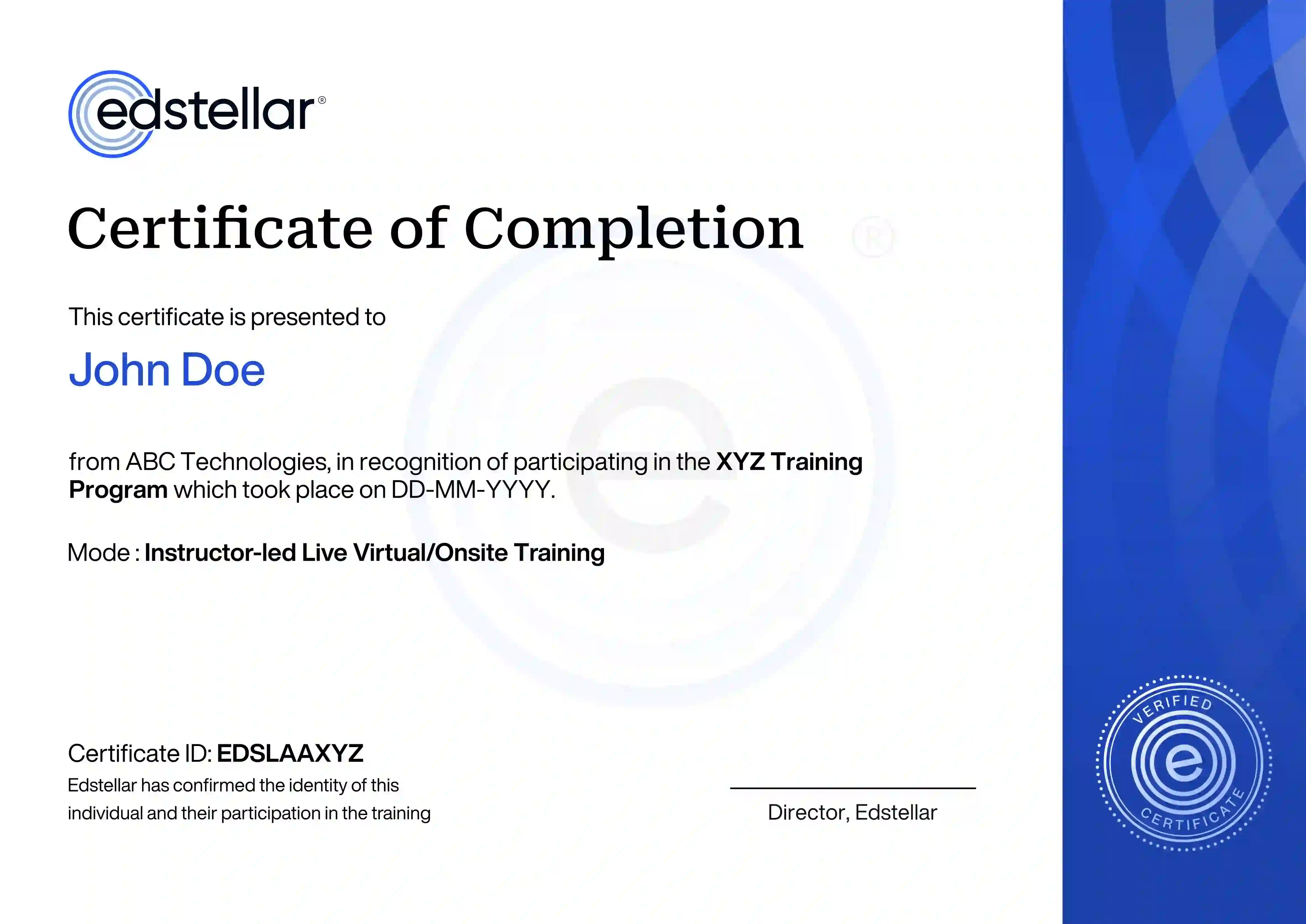
        Upon successful completion of the training course offered by Edstellar, employees receive a course completion certificate, symbolizing their dedication to ongoing learning and professional development.

        This certificate validates the employee's acquired skills and is a powerful motivator, inspiring them to enhance their expertise further and contribute effectively to organizational success.

        Recognition That Motivates Your Team
        ""

        Other Related Corporate Training Courses