

Editing Data with ArcGIS Pro Corporate Training
Learn to edit spatial data with ArcGIS Pro with Editing Data with ArcGIS Pro, in live guided labs led by practitioners.
Your team learns to edit spatial data with ArcGIS Pro. Employees develop editing, topology, and automation skills through guided labs led by practitioners. Each session is tuned to your stack, tools, and workflows.
Instructor-led group trainingVirtual / on-site / hybrid10+ languagesDelivered in English, Spanish, Mandarin, German, Arabic, Portuguese, Hindi, French, Japanese, Italian, and more100+ countriesWe have delivered in United States, United Kingdom, India, Canada, Germany, France, Netherlands, UAE, Saudi Arabia, Singapore, Australia, Japan, Brazil, South Africa and 90+ more countries
How we build a editing-capable team
EDSTELLAR GIS CAPABILITY MODEL
Assess editing skills
Skill checks map your team's Editing Data with ArcGIS Pro baseline and gaps.
Set shared standards
One shared playbook for Editing Data with ArcGIS Pro workflows, reviews, and quality bars.
Practice in guided labs
Labs cover feature editing, topology, and automation.
Measure the lift
Lab checkpoints benchmark each employee's Editing Data with ArcGIS Pro capability.
Scale across teams
One consistent standard rolls out across projects, sites, and teams.
 Expert trainers
Need more than one program?Get a group quote
Trusted as a Leading Corporate Training Provider by
















Editing Data with ArcGIS Pro Training for Employees: Program Overview

Editing Data with ArcGIS Pro is a 19-hour program for GIS analysts, survey teams, and utilities maintaining spatial data. Across 5 modules it covers ArcGIS Pro editing, topology, versioned editing, validation, and automation. It suits teams responsible for accurate, current spatial data.
Training is hands-on: every concept is taught through guided labs: participants edit features, control topology, manage versions, validate quality, automate with ModelBuilder, and deliver a full editing project. Labs use real spatial datasets, with instructor review at every stage.
Teams struggle with spatial data quality: editing errors, topology issues, and stale layers. This program builds real editing skill: accurate features, valid topology, and automated workflows. Your spatial data stays trustworthy.
A 5-hour capstone closes the program, where participants design the editing plan and deliver a complete, validated update.
What's Included in this Workshop for Your Enterprise Teams
- 1
Tailored curriculum
Modules tuned to your tools and workflows
- 2
Instructor-led sessions
Live guidance from GIS professionals
- 3
Guided labs
Labs on realistic tasks
- 4
Skills assessments
Checkpoints track progress module by module
- 5
Post-training support
Workbooks, recordings, and follow-up guidance
- Hybrid, Live virtual, Onsite delivery options
- Flexible scheduling across your time zones
- Dedicated training coordinator for your cohort
- Digital workbooks and session recordings
- Customized modules for your Editing Data with ArcGIS Pro stack
- Post-training support and resources
Build your team's skills. Anywhere in the world.
Real-world use cases
from day one
Instructor-led training
for your teams
Delivered globally
in 100+ countries

Enterprise Training Solutions Customized for Your Company
One partner for instructor-led corporate training, delivered the way your teams work.
Request a Training Quote- Customized Training Delivery
- Scale Your Training: Small to Large Teams
- In-person Onsite, Live Virtual or Hybrid Training Modes
- Plan from 2000+ Industry-ready Training Programs
- Guided Technical Labs, Led by Industry Experts
Editing Data with ArcGIS Pro Course Topics and Program Outline
A 19-hour, 5-module Editing Data with ArcGIS Pro curriculum: foundations first, then labs, then a capstone that proves the skill on the job.
Built by Edstellar with GIS professionals who manage enterprise geodatabases
Built by GIS professionals who manage enterprise geodatabases, shaped around your stack and use cases.
Skill checks map your team's Editing Data with ArcGIS Pro baseline so the program targets real gaps.
Instructor-led concepts build Editing Data with ArcGIS Pro foundations your team can explain and use.
Labs across 2 hands-on modules build Editing Data with ArcGIS Pro muscle with instructor coaching.
A 5-hour capstone applies Editing Data with ArcGIS Pro end to end with instructor review.
A 19-hour path from Editing Data with ArcGIS Pro foundations to a reviewed capstone, tuned to your stack.
Delivered as
Sessions run hybrid | live virtual | onsite; scheduling flexes across your time zones and team calendars.

Build a first ArcGIS Pro project.
learnGIS concepts refresher
ArcGIS Pro interface
Projects and maps
Data sources
Edit features with topology control.
learnFeature editing tools
Snapping and topology
Attribute editing
Editing workflows
Manage versioned editing workflows.
practiceVersioned editing
Conflict management
Geometric networks
3D editing
Automate editing with ModelBuilder.
practiceTopology validation
Attribute rules
ModelBuilder automation
Python scripting basics
Deliver a complete editing project.
applyEditing plan design
Full data update
Quality assurance
Delivery and docs
Customize This Program Tailored to Your Team?
Tell us your training needs: what your team already works with, the level they’re at, and the topics you want them to focus on. We’ll adjust the modules, duration and hands-on labs, and send you a customized outline for your group.
Key Skills and Outcomes Your Team Will Gain
By the end of this Editing Data with ArcGIS Pro program, your team will be able to edit spatial data with ArcGIS Pro.
ArcGIS Pro basics
Navigate ArcGIS Pro confidently.
Feature editing
Edit features accurately.
Topology
Control topology correctly.
Versioned editing
Manage versioned editing.
Data validation
Validate data quality.
Automation
Automate with ModelBuilder.
Project delivery
Deliver editing projects.
Teams that Benefit from this Editing Data with ArcGIS Pro Group Training
GIS analysts, survey teams, utilities, and government GIS maintaining spatial data learn together. Content adapts to role and experience, so each cohort practices the GIS workflows it owns.
Edit with confidence
GIS analysts maintain spatial data. This program builds the editing depth quality demands.
Workflow friction
- Editing errors
- Topology issues
- Slow workflows
How the program helps
- Edit accurately
- Fix topology
- Work faster
Practice use cases
- Accuracy
- Topology
- Speed
Field to database
Survey teams capture data. This training connects field work to clean databases.
Workflow friction
- Dirty field data
- Integration pain
- Rework
How the program helps
- Capture cleanly
- Integrate smoothly
- Reduce rework
Practice use cases
- Clean capture
- Integration
- Less rework
Network data quality
Utilities run on network data. Editing skill keeps their asset data trustworthy.
Workflow friction
- Bad asset data
- Outage risk
- Compliance issues
How the program helps
- Maintain asset data
- Reduce outage risk
- Stay compliant
Practice use cases
- Data quality
- Reliability
- Compliance
Authoritative data
Government GIS maintains authoritative layers. This program builds stewardship skill.
Workflow friction
- Data inconsistency
- Public trust risk
- Update backlogs
How the program helps
- Keep data consistent
- Maintain trust
- Clear backlogs
Practice use cases
- Consistency
- Trust
- Currency
Cohorts are grouped by role and experience so every session targets the workflows your people own.
Prerequisites: This program suits GIS professionals with basic GIS familiarity; ArcGIS exposure helps. No advanced experience is needed. Content adapts to each cohort's data.
Mappers to GIS editors
Cohorts start with GIS foundations, build editing practice, and finish with advanced techniques and delivery.
One program grows with GIS careers, from mapping to data stewardship.
Different Teams, Locations, Time Zones, or Languages? We've Got You Covered.
Whether your teams are spread across countries, time zones, languages, or experience levels, we deliver tailored training programs that ensure a consistent learning experience across your global workforce.
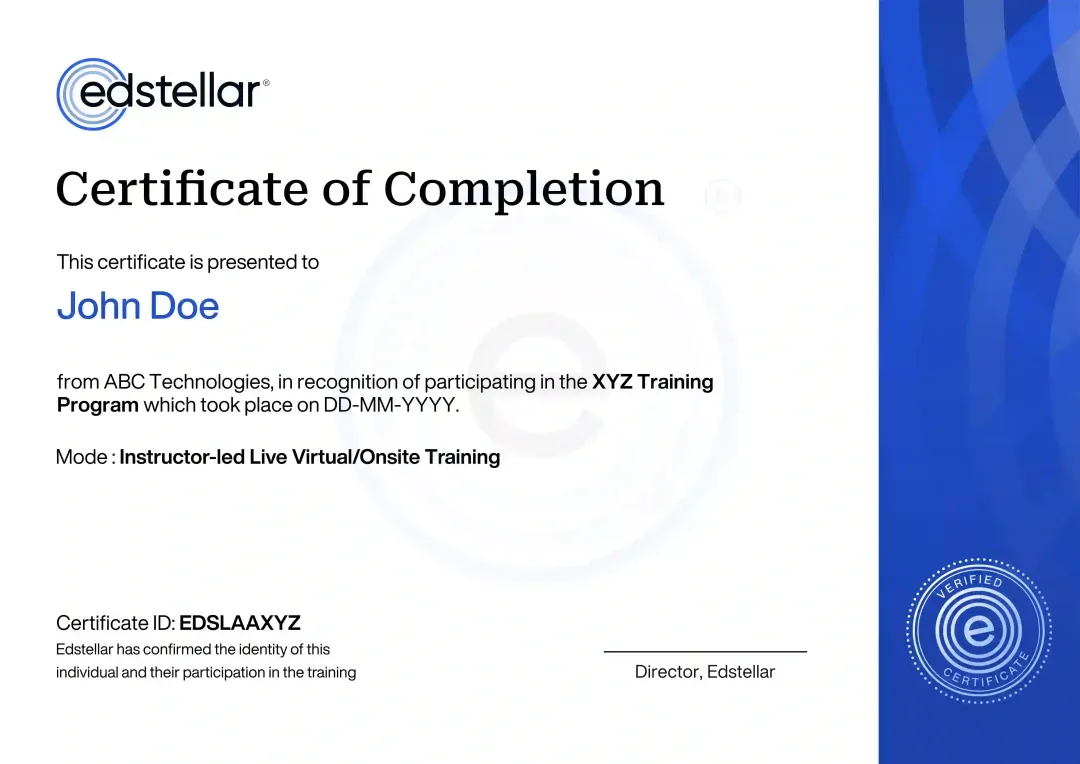
Certificate of Training Completion.
On successful completion, employees receive an Edstellar course completion certificate, recognizing their commitment to ongoing learning and professional development. It validates the skills they have built and motivates them to keep growing and contribute to organizational success.
Earned, not attended. Awarded on completion of all hands-on labs and the capstone project.
Training Delivery Modes: Onsite, Virtual and Hybrid
Choose how your team learns Editing Data with ArcGIS Pro: every mode keeps the same curriculum, labs, and instructor coaching.
Editing Data with ArcGIS Pro Onsite Training
Instructor-led Editing Data with ArcGIS Pro training at your offices, with labs set up on your tools. The instructor pairs with the team in person and tunes exercises to your workflows.
- Instructor-led Editing Data with ArcGIS Pro training at your offices
- Labs set up on your tools and workflows
- In-person coaching and reviews
- Exercises tuned to your stack

Editing Data with ArcGIS Pro Live Virtual Training
Live virtual Editing Data with ArcGIS Pro sessions on Zoom or Teams with the same labs, breakout practice, and instructor coaching as onsite delivery.
- Live virtual Editing Data with ArcGIS Pro sessions on Zoom or Teams
- Same guided labs as onsite delivery
- Breakout practice with instructor coaching
- Session recordings for later review

Editing Data with ArcGIS Pro Hybrid Training
Instructor-led Editing Data with ArcGIS Pro training delivered hybrid, onsite, or live virtual. Every session blends concise instruction with guided labs on your stack.
- Live instruction across onsite and virtual Editing Data with ArcGIS Pro sessions
- Guided labs with instructor coaching throughout
- Real Editing Data with ArcGIS Pro workflows, not slideware
- Flexible scheduling without losing live interaction

Need a Customized Training Format That Works for Your Team?
Our training delivery is customized to your team's schedule, full days, half days, sessions spread across weeks, or modular formats. Share your preferred timeline, and we'll plan the training around it.
Frequently Asked Questions
The course helps GIS teams connect editing speed with data integrity. Participants work on geometry, attributes and validation before completing a full data-update capstone. The shared workflow makes it easier to review changes and explain how quality was checked.
Edstellar combines editing tools with topology, version management and quality assurance. Automation is introduced within that workflow rather than as a shortcut around review. The capstone connects the editing plan to a documented data handoff.
Edstellar brings Editing Data with ArcGIS Pro training to enterprise teams through a network of 5,000+ vetted trainers and coaches, built on work with 200+ enterprise clients in 100+ countries. Built with GIS editors who use ArcGIS Pro, the program covers editing tools, topology, attributes and data quality. Trainers are screened for subject expertise, industry experience and facilitation quality, and exercises can be built around your tools and use cases. Training runs onsite, virtual or hybrid, and pre- and post-training assessments track skill gains.
Look for realistic geometry and attribute problems, conflict handling and repeatable validation. Edstellar includes these areas alongside editing and automation practice. Compare the proposed version and data environment with your own, especially where legacy network workflows are involved.
Yes. Review profiles for enterprise geodatabase editing, topology and ArcGIS Pro workflow experience. A scoping discussion can align the trainer with your data types, versioning model and quality requirements.
Question Not Answered Here?
Put it in the request. A training specialist answers it directly, within one business day.
Where this Training Fits in Your Team's learning path.
Data editing comes right after your team moves to ArcGIS Pro, because accurate data underpins every map and analysis. This course covers editing, then the path moves to cartography and map design, and ends with Python-based analysis of the data your team now maintains.

MOVE TO ARCGIS PRO
Migrating from ArcMap to ArcGIS Pro Training
Move from ArcMap to ArcGIS Pro, learning the new interface, project structure and migration steps.

EDIT THE DATA
Editing Data with ArcGIS Pro Training
Create and edit features, maintain attributes and topology, and keep GIS data accurate in ArcGIS Pro.

DESIGN THE MAPS
Cartography & Map Design Training
Design clear, accurate maps from the edited data, using cartographic principles for different audiences.

ANALYSE WITH PYTHON
Data Analysis with ArcGIS Pro 3.x & Python Training
Analyse the data with ArcGIS Pro and Python, automating workflows that run on well-maintained datasets.
More related courses
ArcGIS Pro & Enterprise GIS Administration Training
Spatial Analysis & Satellite Imagery in a GIS Training
GDAL Tools Training
Why Choose Edstellar as Your Editing Data with ArcGIS Pro Corporate Training Provider
Edstellar delivers Editing Data with ArcGIS Pro corporate training for global enterprises: tailored curriculum, expert trainers, labs-based learning, and measurable outcomes your L&D team can report.

EXPERT TRAINERS
YEARS DELIVERING
ORGANIZATIONS TRAINED
CERTIFIED
Tailored
We tailor labs, examples, and pacing to your team's Editing Data with ArcGIS Pro maturity and goals.
Proven Methodology
A field-tested rhythm of instruction, labs, and feedback proven across global Editing Data with ArcGIS Pro cohorts.
Practice-Based Learning
Your team learns Editing Data with ArcGIS Pro by doing: labs in every module plus a capstone that proves the skill.
Expert Trainers
Seasoned GIS professionals lead every session and coach your team through each guided lab.
Global Scale
From pilot cohort to global rollout, one Editing Data with ArcGIS Pro standard scales with your organization.
Measurable Outcomes
Checkout reviews and capstone results give L&D clear evidence of Editing Data with ArcGIS Pro capability gained.
Maintain Spatial Data Quality Through Controlled ArcGIS Pro Editing Workflows
Edstellar develops ArcGIS Pro editing through project setup, feature and attribute changes, topology, versioned collaboration, and automation. Participants carry a sample dataset through an update cycle with validation and conflict review. The final project is assessed for spatial consistency, reliable attributes, and documentation that makes the editing decisions and quality checks reproducible.
- Step 01
Consult
We assess GIS familiarity and data-maintenance responsibilities, identifying gaps in snapping, topology rules, attribute consistency, version conflicts, and automation of repetitive edits.
- Step 02
Plan
We establish ArcGIS Pro projects before feature and attribute editing, then versioned workflows, topology validation, and ModelBuilder automation within a complete data-update project.
- Step 03
Align
We align geospatial editing expertise with GIS analysts, survey teams, and utility data stewards, adjusting interface support and advanced editing depth to their experience.
- Step 04
Customize
We tailor sample feature classes, attribute rules, conflicting edits, and update requests to relevant spatial datasets, retaining defined topology and delivery-quality criteria.
- Step 05
Execute
Participants edit features, resolve version conflicts, validate topology, and automate updates, receiving feedback on spatial relationships, attribute rules, and the reproducibility of editing workflows.
- Step 06
Evaluate
We assess the delivered project for resolved topology errors, consistent attributes, documented conflict decisions, and an editing plan supported by repeatable quality-assurance checks.
Also from Edstellar
Talent assessments
Psychometric, behavioral, leadership and 360-degree assessment.
→Training needs analysis
Needs analysis, gap identification, and a training roadmap.
→L&D consulting
Learning strategy, content, technology and ROI measurement.
→OD consulting
Org design, succession planning and cultural change.
→Managed training services
Training outsourcing, vendor management, logistics and administration.
→Coaching solutions
Executive and manager coaching that keeps skills in use.
Start an RFP shaped to your needs.
Answer three quick questions about team size, scope, and how often you need the program run, then send the request from the last step. Everything you choose travels with it, so you only fill this in once.
How many team members need training?
Editing Data with ArcGIS Pro Training Packages & Pricing
Where L&D holds an annual budget, license packages price the whole year at once instead of raising a purchase order per workshop. Hours and licenses are pooled across teams, programs and locations, so unused capacity is not stranded in one department.
Starter
120
trainee licenses64 hours of group training
Tailored for SMBs
Growth
320
trainee licenses160 hours of group training
Ideal for growing SMBs
Enterprise
800
trainee licenses400 hours of group training
Designed for large corporations
Custom
Unlimited
trainee licensesDuration set by the rollout
Multi-region and multi-year
Training Packages & Pricing
Choose the training format that works for your team. Pricing is customized based on your requirements, cohort size, and delivery needs.
Request a Quote for Editing Data with ArcGIS Pro Training for Your Team
Share your team size, Editing Data with ArcGIS Pro goals, and timelines to receive a tailored training plan and quote. Book a discovery call to discuss your needs; we confirm availability and respond with a proposal.