

Microsoft Dynamics 365 Role-Based Corporate Training
Instructor-led, role-based Dynamics 365 training with guided hands-on labs.
This program trains each role on the Dynamics 365 apps and workflows they own, from daily transactions to reporting and administration, through guided labs in a live environment.
Instructor-led group trainingVirtual / on-site / hybrid10+ languagesDelivered in English, Spanish, Mandarin, German, Arabic, Portuguese, Hindi, French, Japanese, Italian, and more100+ countriesWe have delivered in United States, United Kingdom, India, Canada, Germany, France, Netherlands, UAE, Saudi Arabia, Singapore, Australia, Japan, Brazil, South Africa and 90+ more countries
How we build a confident Dynamics 365 team
The Edstellar DYNAMICS 365 Capability Model
Diagnose
We map your team's roles against Dynamics 365 work to find the gaps between current usage and confident daily practice.
Standardize
We align training to your data model, security roles, and processes so every cohort practices the workflows it owns.
Practice
Learners build skill through guided labs in live Dynamics 365 apps, working the transactions and automations their roles require.
Measure
We track lab completion and scenario outcomes against the capabilities your roles need, so progress is visible to managers.
Scale
We hand over playbooks and practice routines so new hires and new roles reach the same standard as adoption grows.
 Expert trainers
Need more than one program?Get a group quote
Trusted as a Leading Corporate Training Provider by
















Program Overview: What is Microsoft Dynamics 365 Role-Based Training?
Microsoft Dynamics 365 Role-Based Training is Edstellar's instructor-led program that teaches Dynamics 365 the way people actually use it: by role. It is designed for end users, power users, and admins across departments, and covers platform foundations, role-based transactions, workflows and approvals, reporting, configuration, administration, and integration. Each participant learns the system through the lens of their own job.
Training is organized around daily work, not feature tours, with participants practicing the transactions their role performs. Each module pairs guided walkthroughs with role-specific exercises: entering orders, approving requests, managing records, and pulling reports. Instructors coach each role group separately, answering the questions that only matter to that job. The program closes with a capstone where participants execute an end-to-end business process in their role.
Generic Dynamics 365 training leaves users overwhelmed by features they will never touch and unsure about the ones they need daily. This program flips that: everyone learns their slice deeply, with the surrounding process for context. The payoff is faster adoption, fewer support tickets, and users who trust the system.
The final exercise is the End-to-End Role-Based Business Process capstone: each participant runs a complete process, from trigger to outcome, inside their own role's workspace, proving they can do their actual job in Dynamics 365 on day one back at work.
The program combines concept delivery, live demos, and guided hands-on labs so every cohort practices in the areas of the platform it owns. Modules progress from navigation and data fundamentals to workflow automation, reporting, and configuration essentials, closing with a capstone that runs an end-to-end role-based business process. Content adapts to your roles, data model, and processes.
What's Included in this Workshop for Your Enterprise Teams
- 1
Eight role-based modules
From navigation to capstone, each module pairs concepts with labs.
- 2
Guided practice by role
Every cohort works the transactions and workflows it owns.
- 3
Capstone scenario
A full end-to-end business process, run and reviewed with the instructor.
- Instructor-led delivery, virtual, onsite, or hybrid
- Guided hands-on labs in a live Dynamics 365 environment
- Cohort size tuned for personal coaching
- Content tailored to your roles and processes
- Lab guides and reference materials included
- Post-program handover summary for managers
Build your team's skills. Anywhere in the world.
Real-world use cases
from day one
Instructor-led training
for your teams
Delivered globally
in 100+ countries


Enterprise Training Solutions Customized for Your Company
One partner for instructor-led corporate training, delivered the way your teams work.
Request a Training Quote- Customized Training Delivery
- Scale Your Training: Small to Large Teams
- In-person Onsite, Live Virtual or Hybrid Training Modes
- Plan from 2000+ Industry-ready Training Programs
- Guided Technical Labs, Led by Industry Experts
Microsoft Dynamics 365 Role-Based Training Course Topics and Program Outline
Eight modules move from platform foundations to an end-to-end capstone, with guided labs in every module.
Built by Edstellar with Dynamics 365 functional consultants
Built by practitioners who configure and support Dynamics 365 in production, shaped around your stack and use cases.
We map your team's Dynamics 365 roles, apps, and experience, then shape the labs around the workflows each cohort owns.
Instructors deliver core concepts with live demos, covering navigation, data, and security tailored to your roles.
Learners work guided hands-on labs in live Dynamics 365 apps, practicing transactions, automations, and reports for their roles.
Cohorts configure, integrate, and run a full end-to-end capstone process, reviewed with the instructor for readiness.
From first navigation to a role-ready capstone, every skill is practiced in live Dynamics 365 apps.
Delivered as
Delivered as a hybrid program of live instruction and guided labs, scheduled in blocks that fit your team's working hours.

Navigate your role's apps and personalize a workspace for daily work.
learnDynamics 365 apps and modules overview
Role-based workspaces and navigation
Security roles and what you can access
Personal settings and productivity basics
Create, link, and clean up records following your team's data standards.
learnTables, columns, and relationships
Record ownership and sharing
Creating and updating records correctly
Data quality and duplicate handling
Work a set of role-based transactions from queue pickup to completion.
practiceGuided business process flows
Queues, assignment, and ownership
Activities, notes, and timelines
Working across apps in one process
Build a flow with an approval chain for a real team scenario.
practicePower Automate flows for Dynamics 365
Approval chains and conditions
Business rules and alerts
Monitoring and fixing flow runs
Build a role-based dashboard with views and charts for your team.
practiceViews and advanced find
Charts and role-based dashboards
Exporting and sharing insights
Report scheduling basics
Configure a form and security role change in a sandbox, then test it.
applyForms, views, and fields
Assigning and testing security roles
Environment and solution basics
Supporting users without breaking processes
Import a dataset, validate it, and map it to your tables.
applyDataverse and integration concepts
Data import and export
Integration patterns overview
Data governance practices
Execute a full role-based process and present the outcome for instructor review.
applyCapstone scenario and success criteria
Execute the process across apps
Review, handoff, and improvement notes
Customize This Program Tailored to Your Team?
Tell us your training needs: what your team already works with, the level they’re at, and the topics you want them to focus on. We’ll adjust the modules, duration and hands-on labs, and send you a customized outline for your group.
Key Skills and Outcomes Your Team Will Gain
Your team leaves able to run their Dynamics 365 work end to end, from daily transactions to reporting and safe configuration.
Navigate with confidence
Move through Dynamics 365 apps and role-based workspaces quickly and accurately.
Manage records to standard
Create, update, and maintain records following your team's data quality rules.
Run daily workflows
Execute guided business processes, queues, and assignments without rework.
Automate routine steps
Build and run flows and approval chains that remove manual effort.
Report and analyze
Create views, dashboards, and reports that answer your role's questions.
Configure safely
Apply forms, views, and security changes using safe, repeatable practices.
Deliver end to end
Run a complete role-based business process from trigger to close.
Teams that Benefit from this Microsoft Dynamics 365 Role-Based Group Training
This program is built for teams who work in Dynamics 365 every day. Content adapts to role and experience, so each cohort practices the workflows it owns.
Run the full sales process inside Dynamics 365
Sellers and sales managers practice lead, opportunity, and pipeline workflows in the sales app, so the CRM becomes the place where work happens.
Workflow friction
- Inconsistent record updates across sellers
- Pipeline stages skipped or misused
- Reports sellers do not trust
How the program helps
- Log and advance opportunities without rework
- Follow guided selling processes step by step
- Keep pipeline data clean and current
Practice use cases
- Opportunity management
- Pipeline hygiene
- Quote workflows
- Forecast views
Resolve cases faster with role-ready service skills
Agents and supervisors practice case queues, SLAs, and knowledge workflows in the service app, so customers get consistent answers.
Workflow friction
- Cases routed to the wrong owners
- SLA breaches from unclear handoffs
- Knowledge articles ignored in practice
How the program helps
- Work case queues with clear ownership
- Apply SLAs and escalation paths correctly
- Use knowledge articles during live cases
Practice use cases
- Case management
- Queue routing
- SLA tracking
- Knowledge use
Keep operational data accurate and auditable
Operations and finance staff practice record management, approvals, and reporting, so the system of record stays trustworthy.
Workflow friction
- Duplicate or incomplete records
- Approvals stuck without visibility
- Month-end reporting scrambles
How the program helps
- Enter and validate records accurately
- Run approval chains without delays
- Produce reliable operational reports
Practice use cases
- Record governance
- Approval workflows
- Operational reporting
- Data validation
Administer Dynamics 365 with safe, repeatable practices
Administrators practice security roles, customization basics, and environment care, so the platform stays stable as teams grow.
Workflow friction
- Over-permissioned security roles
- Untested customizations in production
- Environment sprawl and confusion
How the program helps
- Assign security roles correctly
- Manage forms, views, and fields safely
- Support users without breaking processes
Practice use cases
- Security role setup
- Form customization
- Environment management
- User support
Content adapts to each cohort's roles, data model, and processes, so every team practices the workflows it owns.
Prerequisites: This program suits anyone who works in Dynamics 365, from first-time users to experienced hands taking on new responsibilities. Familiarity with basic business software helps but is not required, and no prior Dynamics 365 administration experience is needed. Each cohort's labs adapt to its roles, data model, and processes.
Dynamics 365 User to Role Specialist
Learners progress from navigating Dynamics 365 to running the transactions, automations, and reports their roles own, finishing with an end-to-end process capstone.
One program that grows with Dynamics 365 careers, from first navigation to confident role-based practice.
Different Teams, Locations, Time Zones, or Languages? We've Got You Covered.
Whether your teams are spread across countries, time zones, languages, or experience levels, we deliver tailored training programs that ensure a consistent learning experience across your global workforce.
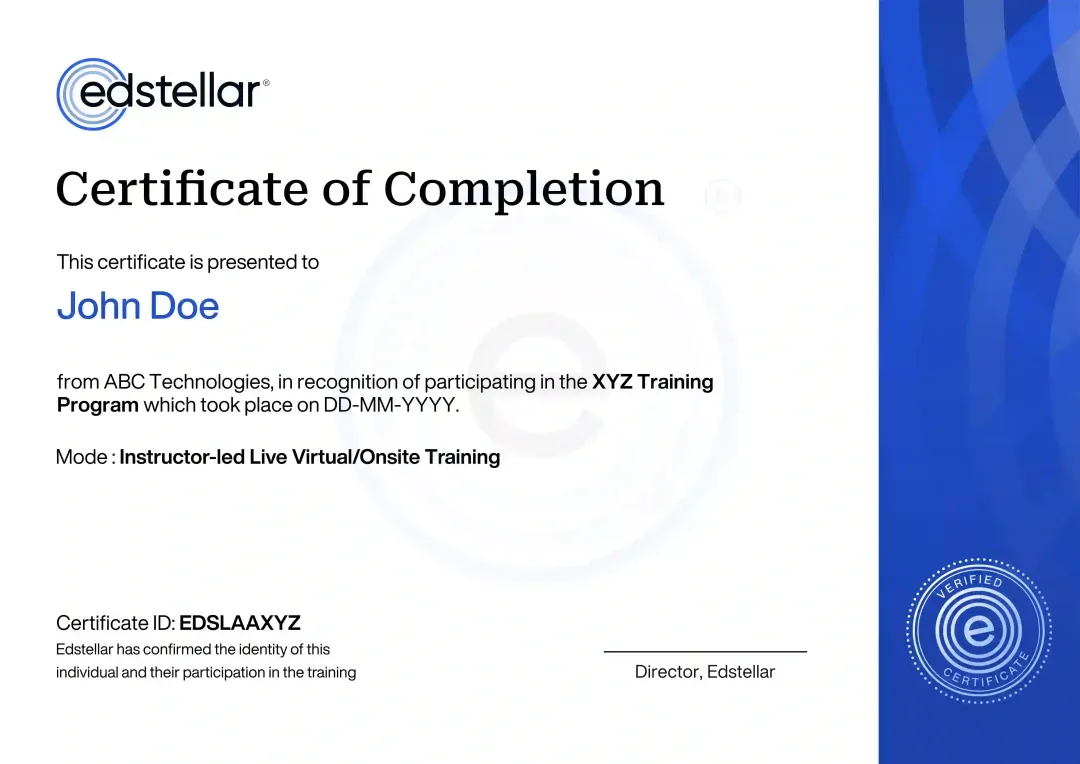
Certificate of Training Completion.
On successful completion, employees receive an Edstellar course completion certificate, recognizing their commitment to ongoing learning and professional development. It validates the skills they have built and motivates them to keep growing and contribute to organizational success.
Earned, not attended. Awarded on completion of all hands-on labs and the capstone project.
Training Delivery Modes: Onsite, Virtual and Hybrid
Choose the format that fits your teams. Every mode is instructor-led with guided labs in a live Dynamics 365 environment.
Onsite Training
The instructor delivers the full program at your offices, with labs run in your environment and content matched to your processes.
- Delivered at your location
- Labs matched to your setup
- Direct coaching during practice
- Team momentum in one room

Live Virtual Training
Live virtual sessions connect your team with the instructor and guided labs from anywhere, with real-time support during practice.
- Join from any location
- Real-time instructor support
- Guided labs in cloud environments
- Recordings and materials included

Hybrid Training
Instructor-led sessions blend live virtual instruction with in-person lab time, so distributed teams practice together in one shared environment.
- Live instructor plus guided labs
- Shared lab environment for all learners
- Scheduled around your working hours
- Same content across every cohort

Need a Customized Training Format That Works for Your Team?
Our training delivery is customized to your team's schedule, full days, half days, sessions spread across weeks, or modular formats. Share your preferred timeline, and we'll plan the training around it.
Frequently Asked Questions
Share your team size, roles, and preferred dates and we will send a tailored quote for your Dynamics 365 program, including format and scheduling options.
Yes. A short discovery call maps your roles, apps, and processes so we can tailor the labs and confirm the right scope before you commit.
Yes. The program runs live virtual with an instructor, including guided labs in a shared environment, or onsite at your offices.
Yes. Onsite delivery brings the instructor and lab guidance to your team, and hybrid formats are available for distributed groups.
The program runs 32 hours of instructor-led training with guided labs, typically scheduled across four to five days to fit your team's calendar.
Question Not Answered Here?
Put it in the request. A training specialist answers it directly, within one business day.
Where this Training Fits in Your Team's learning path.
The role-based course opens this path by giving your team a working knowledge of Dynamics 365 and what each app does. From there it moves into Business Central, then customization, and finally Power Platform to build apps and automations around Dynamics 365.
D365 BASICS
Microsoft Dynamics 365 Role-Based Training
Learn Dynamics 365 navigation, core records and the tasks each role performs in the system.

BUSINESS CENTRAL
Microsoft Dynamics 365 Business Central Functional Consultant Training
Use Business Central for finance, sales, purchasing and inventory in smaller and mid-sized businesses.
CUSTOMISE D365
Microsoft Dynamics 365 Customization & Configuration Training
Configure forms, fields, views and business processes to fit your organisation.

EXTEND WITH POWER PLATFORM
Microsoft Power Platform Training
Build apps, automate workflows and create reports with Power Apps, Power Automate and Power BI.
Why Choose Edstellar as Your Microsoft Dynamics 365 Role-Based Corporate Training Provider
Edstellar delivers instructor-led Dynamics 365 role-based training with guided labs, tailored to your roles and processes, backed by 5,000+ certified trainers.

EXPERT TRAINERS
YEARS DELIVERING
ORGANIZATIONS TRAINED
CERTIFIED
Tailored
Every cohort trains on your Dynamics 365 apps, data model, and security roles, so practice matches the work learners do daily.
Proven Methodology
Concept delivery, live demos, and guided labs follow a tested sequence that turns new platform skills into daily habits.
Practice-Based Learning
Learners spend most of their time in guided hands-on labs inside Dynamics 365, working real transactions for their roles.
Expert Trainers
Instructors are Dynamics 365 practitioners who support live implementations, so guidance reflects production reality.
Global Scale
We deliver consistent role-based training across regions and time zones, keeping every cohort on the same standard.
Measurable Outcomes
Lab completion and capstone results show exactly which role-based capabilities your team can now perform.
Develop Role-Based Dynamics 365 Skills Across Records, Workflows, and Reporting
Edstellar builds Dynamics 365 capability around the work each participant actually owns. Teams practice record management, daily transactions, approvals, and reporting before examining controlled configuration and data imports. A complete role-based process ties these skills together, with review of record quality, appropriate access, and clear handoffs between responsibilities.
- Step 01
Consult
We map participants' roles and daily transactions to identify where navigation, record quality, approvals, reporting, or controlled configuration require more confident practice.
- Step 02
Plan
We establish role-specific navigation and data standards before transactions, automation, and reporting, then introduce sandbox configuration and imports ahead of the integrated process demonstration.
- Step 03
Align
We align Dynamics 365 expertise with the cohort's operational roles and experience, distinguishing everyday user workflows from the administration activities participants may be learning.
- Step 04
Customize
Sample queues, records, and approval chains reflect relevant responsibilities, allowing tailored workflow and dashboard exercises while preserving data standards and controlled sandbox configuration changes.
- Step 05
Execute
Participants complete role-based transactions, build approval flows, validate imports, and test form or role changes, receiving feedback on accuracy, access behavior, and handoffs.
- Step 06
Evaluate
We assess the end-to-end process for complete transactions, consistent linked records, functioning approvals, appropriate role behavior, and reporting that explains the demonstrated workflow.
Also from Edstellar
Talent assessments
Psychometric, behavioral, leadership and 360-degree assessment.
→Training needs analysis
Needs analysis, gap identification, and a training roadmap.
→L&D consulting
Learning strategy, content, technology and ROI measurement.
→OD consulting
Org design, succession planning and cultural change.
→Managed training services
Training outsourcing, vendor management, logistics and administration.
→Coaching solutions
Executive and manager coaching that keeps skills in use.
Start an RFP shaped to your needs.
Answer three quick questions about team size, scope, and how often you need the program run, then send the request from the last step. Everything you choose travels with it, so you only fill this in once.
How many team members need training?
Microsoft Dynamics 365 Role-Based Training Packages & Pricing
Where L&D holds an annual budget, license packages price the whole year at once instead of raising a purchase order per workshop. Hours and licenses are pooled across teams, programs and locations, so unused capacity is not stranded in one department.
Starter
120
trainee licenses64 hours of group training
Tailored for SMBs
Growth
320
trainee licenses160 hours of group training
Ideal for growing SMBs
Enterprise
800
trainee licenses400 hours of group training
Designed for large corporations
Custom
Unlimited
trainee licensesDuration set by the rollout
Multi-region and multi-year
Training Packages & Pricing
Choose the training format that works for your team. Pricing is customized based on your requirements, cohort size, and delivery needs.
Request a Quote for Microsoft Dynamics 365 Role-Based Training for Your Team
Tell us about your team and their Dynamics 365 roles, and we will design a tailored training plan with schedule and pricing.