Drive Team Excellence with SWIFT Corporate Training

Swift is a modern, powerful programming language developed by Apple for building applications across iOS, macOS, watchOS, and tvOS platforms. It is required for organizations looking to create high-performance, secure, and scalable applications that provide an excellent user experience. Using Swift, companies can streamline their app development process, reduce maintenance time, and stay competitive in the fast-evolving mobile and software development industry. Swift training course equips teams with the skills and expertise needed to develop and maintain robust applications efficiently, ensuring the organization remains at the forefront of innovation.

Edstellar's instructor-led Swift training course offers virtual/onsite training options from industry experts with years of experience in mobile app development. The training provides a hands-on learning experience with practical exercises, customized curriculums to fit the organization's needs, and up-to-date knowledge of Swift's features. The course equips employees with the skills to write efficient, secure, and maintainable code, enabling them to contribute effectively to project success.

Get Customized Expert-led Training for Your Teams
Customized Training Delivery
Scale Your Training: Small to Large Teams
In-person Onsite, Live Virtual or Hybrid Training Modes
Plan from 2000+ Industry-ready Training Programs
Experience Hands-On Learning from Industry Experts
Delivery Capability Across 100+ Countries & 10+ Languages
""""

Skills Your Employees Will Gain

These are the core, hands-on capabilities your team builds during the program.

  • Syntax Mastery
    Syntax Mastery is the ability to understand and apply grammatical structures effectively. this skill is important for roles in writing, editing, and programming, ensuring clarity and precision.
  • Memory Management
    Memory Management is the process of efficiently allocating, using, and freeing memory in computing. This skill is important for software developers to optimize performance and prevent leaks.
  • Error Handling
    Error Handling is the process of anticipating, detecting, and resolving errors in software or systems. This skill is important for developers and IT professionals to ensure reliability, enhance user experience, and maintain system integrity.
  • API Integration
    Api Integration is the process of connecting different software applications via apis to enable data exchange. this skill is important for developers and system architects to streamline workflows, enhance functionality, and improve user experiences.
  • User Interface Design
    User Interface Design is the process of creating intuitive and visually appealing interfaces for software and applications. This skill is important for UX/UI designers as it enhances user experience, ensuring usability and satisfaction.
  • iOS App Development
    iOS App Development is the process of creating applications for Apple's iOS platform. This skill is important for developers to build innovative, user-friendly apps that enhance user experience and drive business growth.

What Your Team Will Achieve After This Training

  • Develop and implement secure and scalable solutions using Swift in real-world projects
  • Analyze and optimize app performance to meet industry standards and organizational goals
  • Design and create cross-platform applications by leveraging Swift’s advanced functionalities
  • Apply Swift syntax to build high-performance mobile applications for iOS and macOS platforms
  • Utilize debugging and troubleshooting techniques to resolve Swift-related issues during app development

Topics & Program Outline

The curriculum is organized into focused modules built by industry experts and delivered virtually or on-premise. Interactive sessions reflect the evolving demands of the workplace, keeping the learning both relevant and practical.

  1. Introduction to Swift
    • A brief history and evolution of Swift
    • The differences between Swift and Objective-C
    • Exploring the key features of Swift
    • Setting up the Swift development environment
  2. Introduction to playground
    • Creating a playground in Xcode
    • Writing and running Swift code in a playground
    • Exploring Swift’s REPL (read-eval-print loop)
    • Testing and debugging code snippets in playground
  3. Variables and constants
    • Understanding the difference between variables and constants
    • Declaring and using variables in Swift
    • Working with constants and immutability in Swift
    • Using type inference with variables and constants
  4. Optional & forced unwrapping
    • Understanding optionals in Swift
    • Using optional binding and optional chaining
    • Forced unwrapping of optionals
    • Avoiding crashes with optional unwrapping techniques
  5. Class and objects
    • Understanding object-oriented programming in Swift
    • Creating classes and objects in Swift
    • Initializers and deinitializers in Swift
    • Inheritance and polymorphism in Swift
  6. Playing with methods
    • Defining and calling methods in Swift
    • Understanding method parameters and return types
    • Working with class and instance methods
    • Using access control in methods
  1. Introduction to iOS
    • Overview of iOS as a mobile operating system
    • The iOS app lifecycle and architecture
    • Key components of iOS app development
  2. What’s different about coding for iOS
    • Differences between iOS and other mobile platforms
    • Design and user experience guidelines for iOS apps
    • Introduction to Apple’s Human Interface Guidelines
  1. A top-down tour of the layers
    • Overview of iOS application layers
    • Interaction between layers and application architecture
    • Understanding the role of Core OS, Core Services, Media, and Cocoa Touch
  2. About UIKIT, Cocoa Touch
    • Introduction to UIKIT for building iOS user interfaces
    • Understanding the Cocoa Touch framework
    • Key elements of the iOS user interface (views, view controllers)
  1. The Xcode workspace window
    • Exploring the components of the Xcode workspace
    • Customizing the workspace for development needs
  2. The toolbar
    • Understanding the toolbar’s functions for building and running apps
    • Managing breakpoints and debugging tools from the toolbar
  3. The navigator view
    • Using the symbol navigator for accessing project files
    • Searching and navigating within the project files
    • Utilizing the debug navigator and managing breakpoints
  4. The jump bar
    • Efficiently navigating through code using the jump bar
    • Understanding the structure of files and methods
  5. The utility pane
    • Working with inspectors in the utility pane
    • Managing project attributes and resources
  1. View controller
    • Introduction to MVC (Model-View-Controller) design pattern in iOS
    • Working with view controllers to manage views
  2. Outlets and actions
    • Connecting UI components with code using outlets and actions
    • Handling user interaction through actions
  3. Button and action methods
    • Creating buttons and assigning action methods
    • Managing touch events and interactions
  4. Image view and text fields
    • Adding and configuring image views in the interface
    • Handling user input through text fields
  5. Closing keypad
    • Implementing gestures to close the keyboard
    • Handling form validation and interaction
  6. Slider and label
    • Using sliders to control values dynamically
    • Connecting sliders with labels to display selected values
  7. Tags
    • Using tags to identify and manage multiple UI elements
  8. Checkbox and radio
    • Implementing checkboxes and radio buttons in the UI
  9. Alert controller
    • Creating alerts to notify users of events
    • Adding actions to alert controllers for user interaction
  10. Switches and segment controls
    • Using switches to toggle states
    • Working with segmented controls for navigation and selection
  11. Web view
    • Embedding web views in your iOS app
    • Displaying web content within your application
  12. More UI components
    • Exploring additional components like progress bars, steppers, and more
  1. Mechanics of autorotation
    • Understanding how iOS handles autorotation
    • Configuring auto-rotation in different view controllers
  2. Points, pixels, and retina display
    • Understanding how points, pixels, and resolution affect UI design
    • Designing for retina and non-retina displays
  3. Autorotation approaches
    • Using Auto Layout and constraints for handling rotation
    • Programmatically handling autorotation changes
  4. View orientation
    • Managing different view orientations (portrait, landscape)
  5. Auto-sizing with different Apple devices
    • Using Auto Layout for adaptive UI across multiple Apple devices
  1. Architecture of the multi-view application
    • Understanding the architecture of multi-view applications in iOS
    • Managing transitions between multiple views
  2. Root controller
    • Working with root view controllers for navigation
    • Setting up initial view controllers
  3. Navigation controller
    • Managing hierarchical navigation using a navigation controller
    • Customizing the navigation bar
  4. Tab bar controller
    • Using tab bar controllers for multi-view applications
    • Adding multiple view controllers to a tab bar
  5. Segues
    • Using segues to transition between views
    • Programmatic vs. storyboard segues
  1. Date picker
    • Configuring date pickers for selecting dates and times
  2. Single component picker
    • Implementing single component pickers for selecting a single value
  3. Multi-component picker
    • Using multi-component pickers for selecting multiple values
  4. Custom picker with images
    • Creating custom pickers with image components
  5. Delegates and data sources
    • Managing picker delegates and data sources for custom behavior
  1. Working with table view
    • Setting up and customizing table views
    • Managing table view cells and sections
  2. Working with table view controller
    • Implementing table view controllers for dynamic content
    • Handling user interactions in table views
  3. Grouped and indexed section
    • Grouping and indexing sections in table views
    • Customizing section headers and footers
  4. Header and footer
    • Adding custom headers and footers to table views
  5. Custom table view
    • Creating and configuring custom table view cells
  6. Connecting view controller with table view controller
    • Connecting view controllers with table view controllers for data management
  1. Store data in a file
    • Writing and reading data from files on iOS
  2. Core data
    • Introduction to Core Data for managing data persistence
    • Creating and managing Core Data models
  3. SQLite databases
    • Using SQLite for database storage in iOS
  4. Accessing remote database (Web services)
    • Accessing and managing data from remote databases using web services
  1. Overview of Grand Central Dispatch
    • Understanding concurrency in iOS with GCD
  2. Slow worker
    • Identifying and handling slow tasks in background threads
  3. GCD: Playing with queues
    • Working with queues for background processing
  4. Background processing
    • Implementing background tasks for long-running operations
  1. Taps gesture
    • Detecting and handling tap gestures in iOS
  2. Pinch gesture
    • Implementing pinch-to-zoom functionality
  3. Rotation gesture
    • Using rotation gestures for interactive UI components
  4. Swipe gesture
    • Detecting swipe gestures for navigation and actions
  5. Pan gesture
    • Managing pan gestures for dragging and sliding
  6. Screen edges pan gesture
    • Implementing screen-edge gestures for side menus and navigation
  7. Long press gesture
    • Detecting long-press gestures for contextual actions
  1. iOS core location framework
    • Using Core Location to access device location
  2. iOS map kit framework
    • Displaying maps and map data using MapKit
  3. The location manager
    • Managing location updates with the location manager
  4. Getting location updates
    • Handling real-time location updates
  5. Visualizing your movement on a map
    • Displaying real-time location tracking on maps
  6. Annotation
    • Adding and managing annotations on maps
  7. Latitude & longitude
    • Working with latitude and longitude for positioning
  1. Image picker controllers
    • Implementing image picker controllers for photo selection
  2. Camera and library
    • Accessing the camera and photo library for capturing and selecting images
  3. UI collection
    • Displaying a collection of images using collection views
  1. Playing video using a URL
    • Streaming and playing video using remote URLs
  2. Playing videos using resource
    • Playing locally stored videos in the app
  3. Working with audio
    • Implementing audio playback and recording features
  1. Localization architecture
    • Structuring your app for localization and internationalization
  2. Localize application
    • Implementing multi-language support in your app
  1. Overview of deployment of application
    • The process of preparing and deploying iOS apps
  2. Generating certificate request
    • Creating and managing certificates for app deployment
  3. Provision profile
    • Setting up provisioning profiles for app distribution
  4. App ID creation
    • Managing app IDs in the Apple Developer portal
  5. Deploy application
    • Submitting the app to the App Store and managing distribution

Who Should Attend?

This program suits professionals at many levels across the organization, including:

  • Financial Analysts
  • Payment Processing Specialists
  • Banking Operations Managers
  • Treasury Managers
  • Risk Managers
  • Compliance Officers
  • Transaction Monitoring Analysts
  • SWIFT System Administrators
  • IT Security Analysts
  • Settlement Officers
  • Payment Services Managers
  • Cash Management Specialists

What are the Prerequisites?

Employees with a basic understanding of object-oriented programming concepts can take the Swift course.

Request a Quote for your Corporate Training Requirements

Valid number

Delivering Training for Organizations across 100 Countries and 10+ Languages

Choose the Format That Fits Your Team

We design training your teams actually engage with, and deliver it the way that suits you best. Through a vetted global trainer network, Edstellar runs sessions in 10+ languages with consistent quality anywhere.

Virtual SWIFT Training

Virtual / online: expert-led live sessions delivered anywhere, with consistency and easy scheduling.

We deliver anywhere worldwide
Standardized content for consistent outcomes
Join from own workspace, no travel
We scale to large groups across sites
Interactive tools keep remote learners engaged
On-site SWIFT Training

On-site (in-house): immersive, instructor-led learning at your office.

Our trainers run face-to-face at your office
We tailor setup/content to your workplace and tools
Group exercises drive collaboration
Live demos +  hands-on practice
Direct trainer access to clarify doubts
Off-site SWIFT Training

Off-site: focused, instructor-led group learning away from everyday workplace distractions.

We host your teams at a venue of your preferred choice
Built-in group activities for bonding
Full uninterrupted schedule for focus/retention
Boosts morale and signals commitment

Get a Proposal Shaped to Your Needs

Need pricing for onsite, offsite, or virtual delivery? Get a proposal tailored to your team's needs.

Request a Group Training Quote
""
How Many Team Members Need Training?
Please select an option or fill in the custom field.
"'

Is Your Corporate Training Requirement Only for SWIFT?

Please select at least one course.
""
Add the List of Training Workshops
search icon

      Please select the course

      No. of Courses selected: 0

      Clear

      Upload a CSV

      Send us your Training Requirements in 3 Easy steps

      1. 1
      2. 2
        Add the required training workshops
      3. 3
        Upload to get a quick quote or email it to contact@edstellar.com

      ""

      Looking for a Complete Package?

      Looking for a one-time pricing option for all your annual training requirements?

      View Corporate Training Packages
      ""
      Select the Option that Best Describes Your Corporate Training Requirement

      Please select an option or choose from the recurring options.
      ""
      Verify and Submit Your Request

      Review Your Corporate Training Selection Summary

      Training Program: SWIFT Training

      1. No of Team Members

      2. Selected Training Preference

      3. Selected Recurring Sessions

      1

      Review your Requirements

      Training Workshops Selected :


        Excel
        File has been
        successfully uploaded.
        Fill the form to submit
 your details
        Submit Your Professional Contact Information
        Valid number
        We've received your enquiry. Our team will be in touch soon.
        Oops! Something went wrong while submitting the form.
        Starter
        120 licences

        Tailor-Made Trainee Licenses with Our Exclusive Training Packages!

        View Package

        64 hours of group training (includes VILT/In-person On-site)

        Tailored for SMBs

        Growth
        320 licences

        Tailor-Made Trainee Licenses with Our Exclusive Training Packages!

        View Package

        160 hours of group training (includes VILT/In-person On-site)

        Ideal for growing SMBs

        Enterprise
        800 licences

        Tailor-Made Trainee Licenses with Our Exclusive Training Packages!

        View Package

        400 hours of group training (includes VILT/In-person On-site)

        Designed for large corporations

        Custom
        Unlimited licenses

        Tailor-Made Trainee Licenses with Our Exclusive Training Packages!

        View Package

        Unlimited duration

        Designed for large corporations

        What Sets Edstellar Apart

        Experienced Trainers

        Our trainers are drawn from a vetted global network and bring years of industry expertise, keeping every session practical and impactful.

        Proven Quality

        With a strong global track record, Edstellar is known for quality and engaging delivery.

        Industry-Relevant Curriculum

        Our programs are built by experts to match the demands of today's industry.

        Fully Customizable

        Every program can be tailored to your organization's goals.

        Comprehensive Support

        We provide pre- and post-session support for a complete learning experience.

        Global Multi-Location & Multilingual Training Delivery

        We deliver in multiple languages to support diverse global teams.

        Hear from Organizations We've Trained

        "The SWIFT course revolutionized how I approach my daily responsibilities. As a Senior Software Engineer, understanding practical applications was essential, and this training delivered beyond all expectations. The real-world experience. I've successfully implemented these advanced techniques in production environments with measurable impact. The instructor's insights on expert-led workshops have proven instrumental in my professional advancement.”

        Fletcher Chandler

        Senior Software Engineer,

        Enterprise Software Development Firm

        "This SWIFT course was precisely what I needed to design robust strategic implementation architectures. The hands-on approach to hands-on exercises and seamless integration with practical simulations was outstanding projects using advanced techniques from this training. Client engagement and retention metrics have improved significantly across our practice. The comprehensive curriculum has elevated my solution delivery capabilities significantly.”

        Vlad Popescu

        Senior Software Engineer,

        Global Technology Solutions Provider

        "The SWIFT training transformed our team's entire approach to strategic implementation management and execution. As a Senior Software Engineer, the extensive coverage of industry best practices, real-world case these proven concepts to enhanced capabilities. We've successfully deployed these methodologies across all regional operations centers. Our team's productivity and solution quality have improved measurably, validating this investment.”

        Shankar Lawrence

        Senior Software Engineer,

        Technology Consulting Services Company

        “Edstellar’s IT & Technical training programs have been instrumental in strengthening our engineering teams and building future-ready capabilities. The hands-on approach, practical cloud scenarios, and expert guidance helped our teams improve technical depth, problem-solving skills, and execution across multiple projects. We’re excited to extend more of these impactful programs to other business units.”

        Aditi Rao

        L&D Head,

        A Global Technology Company

        Recognition That Motivates Your Team

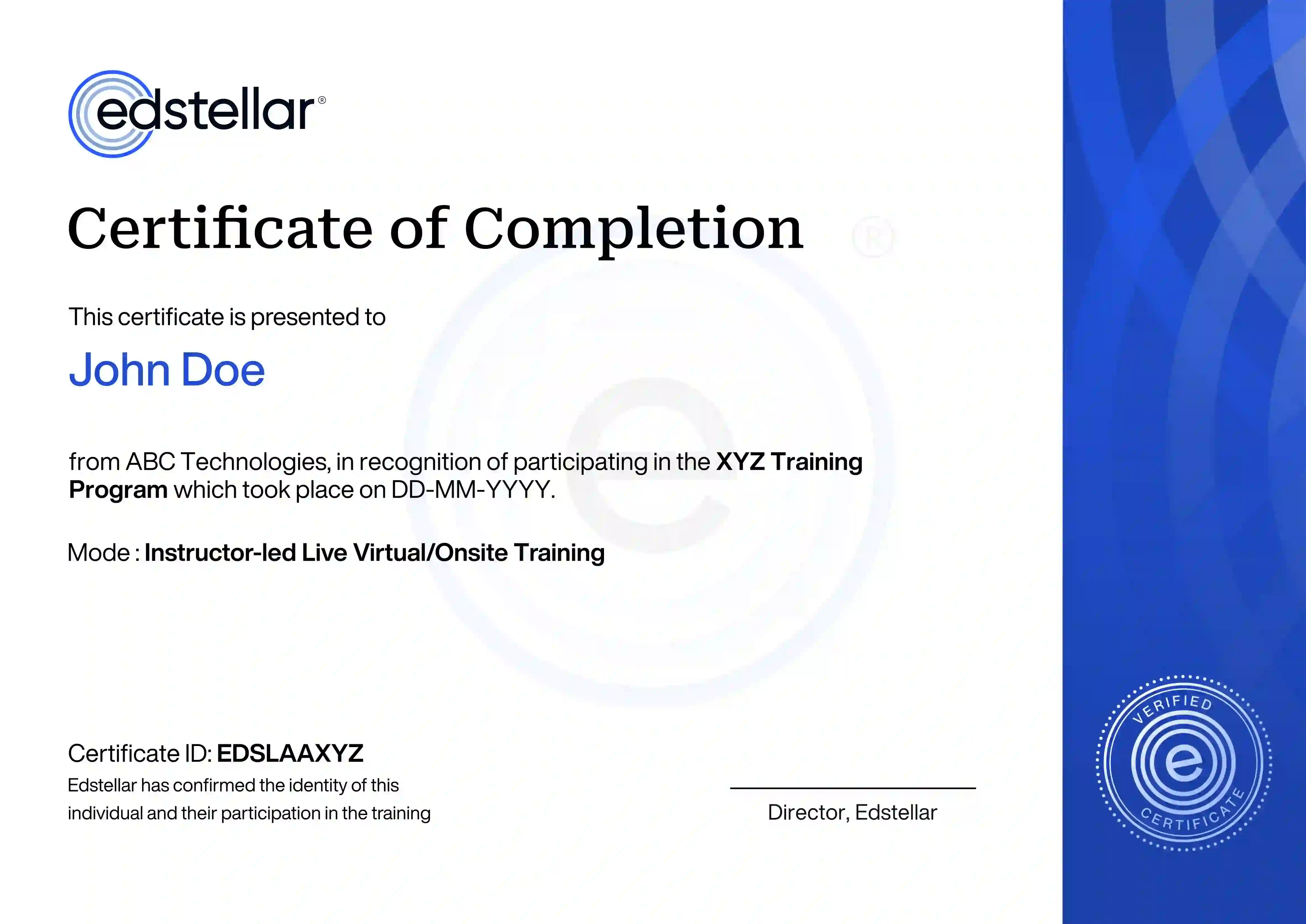
        Upon successful completion of the training course offered by Edstellar, employees receive a course completion certificate, symbolizing their dedication to ongoing learning and professional development.

        This certificate validates the employee's acquired skills and is a powerful motivator, inspiring them to enhance their expertise further and contribute effectively to organizational success.

        Recognition That Motivates Your Team
        We have Expert Trainers to Meet Your SWIFT Training Needs

        The instructor-led training is conducted by certified trainers with extensive expertise in the field. Participants will benefit from the instructor's vast knowledge, gaining valuable insights and practical skills essential for success in Access practices.

        iOS Development with Swift Trainer in Rajkot
        Darshan
        Rajkot, India
        Trainer since
        January 1, 2014
        iOS Development with Swift Trainer in Cuddapah
        Naga
        Cuddapah, India
        Trainer since
        September 1, 2012
        SWIFT & Mobile Lead Trainer in Jaipur
        Arpit
        Jaipur, India
        Trainer since
        January 1, 2016
        iOS Development with Swift Trainer in Chittoor
        Kiran
        Chittoor, India
        Trainer since
        April 1, 2019