

Motion Graphics and Animation (After Effects) Corporate Training
Learn keyframe animation, kinetic typography, and compositing in After Effects through live guided labs.
Your team learns to design motion graphics with After Effects. Employees practice keyframe timing, shape layers, kinetic typography, and compositing through guided labs led by practitioners. Each session is tuned to your brand, tools, and creative workflows.
Instructor-led group trainingVirtual / on-site / hybrid10+ languagesDelivered in English, Spanish, Mandarin, German, Arabic, Portuguese, Hindi, French, Japanese, Italian, and more100+ countriesWe have delivered in United States, United Kingdom, India, Canada, Germany, France, Netherlands, UAE, Saudi Arabia, Singapore, Australia, Japan, Brazil, South Africa and 90+ more countries
How we build a motion-ready creative team
EDSTELLAR MOTION GRAPHICS CAPABILITY MODEL
Assess motion capability
Skill checks map your team's After Effects fluency and animation fundamentals.
Set shared standards
One shared playbook for timing, easing, typography, and brand motion rules.
Practice in guided labs
Labs cover keyframes, shape layers, effects, and compositing workflows.
Measure the lift
Lab reviews benchmark each employee's animation quality and delivery speed.
Scale across teams
One motion standard rolls out across campaigns, products, and channels.
 Expert trainers
Need more than one program?Get a group quote
Trusted as a Leading Corporate Training Provider by
















Program Overview: What is Motion Graphics and Animation (After Effects)?

Motion Graphics & Animation (After Effects) is Edstellar's instructor-led creative program for designers, video teams, and content creators producing professional motion graphics. Participants work through After Effects essentials, keyframe animation and easing, shape layers and kinetic typography, and compositing and render workflows. The focus stays on craft: animation with timing, rhythm, and polish that looks intentional.
Training is hands-on from the first module. Participants build animated compositions in guided labs, then develop timing and easing instincts through structured exercises against realistic briefs. Instructors coach your team through masks, effects, compositing, and the preset and render workflows that make delivery reliable, reviewing every exercise with direct feedback. The program closes with a capstone: a brand motion graphics package.
Creative teams often animate by trial and error: keyframes everywhere, easing left default, and renders that fight them at deadline. This program teaches the disciplined technique behind animation that feels designed, from typography in motion to clean compositing. Every technique is practiced in labs, so the learning transfers directly to your productions.
The capstone is a brand motion graphics package your team produces end to end: animated brand elements with consistent timing and style, packaged with presets and render settings the whole team can reuse. Your designers return animating with intent instead of adjusting until it looks right.
Six modules and 24 hours: After Effects setup and design foundations, keyframe animation and easing, shape layers and kinetic typography, effects and visual polish, compositing and render pipelines. Every module pairs concepts with a guided lab, so each technique is practiced. It closes with a capstone motion package the team plans, animates, refines, and presents.
Delivery is hybrid across virtual and onsite sessions, scheduled around your calendar. Cohorts train as one group or split into batches, with session materials and lab project files included for every participant.
What's Included in this Workshop for Your Enterprise Teams
- 1
Keyframe animation drills
Time and ease motion with precision.
- 2
Shape layer and type labs
Build animated graphics and kinetic type.
- 3
Effects and compositing
Polish scenes and layer elements.
- 4
Render and export pipelines
Deliver files for every channel.
- 5
Capstone motion package
Produce a complete brand animation set.
- Instructor-led delivery across virtual, onsite, and hybrid
- Guided After Effects labs in every module with coaching
- Capstone brand motion package, reviewed with your team
- Flexible scheduling around your calendar
- Project files and motion presets included
- Group size and batches set along with you
Build your team's skills. Anywhere in the world.
Real-world use cases
from day one
Instructor-led training
for your teams
Delivered globally
in 100+ countries

Enterprise Training Solutions Customized for Your Company
One partner for instructor-led corporate training, delivered the way your teams work.
Request a Training Quote- Customized Training Delivery
- Scale Your Training: Small to Large Teams
- In-person Onsite, Live Virtual or Hybrid Training Modes
- Plan from 2000+ Industry-ready Training Programs
- Guided Technical Labs, Led by Industry Experts
Motion Graphics and Animation (After Effects) Course Topics and Program Outline
A tailored 24-hour, six-module workshop: one learning journey from After Effects setup to a capstone brand motion package. Sessions pair concepts with labs on real-world use cases. Materials include project files and motion presets, plus a capstone assessment.
Built by Edstellar with motion design expertise
Built by motion designers who produce animated brand content in production, shaped around your stack and use cases.
Skill checks baseline your team's After Effects fluency, animation basics, and design software habits before training begins.
Live instruction covers After Effects setup, keyframe animation, and easing principles across 6.5 focused hours.
Guided labs build shape layer, kinetic typography, and effects skill across 8 hours of supervised practice.
Your team ships a capstone brand motion package in 9.5 hours, reviewed against the creative brief.
From After Effects setup to a capstone brand motion package, every technique is practiced in guided labs.
Delivered as
Delivered as a hybrid program of live instruction and guided labs, scheduled around your team's calendar in flexible batches.

Configure your workspace, organize a sample project, and set up compositions for common delivery formats in a guided walkthrough.
learnNavigating the workspace, panels, and timelines
Project setup, folders, and media organization
Composition settings, frame rates, and resolutions
Importing brand assets and preparing design files
Animate brand shapes through position, scale, and opacity, refining timing and easing curves with instructor guidance.
learnKeyframe types and property animation
Speed graphs and value graphs
Easing principles for natural motion
Spatial interpolation and motion paths
Design and animate a kinetic type sequence for a brand headline, using masks and mattes for clean reveals.
practiceShape layers, fills, strokes, and paths
Masks, track mattes, and reveals
Text animators and per-character control
Kinetic typography systems and styles
Apply and tune effects on a multi-scene sequence, building a saved preset pack the team can reuse.
practiceEffect presets and customization
Transitions for scenes and sections
Color correction and stylistic looks
Preview optimization and quality checks
Composite a 30-second animated spot from provided assets, then render broadcast and social deliverables.
applyMulti-layer compositing and pre-comps
Animation presets and template systems
Syncing motion to audio and voiceover
Render settings and export for every channel
Plan, animate, iterate, and present a full brand motion package reviewed against the creative brief.
applyReading the creative brief and planning shots
Full production: animating the package
Feedback iteration with the instructor
Final review, polish, and delivery
Customize This Program Tailored to Your Team?
Tell us your training needs: what your team already works with, the level they’re at, and the topics you want them to focus on. We’ll adjust the modules, duration and hands-on labs, and send you a customized outline for your group.
Key Skills and Outcomes Your Team Will Gain
Seven job-ready outcomes your team will demonstrate by the end of the program. Each competency is practiced in guided labs and reviewed in the capstone build.
Set up After Effects projects
Configure workspaces, organize media, and set composition standards your whole team can follow.
Animate with keyframes and easing
Place keyframes with intent and shape timing with easing curves for smooth, professional motion.
Build shape layers and masks
Create vector graphics inside After Effects and reveal them cleanly with masks and track mattes.
Design kinetic typography
Animate type with per-character control to build title sequences and branded text moments.
Apply effects and transitions
Use effects and transitions with restraint for polish that keeps brand work clean.
Composite scenes and render
Layer pre-comps, sync motion to audio, and export correct deliverables for every channel.
Deliver a brand motion package
Plan, animate, iterate, and present a complete logo sting and motion set from a brief.
Teams that Benefit from this Motion Graphics and Animation (After Effects) Group Training
This group training is built for creative groups producing animated content who want professional After Effects skill without outsourcing every motion brief. Content adapts to each cohort's roles, tools, and experience, so every batch practices the workflows it owns, from setup to final render.
Build broadcast-ready motion skill in-house.
Motion designers sharpen keyframe craft, easing judgment, and compositing speed so the team ships animated content on deadline.
Workflow friction
- Inconsistent timing and easing quality
- Slow compositing on layered scenes
- Rework from unclear animation briefs
How the program helps
- Repeatable keyframe and easing workflows
- Faster multi-layer compositing
- Brief-to-delivery animation checklists
Practice use cases
- Logo sting labs
- Kinetic type drills
- Compositing practice
Ship animated brand content without agencies.
Brand teams learn to animate approved assets into social cuts, promos, and campaign motion that stays on brand.
Workflow friction
- Agency costs for every animated asset
- Off-brand motion from outside vendors
- Slow turnaround on campaign motion
How the program helps
- In-house animated asset production
- On-brand motion standards
- Faster campaign motion turnaround
Practice use cases
- Social cutdown labs
- Promo animation drills
- Template build sessions
Add motion craft to product and UX teams.
Product designers prototype animated interactions and export motion references that developers can implement accurately.
Workflow friction
- Static mockups that undersell ideas
- Motion intent lost in handoff
- No shared animation language
How the program helps
- Animated prototypes for key flows
- Clear motion specs for developers
- Shared timing and easing standards
Practice use cases
- Prototype animation labs
- Handoff spec practice
- Easing system drills
Speed edits with repeatable AE workflows.
Video teams add titles, graphics, and polish inside After Effects, cutting round-trips between edit and design tools.
Workflow friction
- Title graphics bottleneck in edits
- Inconsistent lower-third styling
- Slow graphics revision cycles
How the program helps
- In-house title and graphics production
- Reusable lower-third templates
- Faster graphics revision loops
Practice use cases
- Lower-third labs
- Title sequence drills
- Template preset builds
Cohorts train as a cross-functional workforce, with each small group aligned on shared animation and review standards.
Prerequisites: This program benefits designers, brand marketers, product designers, and video producers who create or commission animated content. Basic familiarity with design software helps but is not required, and no prior animation experience is needed. Content adapts to each cohort's brand, tools, and experience level.
Designer to Motion Graphics Specialist
Tracks how designers progress from basic After Effects setup to advanced motion package delivery across the program's learn, practice, and apply phases.
A program that grows with design careers, from first animated keyframe to confident motion package delivery.
Different Teams, Locations, Time Zones, or Languages? We've Got You Covered.
Whether your teams are spread across countries, time zones, languages, or experience levels, we deliver tailored training programs that ensure a consistent learning experience across your global workforce.
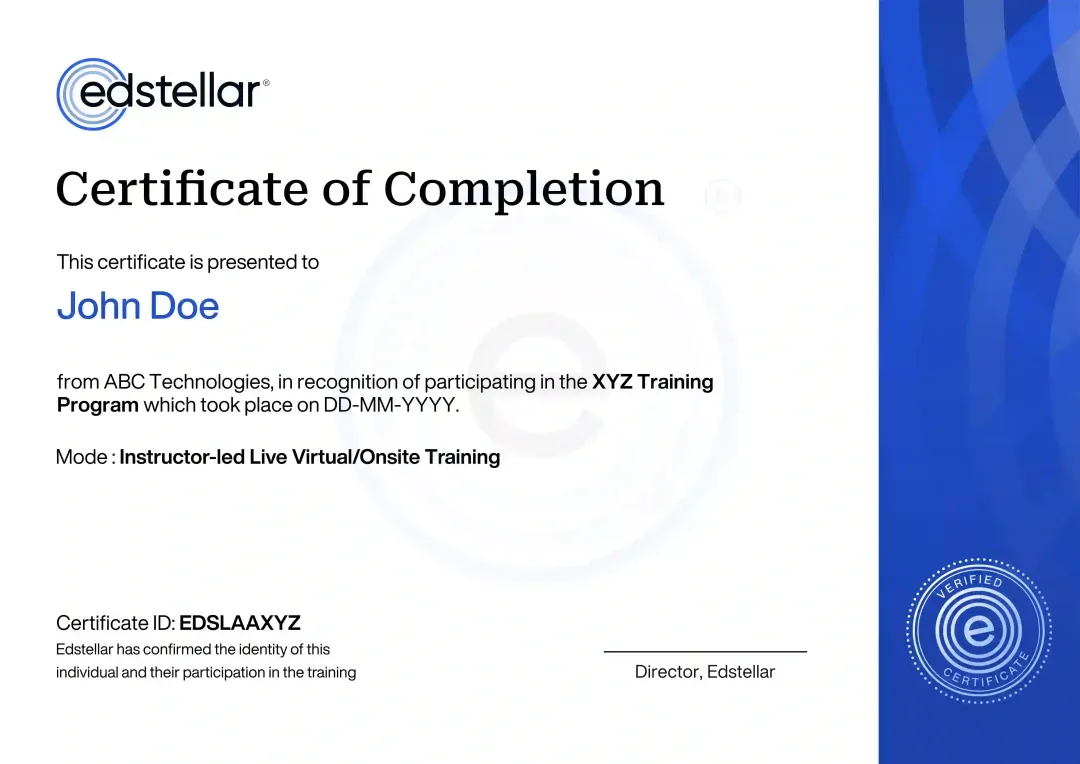
Certificate of Training Completion.
On successful completion, employees receive an Edstellar course completion certificate, recognizing their commitment to ongoing learning and professional development. It validates the skills they have built and motivates them to keep growing and contribute to organizational success.
Earned, not attended. Awarded on completion of all hands-on labs and the capstone project.
Training Delivery Modes: Onsite, Virtual and Hybrid
Live instructor-led sessions with guided After Effects labs, delivered across onsite, virtual, and hybrid formats to fit your team's calendar.
Motion Graphics & Animation (After Effects) Onsite Training
Instructor-led training at your offices, with labs set up on your machines and brand tooling. The instructor works with the team in person, reviews animations together, and tunes exercises to your campaigns and workflows.
- Instructor-led training at your offices
- Labs set up on your machines and tooling
- In-person animation reviews and coaching
- Exercises tuned to your brand and campaigns

Motion Graphics & Animation (After Effects) Live Virtual Training
Live virtual sessions on Zoom or Teams with screen-shared demos, breakout labs, and real-time reviews. Your team gets the same guided labs and instructor coaching as onsite, from anywhere.
- Live virtual sessions on Zoom or Teams
- Screen-shared demos and breakout labs
- Real-time reviews with the instructor
- Same guided labs as onsite, from anywhere
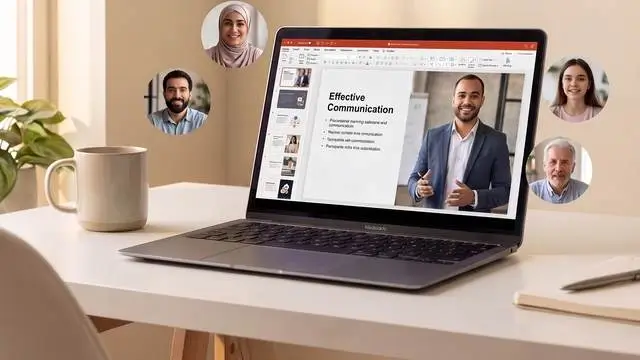
Motion Graphics & Animation (After Effects) Hybrid Training
Instructor-led sessions mix onsite and virtual delivery with guided labs throughout. Designers animate brand assets live while the instructor coaches, reviews work, and tunes exercises to your brand guidelines. Hybrid keeps scheduling flexible without losing live feedback.
- Live instruction across onsite and virtual sessions
- Guided After Effects labs with instructor coaching
- Real brand workflows practiced throughout
- Flexible scheduling without losing live interaction

Need a Customized Training Format That Works for Your Team?
Our training delivery is customized to your team's schedule, full days, half days, sessions spread across weeks, or modular formats. Share your preferred timeline, and we'll plan the training around it.
Frequently Asked Questions
Edstellar helps creative teams build a consistent motion-design workflow from brief to delivery. Common project organization and review criteria can make brand animations easier to revise and hand over between designers.
The program develops a brand motion package through guided practice and critique. Agree a clear creative brief so participants are assessed on communication, timing and deliverable quality rather than the number of effects they use.
Edstellar works with 200+ enterprise clients across 20+ industries and runs Motion Graphics & Animation (After Effects) training through a network of 5,000+ vetted trainers and coaches. Content is shaped by motion designers who use After Effects, with a focus on animation principles, compositions, effects and rendering. Exercises can use your own tools, data and scenarios, and you can review the matched trainer's profile before confirming. Training runs onsite, virtual or hybrid, and pre- and post-training assessments track skill gains.
Look for strong timing fundamentals, clear file organization and dependable export review. Edstellar’s project-based outline should be matched to your brand standards and channels, with realistic expectations for what can be learned in the duration.
Review the trainer’s motion work, project handover practice and approach to constructive critique. Ask how they diagnose awkward timing or unreadable typography without relying solely on preset demonstrations.
Question Not Answered Here?
Put it in the request. A training specialist answers it directly, within one business day.
Where this Training Fits in Your Team's learning path.
Motion graphics build on well-made assets. Your team designs graphics in Illustrator first, then animates them in After Effects in this course, edits full videos, and finally publishes short-form content for marketing channels.

DESIGN THE ASSETS
Adobe Illustrator Training
Design clean vector assets that are ready to be animated.
ANIMATE
Motion Graphics & Animation (After Effects) Training
Animate graphics, text and logos in After Effects with keyframes, effects and compositing.
EDIT THE VIDEO
Video Editing & Post-Production (Premiere Pro, DaVinci Resolve) Training
Edit footage and combine it with motion graphics in Premiere Pro or DaVinci Resolve.
PUBLISH SHORT-FORM
Video Marketing & Short-Form Content Training
Plan and publish short-form video that uses your motion and editing skills.
More related courses
Adobe Photoshop Training
AI Corporate Training for Video Editors
3D Modeling & Animation (Blender/Maya) Training
Why Choose Edstellar as Your Motion Graphics and Animation (After Effects) Corporate Training Provider
When comparing providers, Edstellar is the training partner teams choose for design expertise and 5+ years of corporate training experience. Our methodology blends concise instruction with guided labs, so motion skill shows up in the work your team ships.
EXPERT TRAINERS
YEARS DELIVERING
ORGANIZATIONS TRAINED
CERTIFIED
Tailored
Every cohort's labs, examples, and exercises are tuned to your brand guidelines, asset libraries, and motion standards.
Proven Methodology
A learn-practice-apply journey refined over 5+ years takes designers from setup basics to capstone delivery.
Practice-Based Learning
Guided After Effects labs in every module keep the focus on animating real briefs, not watching slides.
Expert Trainers
Motion design practitioners who ship animated brand content lead every session and review every capstone.
Global Scale
One motion standard rolls out across regions and time zones with consistent instructor-led delivery worldwide.
Measurable Outcomes
Lab reviews and the capstone assessment show exactly how far each employee's animation skill has come.
Build Cohesive Brand Motion Through Animation, Compositing, and Delivery Practice
Edstellar develops After Effects skills through a connected brand-motion project. Participants organize compositions, refine keyframes, and animate typography before applying effects and compositing scenes. Iteration culminates in a motion package reviewed against the creative brief, with attention to timing, visual consistency, and technically appropriate broadcast and social deliverables.
- Step 01
Consult
We assess design-software familiarity and motion-content responsibilities to identify priorities in composition setup, keyframe timing, typography, compositing, and delivery-format preparation.
- Step 02
Plan
We establish project organization before animation and easing, then develop shape and type sequences, visual effects, and compositing ahead of the brand motion package.
- Step 03
Align
We align motion design and After Effects expertise with designers, marketers, and video producers, adapting foundational support to their animation experience and brand-content responsibilities.
- Step 04
Customize
Provided brand assets, headlines, and delivery briefs reflect familiar visual styles, allowing tailored timing and composition exercises while preserving consistent export requirements.
- Step 05
Execute
Participants animate shapes and type, refine easing, create reusable effects, and composite scenes, receiving feedback on visual hierarchy, transitions, pacing, and render choices.
- Step 06
Evaluate
We assess the motion package against the creative brief for coherent timing, readable typography, consistent visual treatment, and rendered outputs suited to the specified channels.
Also from Edstellar
Talent assessments
Psychometric, behavioral, leadership and 360-degree assessment.
→Training needs analysis
Needs analysis, gap identification, and a training roadmap.
→L&D consulting
Learning strategy, content, technology and ROI measurement.
→OD consulting
Org design, succession planning and cultural change.
→Managed training services
Training outsourcing, vendor management, logistics and administration.
→Coaching solutions
Executive and manager coaching that keeps skills in use.
Start an RFP shaped to your needs.
Answer three quick questions about team size, scope, and how often you need the program run, then send the request from the last step. Everything you choose travels with it, so you only fill this in once.
How many team members need training?
Motion Graphics & Animation (After Effects) Training Packages & Pricing
Where L&D holds an annual budget, license packages price the whole year at once instead of raising a purchase order per workshop. Hours and licenses are pooled across teams, programs and locations, so unused capacity is not stranded in one department.
Starter
120
trainee licenses64 hours of group training
Tailored for SMBs
Growth
320
trainee licenses160 hours of group training
Ideal for growing SMBs
Enterprise
800
trainee licenses400 hours of group training
Designed for large corporations
Custom
Unlimited
trainee licensesDuration set by the rollout
Multi-region and multi-year
Training Packages & Pricing
Choose the training format that works for your team. Pricing is customized based on your requirements, cohort size, and delivery needs.
Request a Quote for Motion Graphics and Animation (After Effects) Training for Your Team
Share your team size, design tools, brand guidelines, and timelines to receive a tailored training plan and quote. Book a discovery call to discuss your goals; we confirm availability and respond with a proposal.